FinBook FinBook

FinBook is open-source financial software that we can configure together to fit you exactly!

Sales, purchasing, inventory, manufacturing, payroll, KMD (Estonian VAT return) and an AI assistant — all in one system, following Estonian accounting rules.

Open source The software is free We never hold clients hostage AI-assisted development
Sales · Sales invoice list — status and balances at a glance

A new approach: the software is free

We don't sell licences. We give you the software free of charge together with a contract — you pay only for hosting and administration (if you don't have your own server) and for the development that you specifically need.

And most importantly: you are no longer tied to a particular vendor. The code is open — you can take our work as your own foundation and get straight to the improvements that genuinely move your business forward. Your data and your system always stay within your reach.

Customisations at the speed of artificial intelligence

With today's artificial intelligence we can build add-on modules, customisations and enhancements in hours or days, not weeks and months — and far more affordably than software development has cost until now.

The work is done by experienced developers — simply with AI's help. Every change goes through tests, code review and audit, as befits financial software. You describe the need, we show you a working solution.

Support you can rely on

FinBook's user support does its job following ITIL and ISO 20000 principles: every request is logged, prioritised and seen through to the end — it doesn't vanish into an inbox.

Development consultants help you find faster solutions — often the capability you need already exists in the system and the right configuration is enough, rather than new development.

What's in the box?

Real screenshots from the demo company “Test Firma OÜ”. The images in each row move forward through the process: overview → open document → creation and special screens. Scroll the strips and click the images.

Accounting core

Sales

Sales invoices, orders, quotations, delivery notes and recurring invoice templates in one flow. On confirmation, the general ledger entries, stock issue and cost of goods are created automatically.

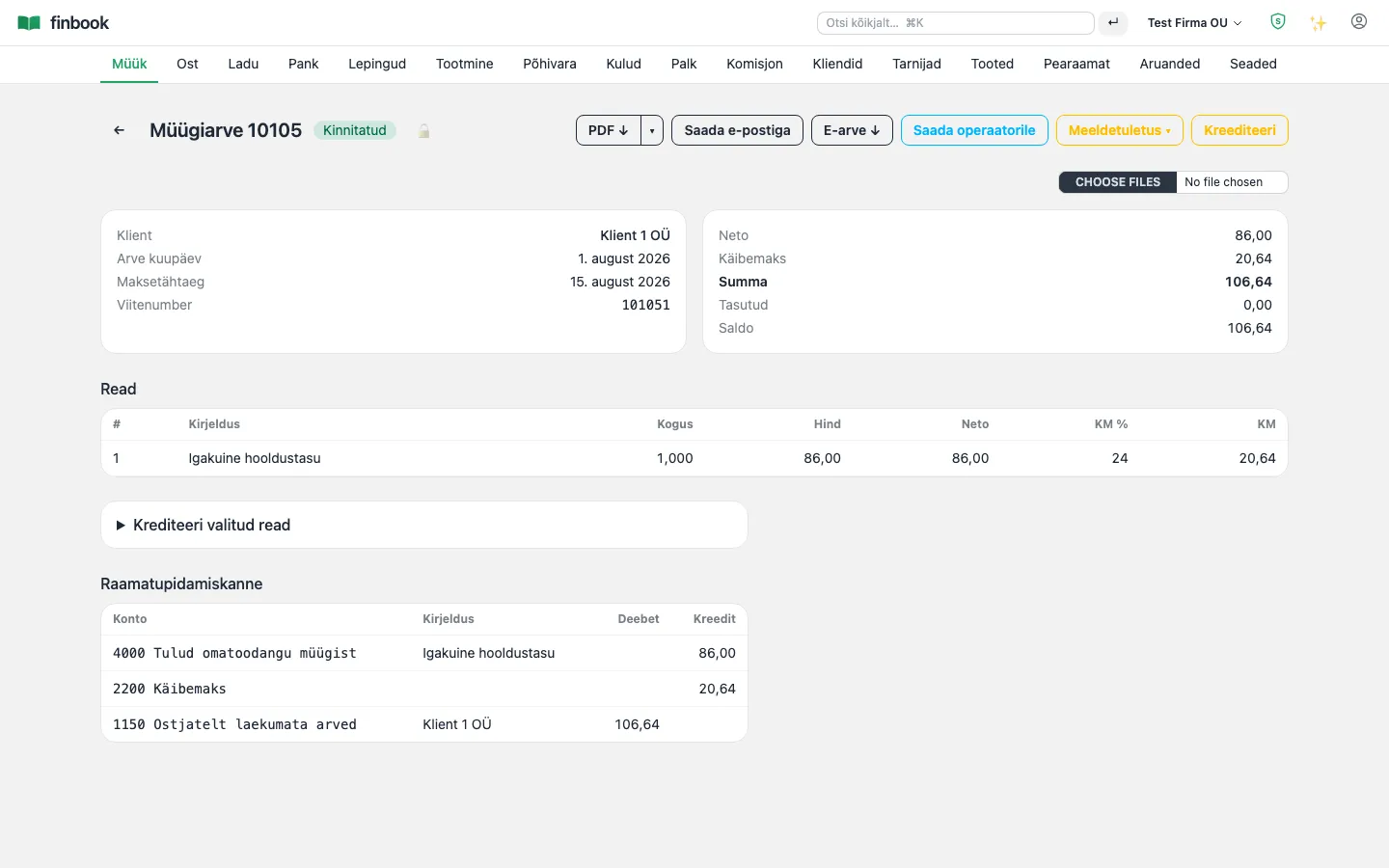
Notable: A confirmed invoice is never altered — corrections always go through a credit note. That keeps the history intact and gives the auditor a clear picture at all times.
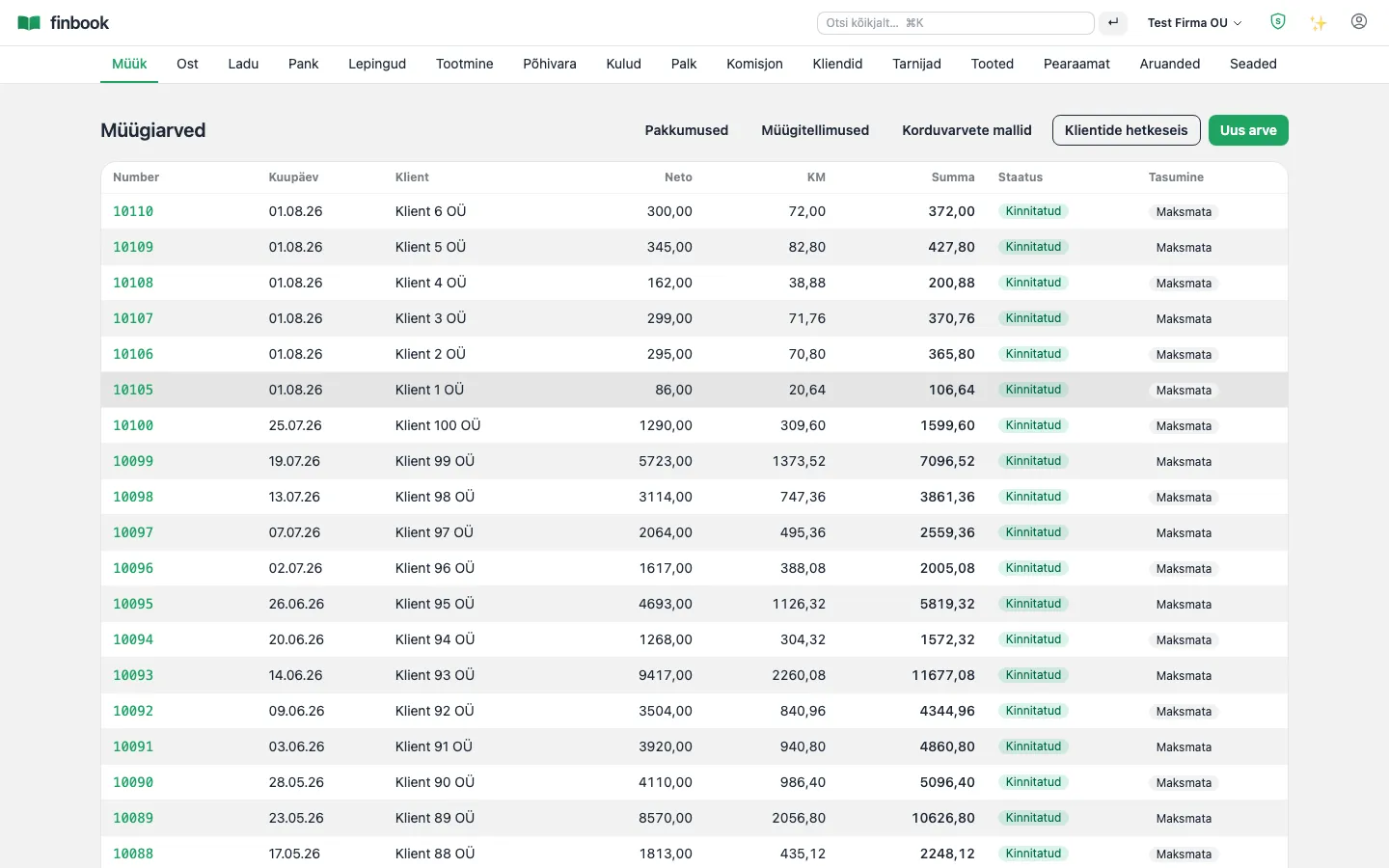
Sales invoice list — status and balances at a glance
1. Sales invoice list — status and balances at a glance
An open sales invoice: lines, VAT, the general ledger entry and documents together
2. An open sales invoice: lines, VAT, the general ledger entry and documents together
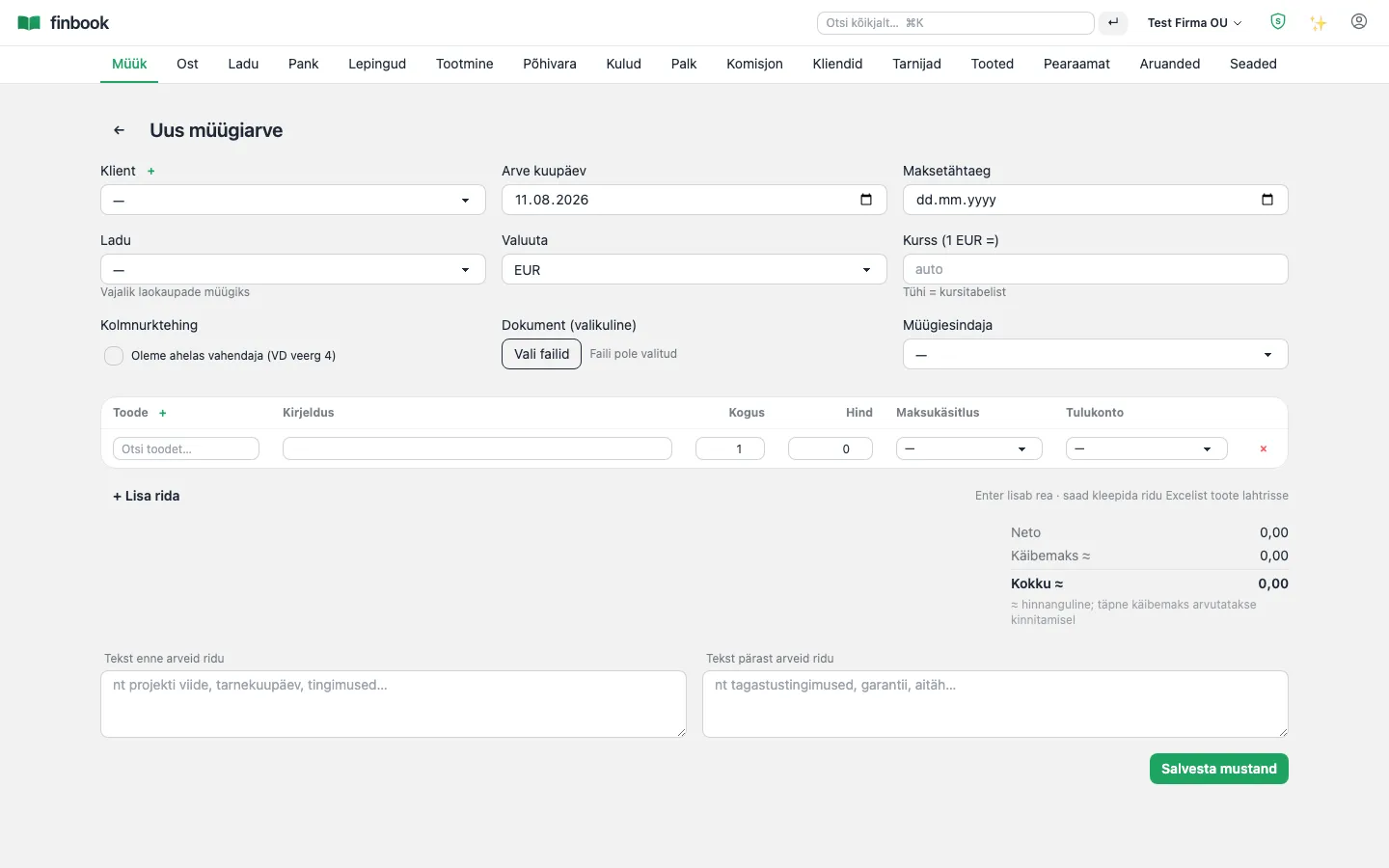
Creating a new invoice — lines, dimensions, VAT automatically
3. Creating a new invoice — lines, dimensions, VAT automatically
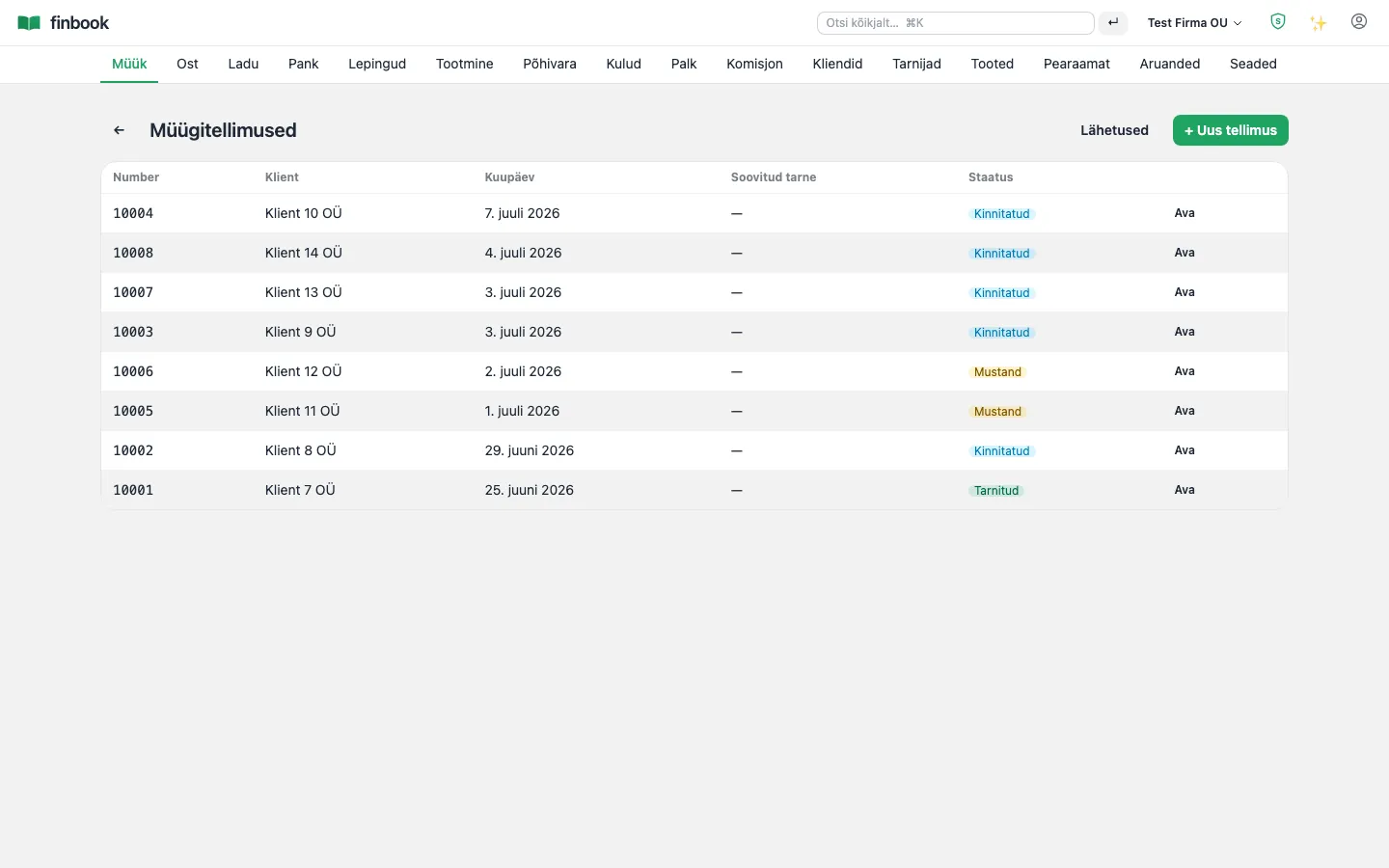
Sales orders and delivery notes
4. Sales orders and delivery notes
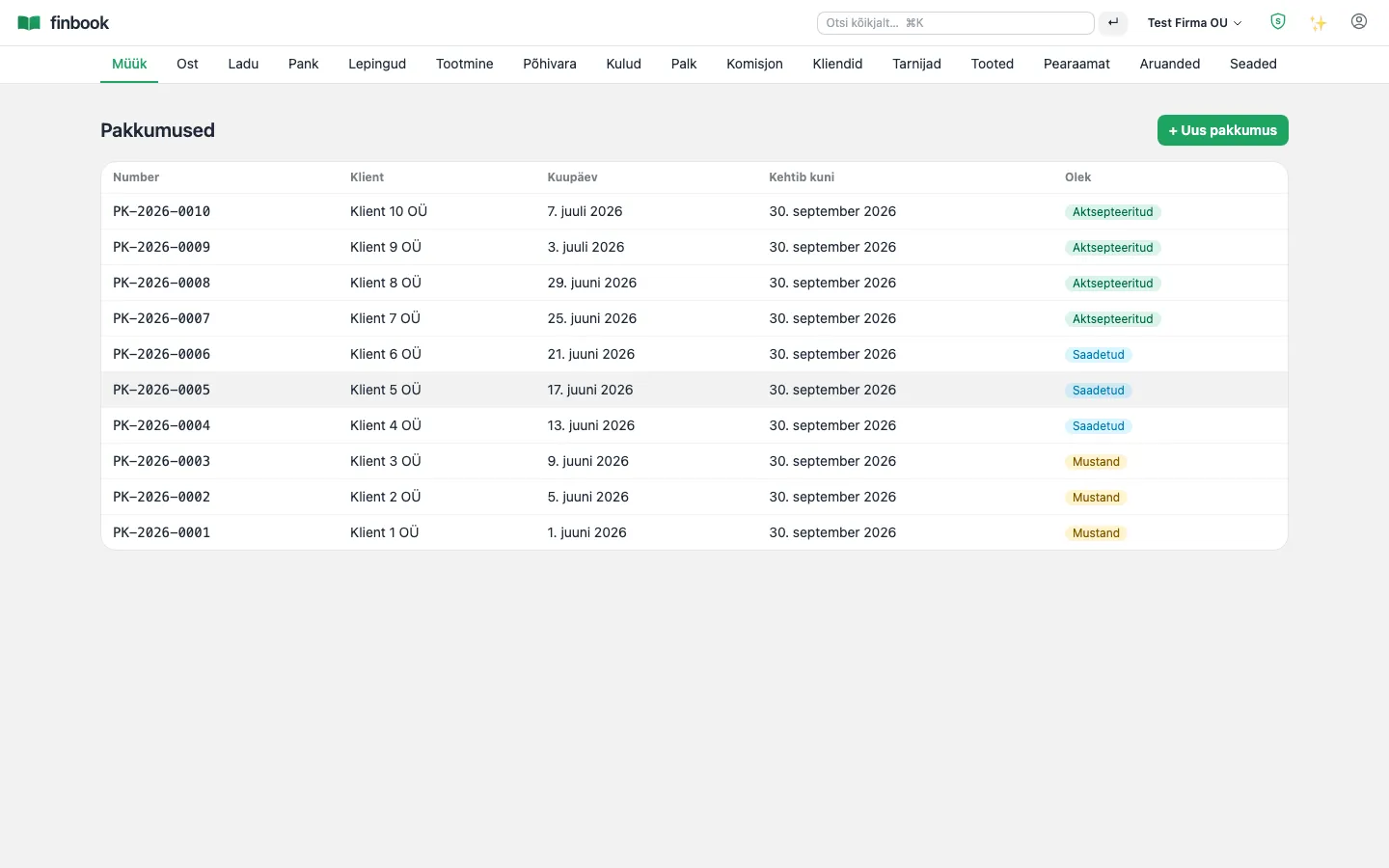
Quotations — from draft to order in a single click
5. Quotations — from draft to order in a single click

Purchasing and AI invoice capture

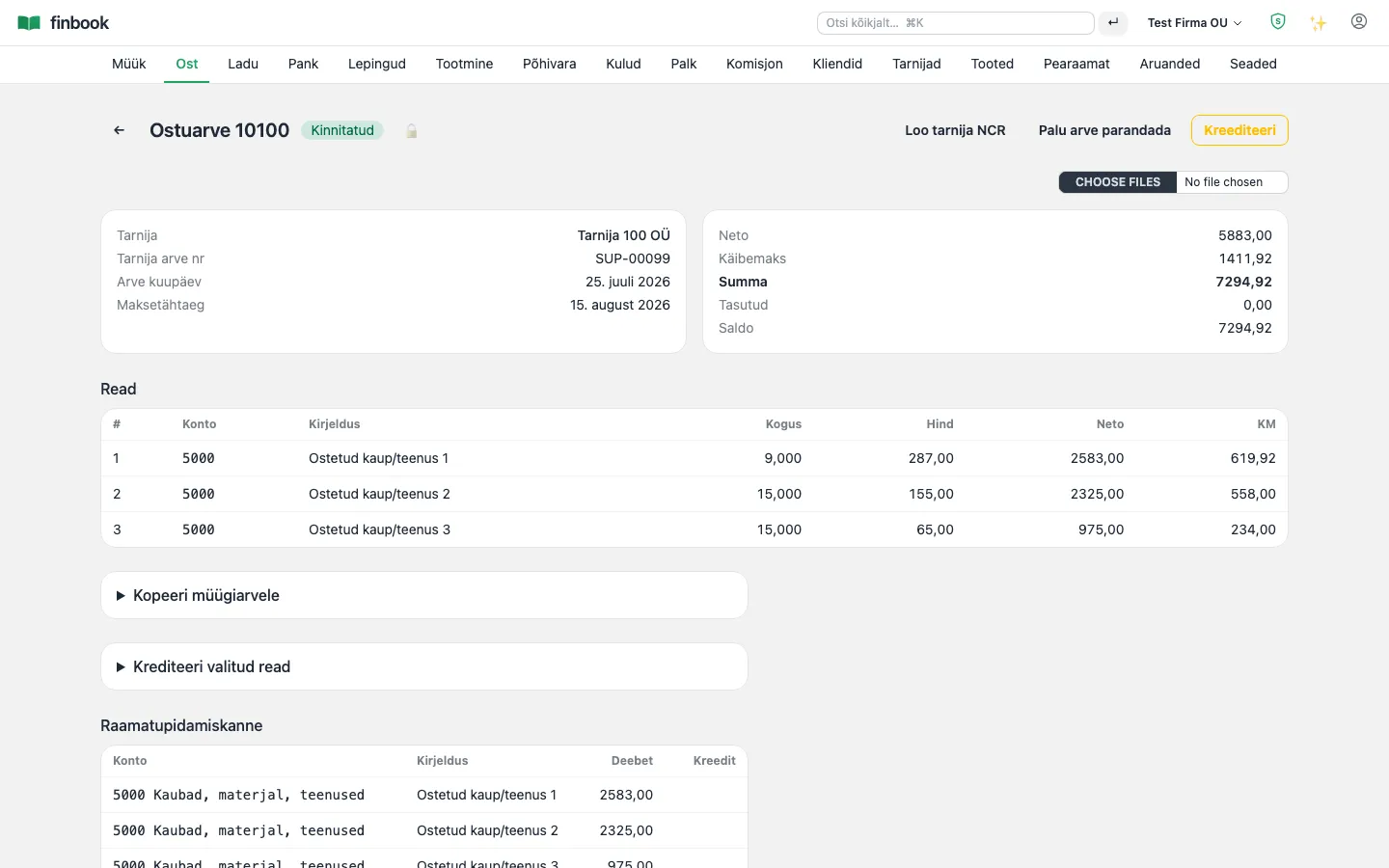
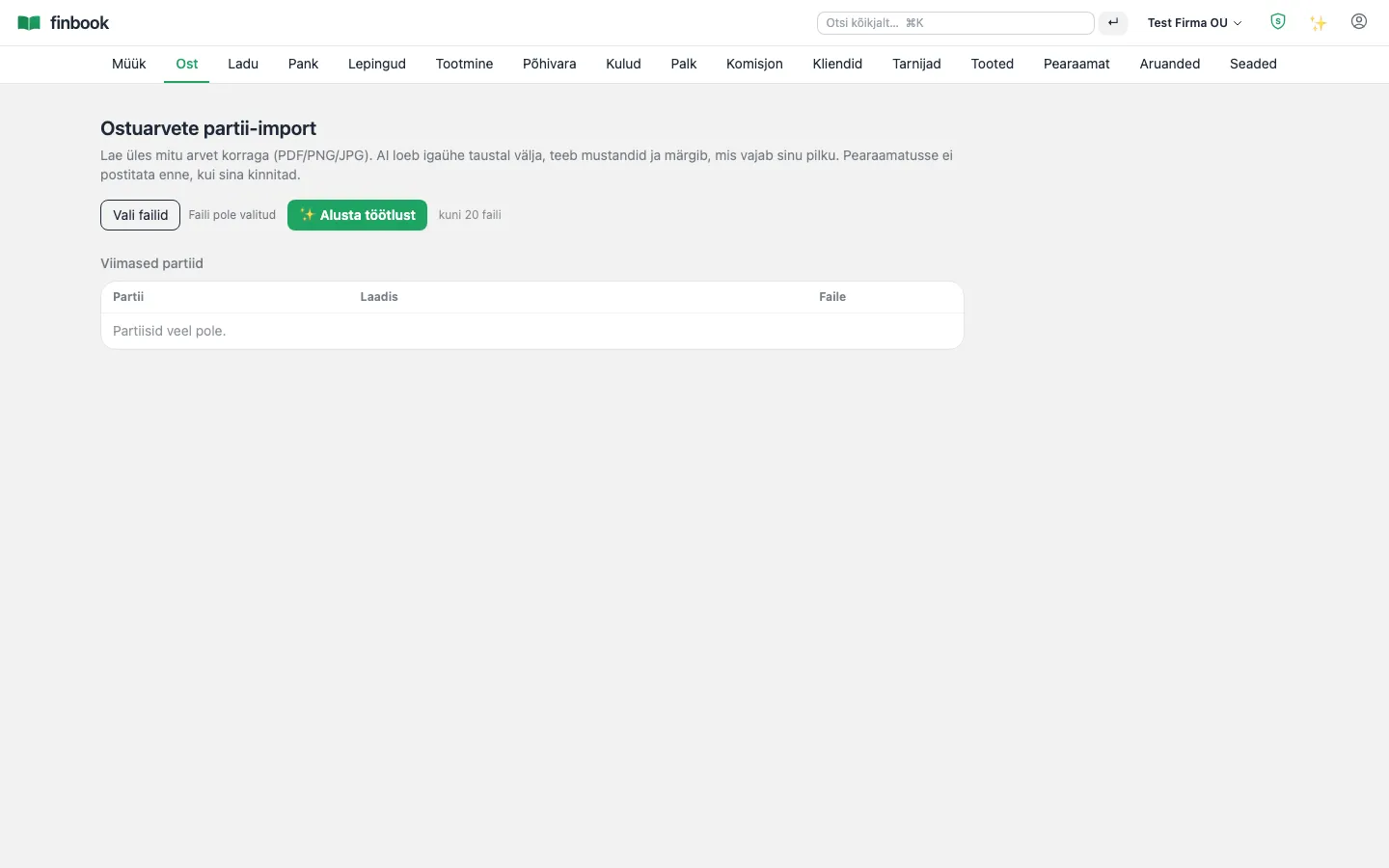
Purchase invoices and orders. AI batch import reads up to 20 invoice files at once: it identifies the supplier, determines the tax treatment and creates drafts — you review and confirm with a single click.

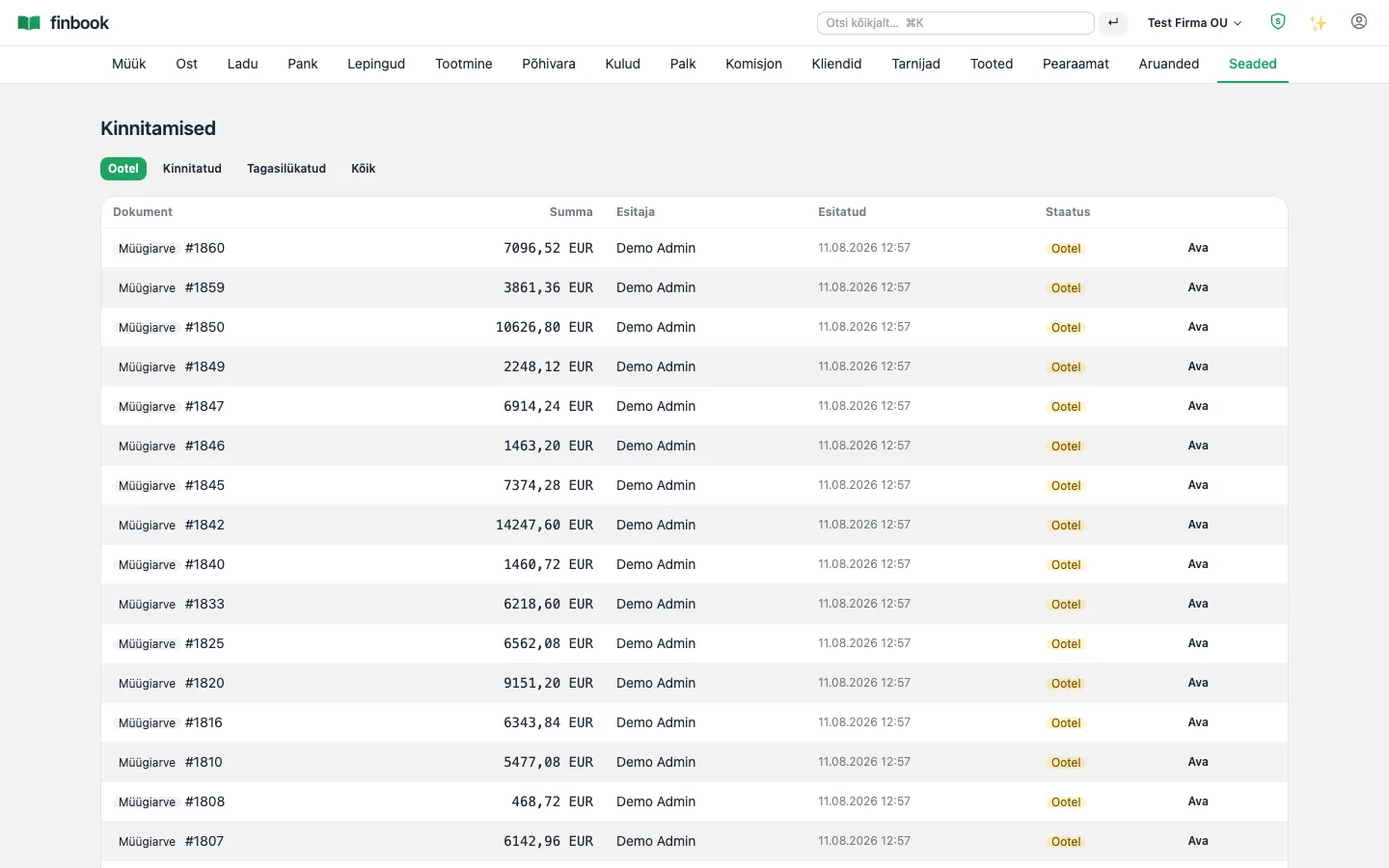
Notable: AI checks the supplier's VAT number directly against VIES and the company details against the Äriregister (Business Register). A larger invoice is automatically routed to a second person for approval (the four-eyes principle).

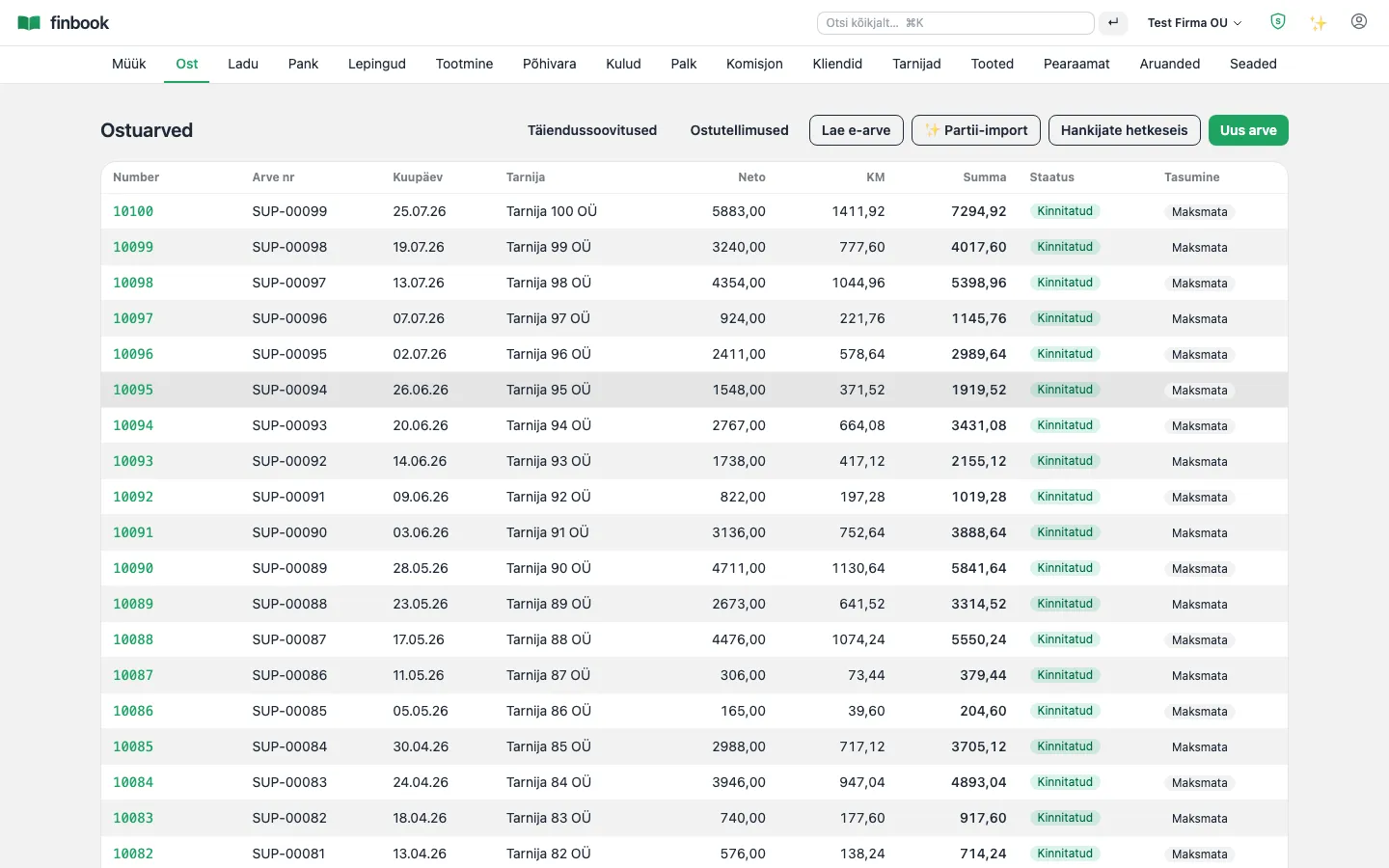
Purchase invoice list
1. Purchase invoice list
An open purchase invoice — lines, entry, supplier document
2. An open purchase invoice — lines, entry, supplier document
AI batch import: upload up to 20 invoice files at once
3. AI batch import: upload up to 20 invoice files at once
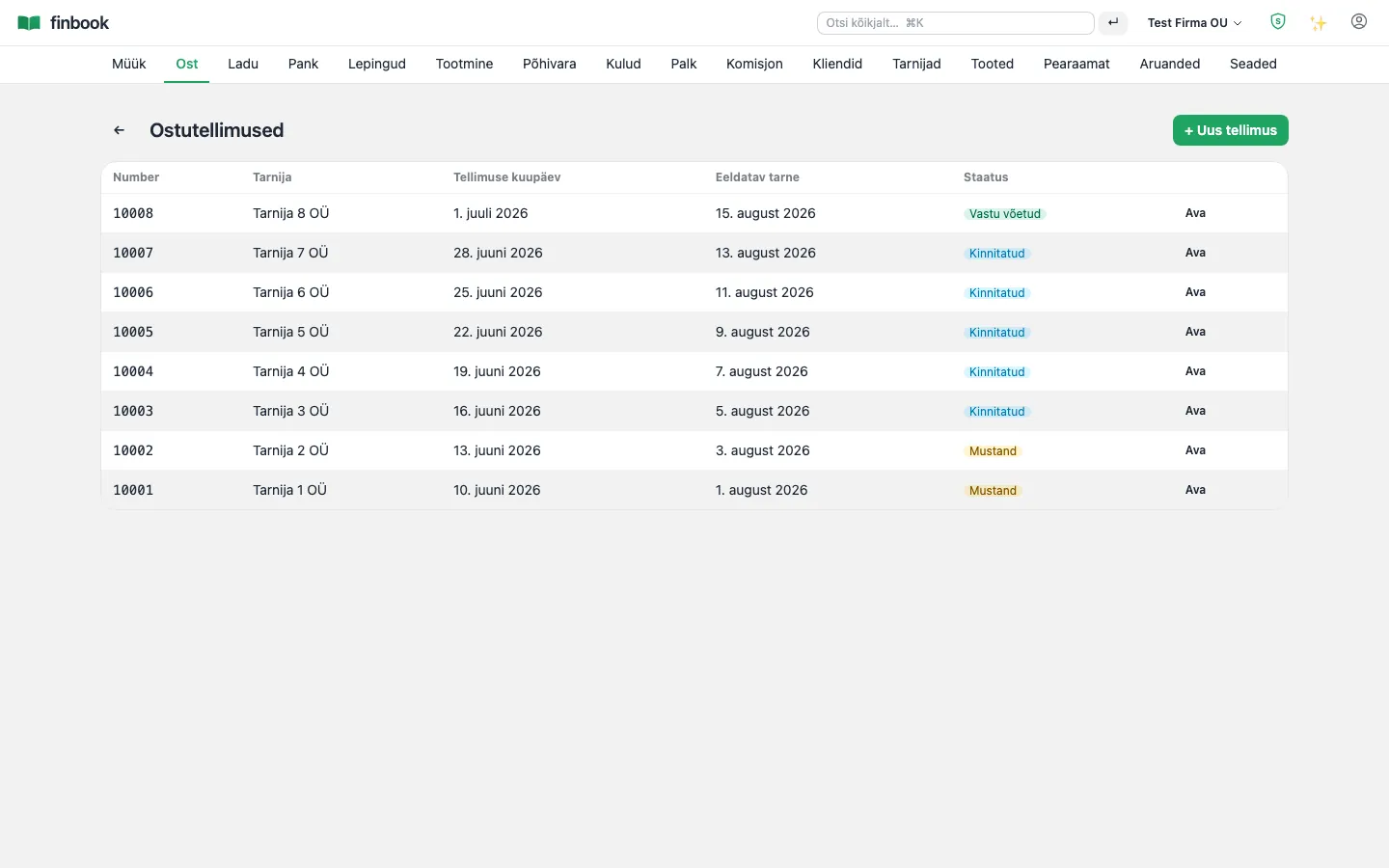
Purchase orders
4. Purchase orders
Approval round — an invoice over the threshold needs a second pair of eyes
5. Approval round — an invoice over the threshold needs a second pair of eyes

General ledger

Double-entry bookkeeping, the Estonian chart of accounts, account roles and accruals. Every document posts through one and the same gateway — no manual correcting entries needed.

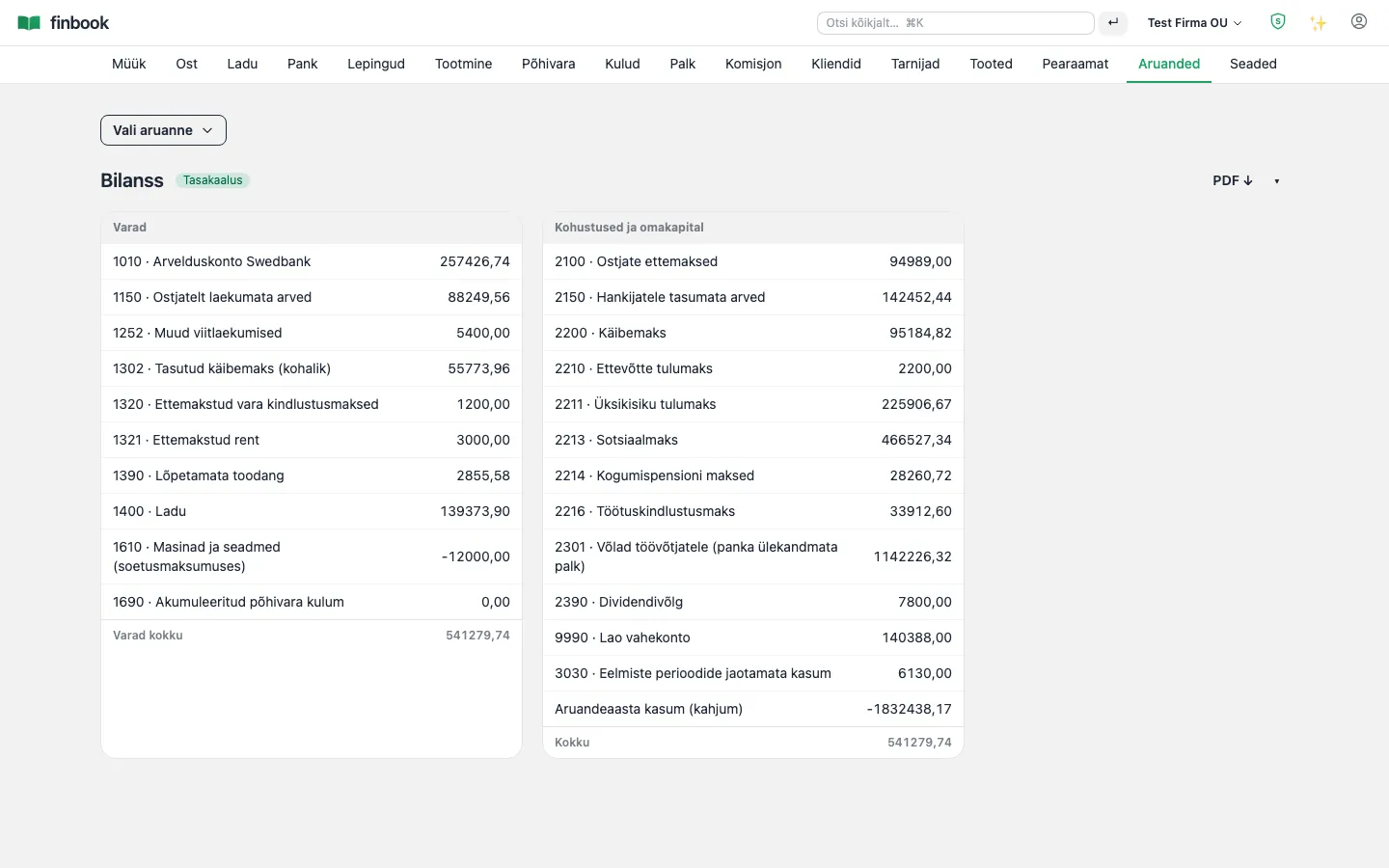
Notable: A posted entry is immutable at the database level (a trigger refuses any change whatsoever). Every night the system checks by itself that the balance sheet reconciles and the sub-ledgers equal the accounts.

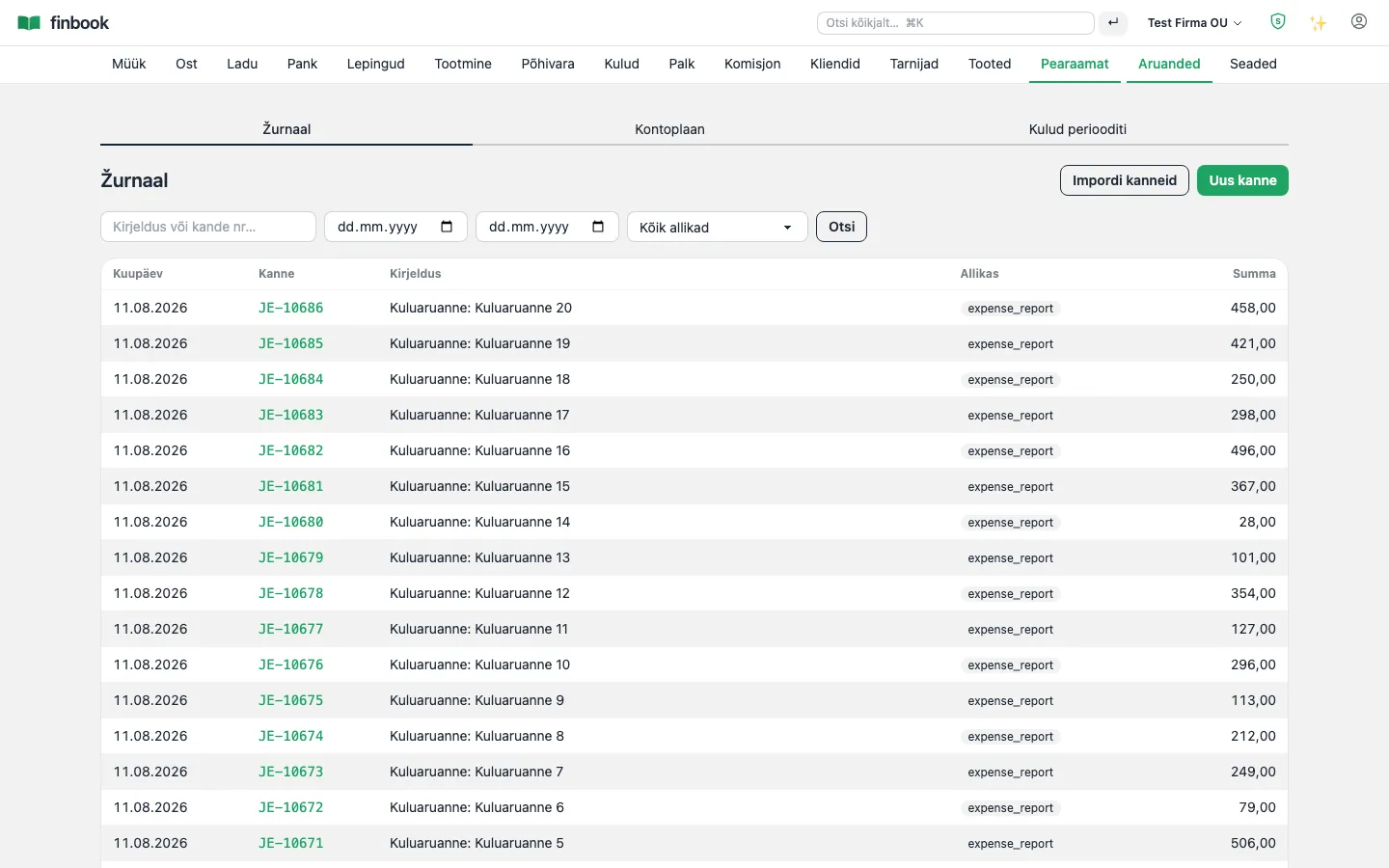
Journal — every entry, source and audit
1. Journal — every entry, source and audit
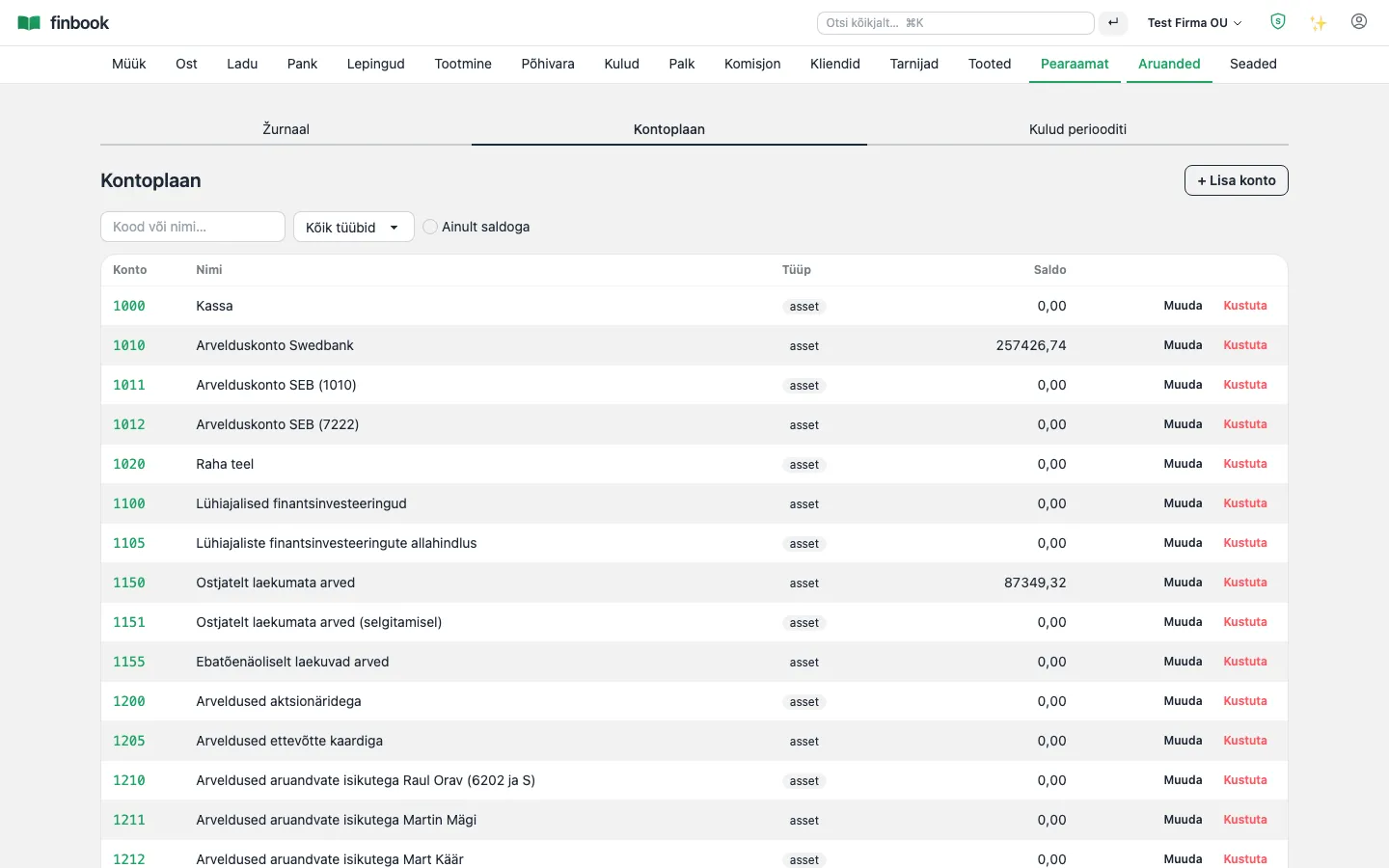
The Estonian chart of accounts, customisable
2. The Estonian chart of accounts, customisable
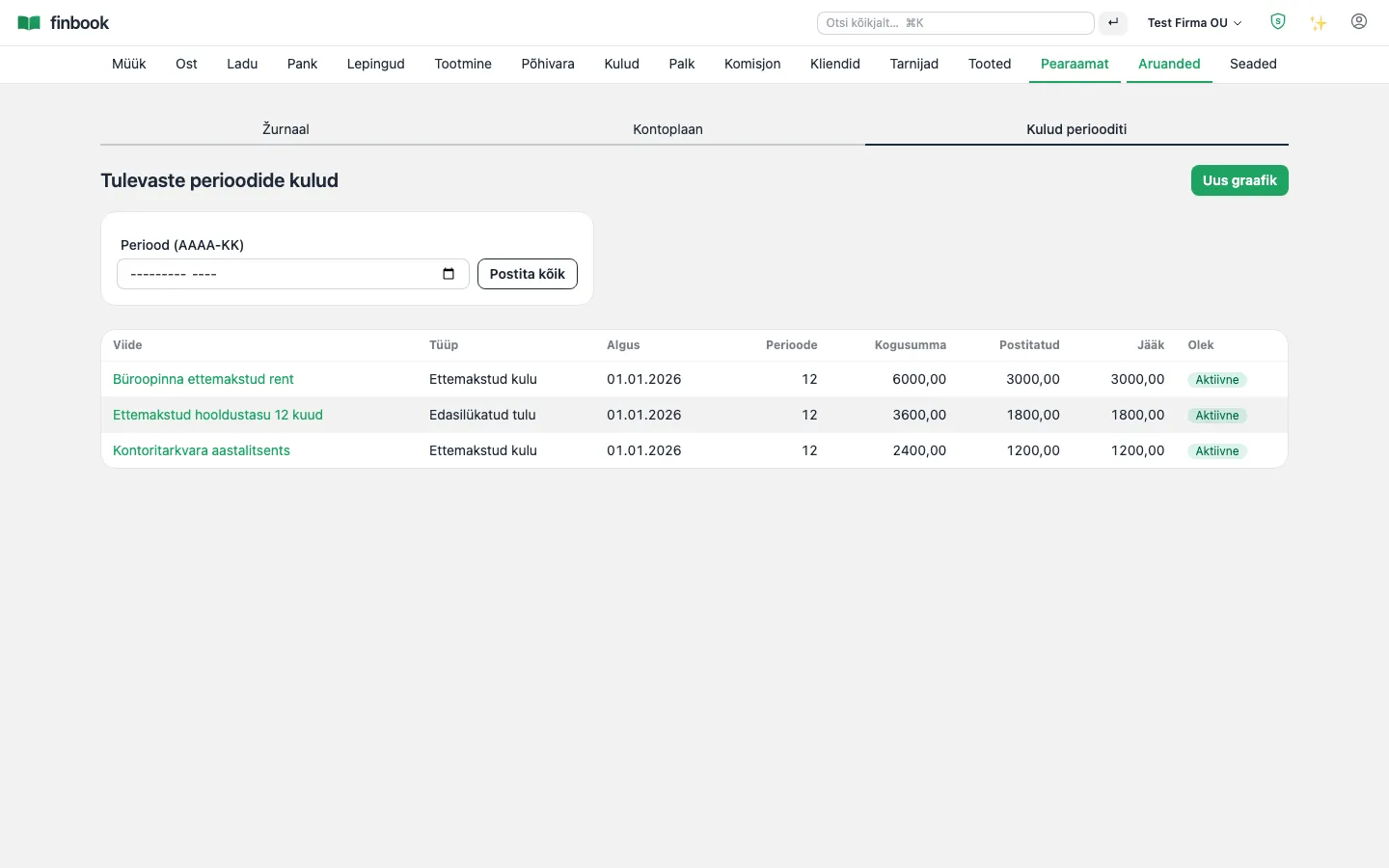
Accrual schedules — expense in the right month
3. Accrual schedules — expense in the right month

Taxes: KMD, VD, e-invoices

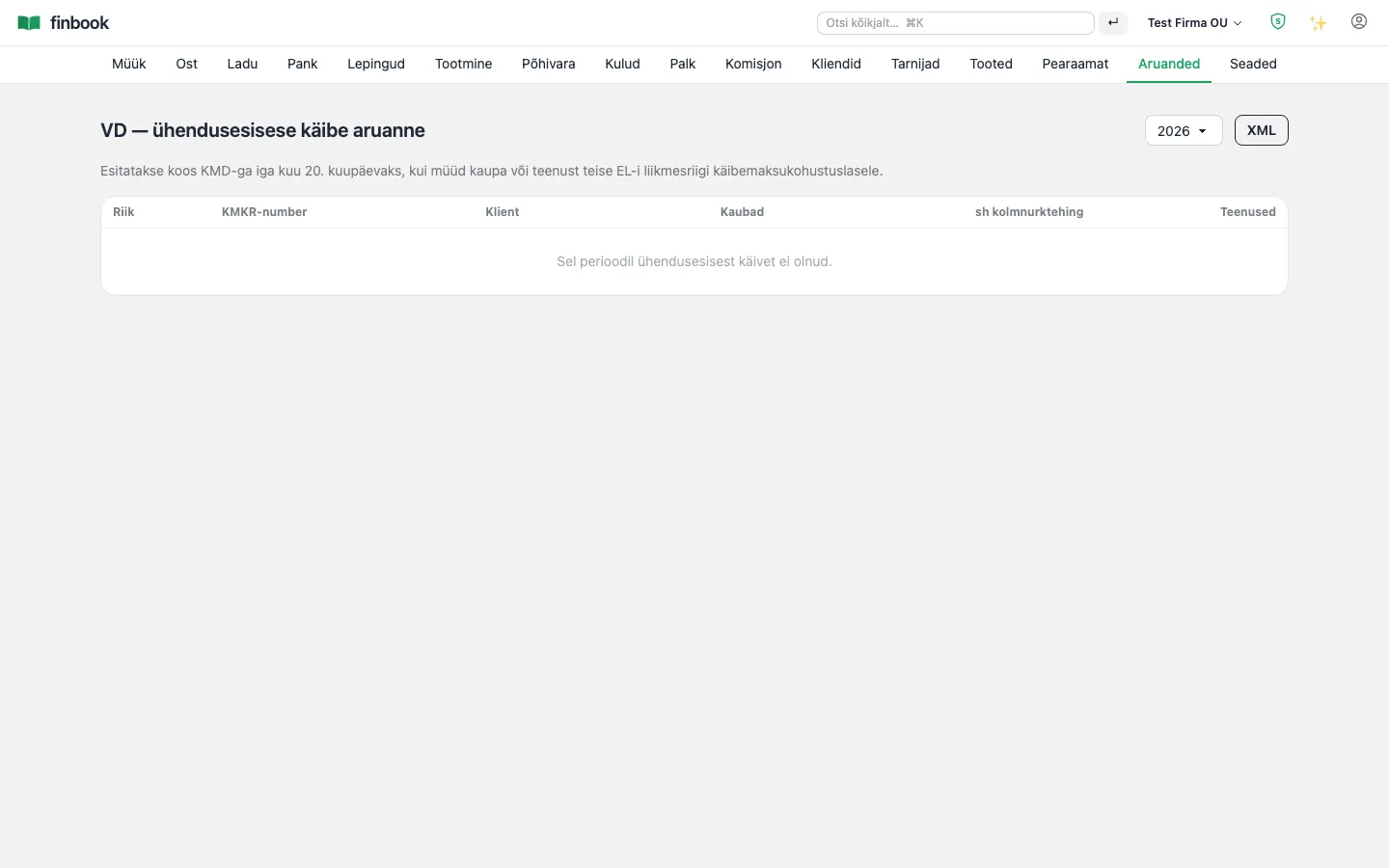
KMD (Estonian VAT return) with INF (annexes) and VD (EU sales report) straight from the general ledger, e-MTA (Tax and Customs Board) XML at the click of a button. Sending and receiving e-invoices (EVS 923) via an operator.

Notable: VAT rates are versioned by date (20% → 22% → 24%) — an invoice for an earlier period always gets the correct rate. Cash-based VAT (§44) is supported.

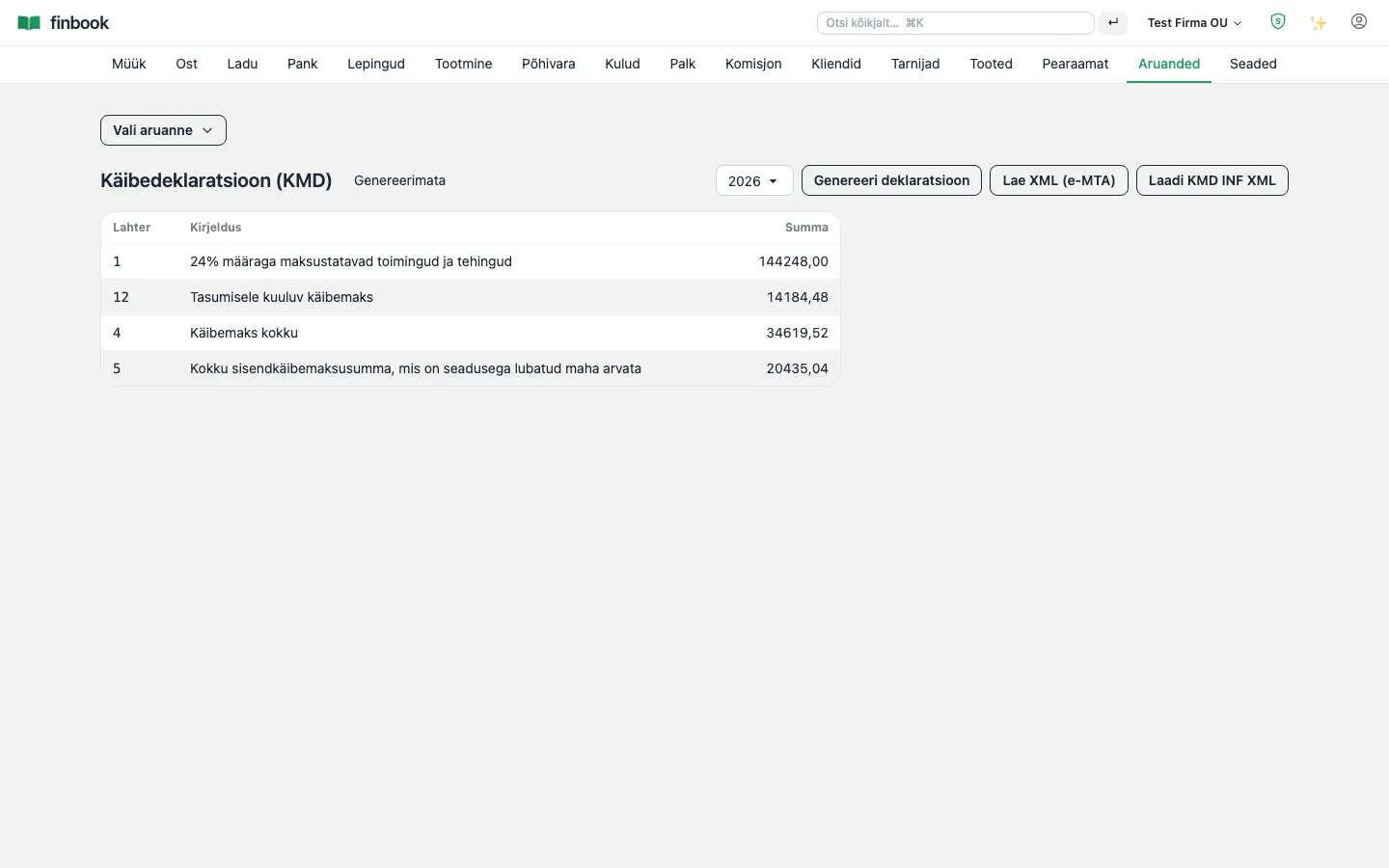
KMD — the boxes straight from the general ledger, e-MTA XML at the click of a button
1. KMD — the boxes straight from the general ledger, e-MTA XML at the click of a button
VD EU sales report
2. VD EU sales report
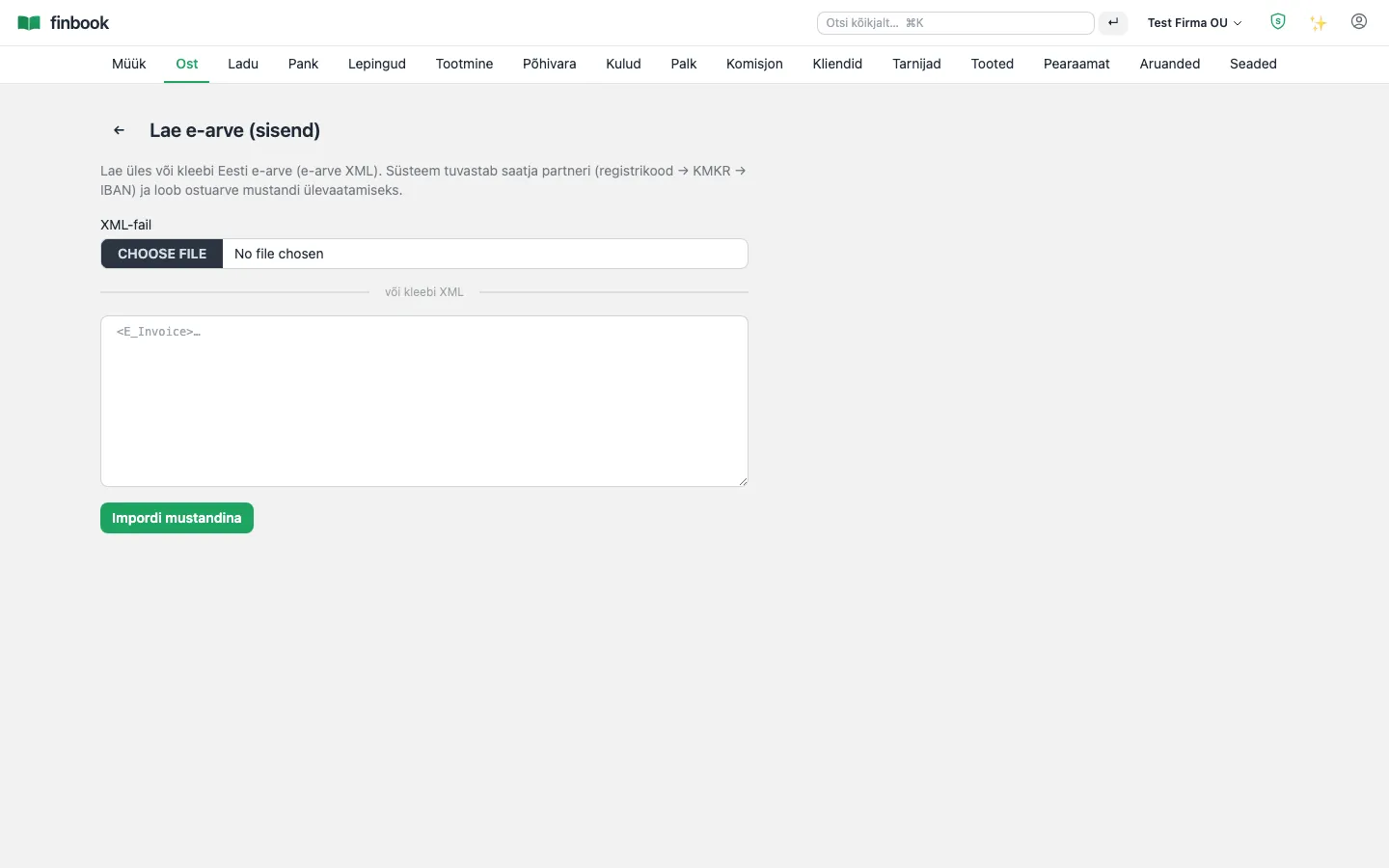
Receiving e-invoices (EVS 923)
3. Receiving e-invoices (EVS 923)

Banking and payments

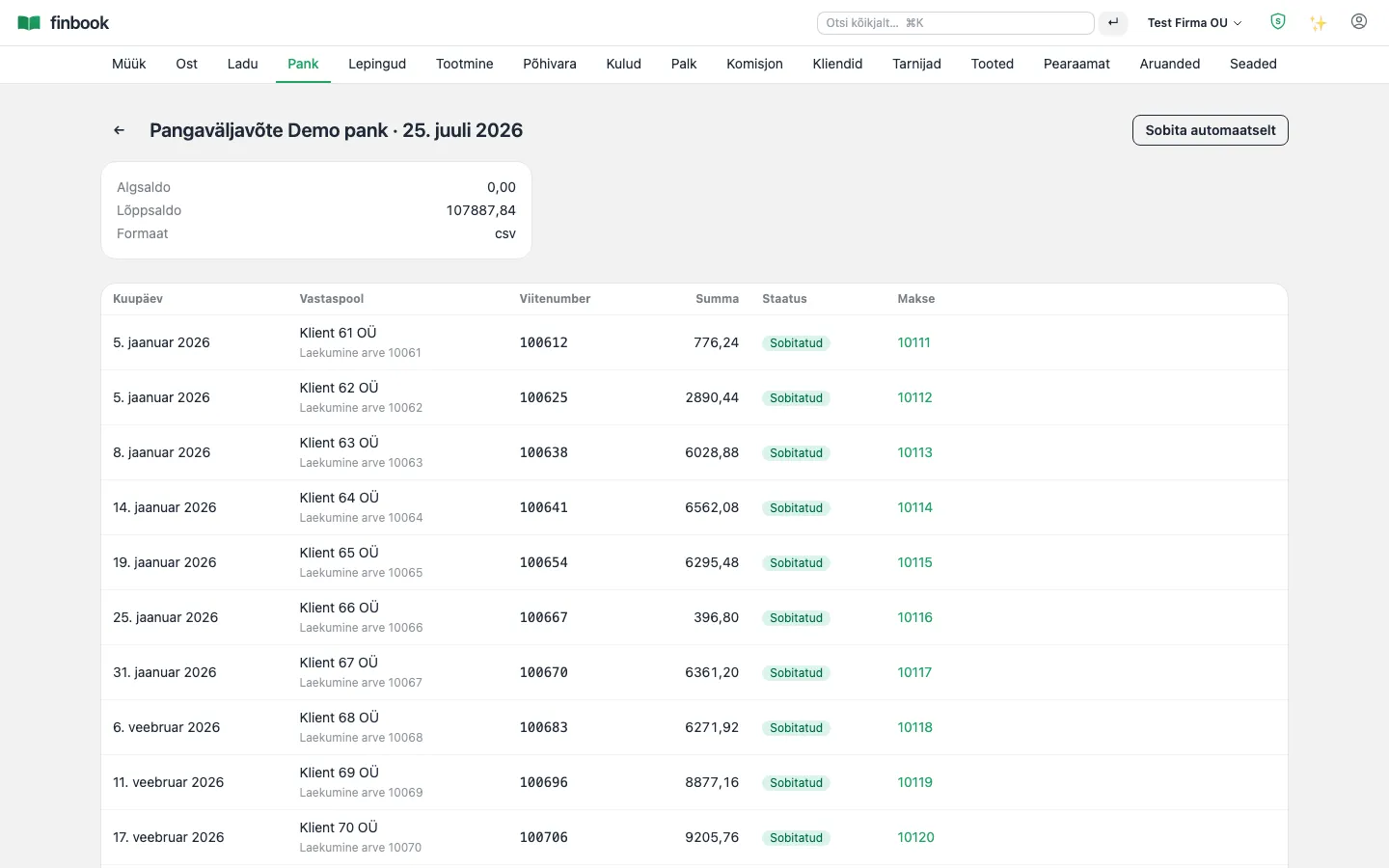
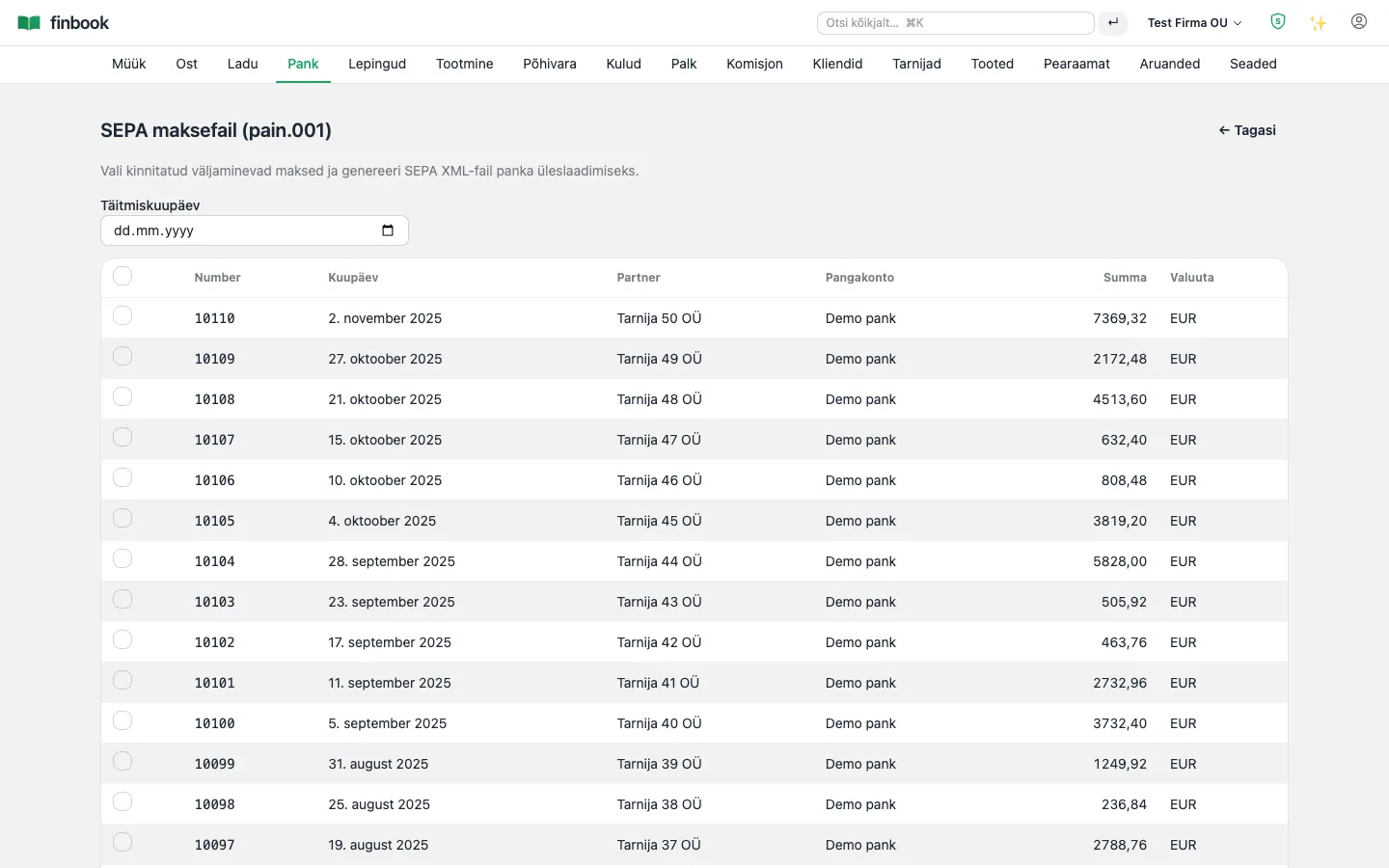
Bank statement import and automatic matching: receipts with a reference number match invoices on their own, the rest you reconcile in a couple of clicks. A SEPA payment file goes straight to the bank from the system.

Notable: Statement import can be repeated — transaction-level duplicate protection won't let the same line in twice, even with overlapping export files.
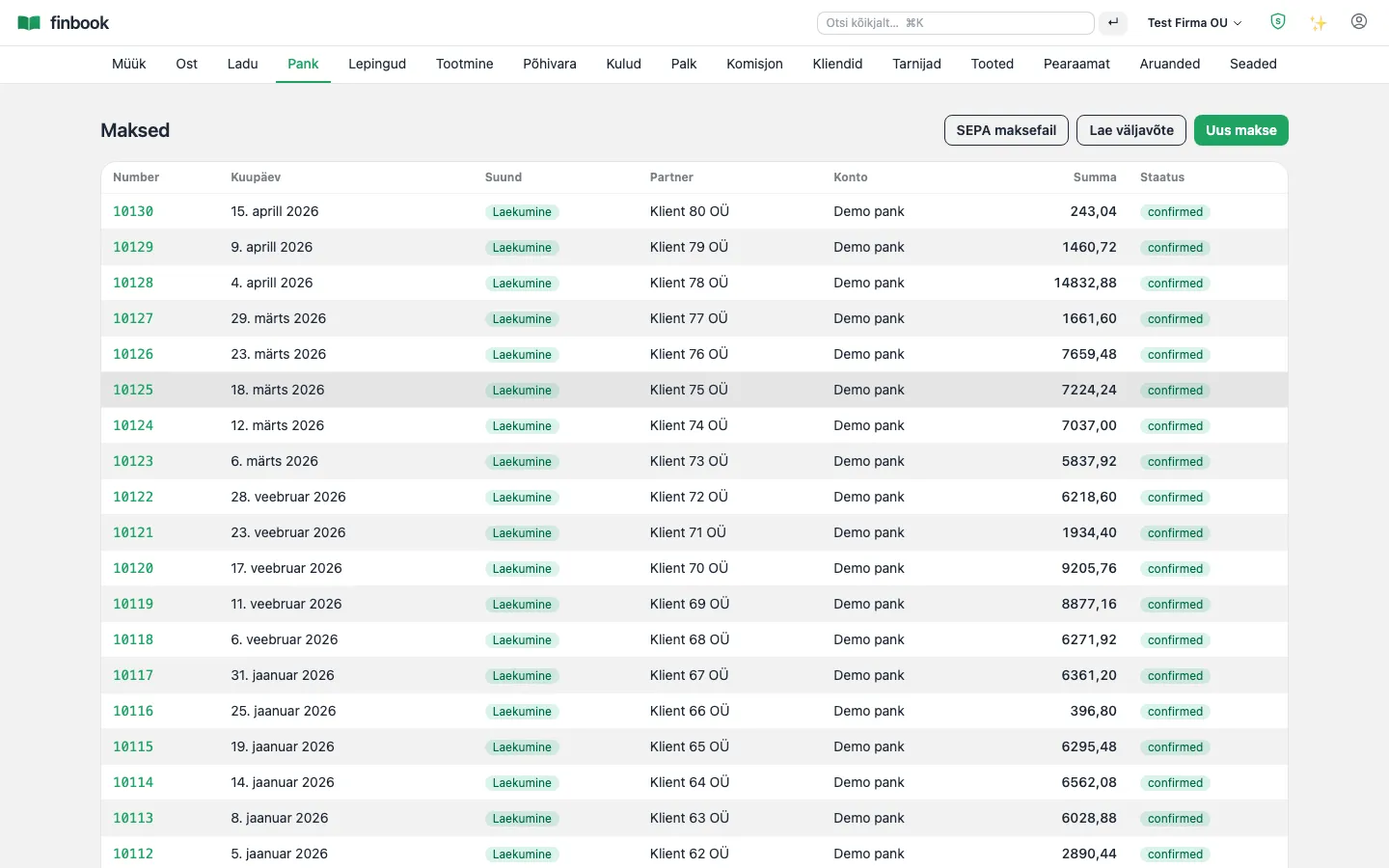
Payments — receipts and disbursements, allocation to invoices
1. Payments — receipts and disbursements, allocation to invoices
Bank statement matching — lines with a reference number match on their own
2. Bank statement matching — lines with a reference number match on their own
SEPA payment file to the bank
3. SEPA payment file to the bank

Operations

Inventory and products

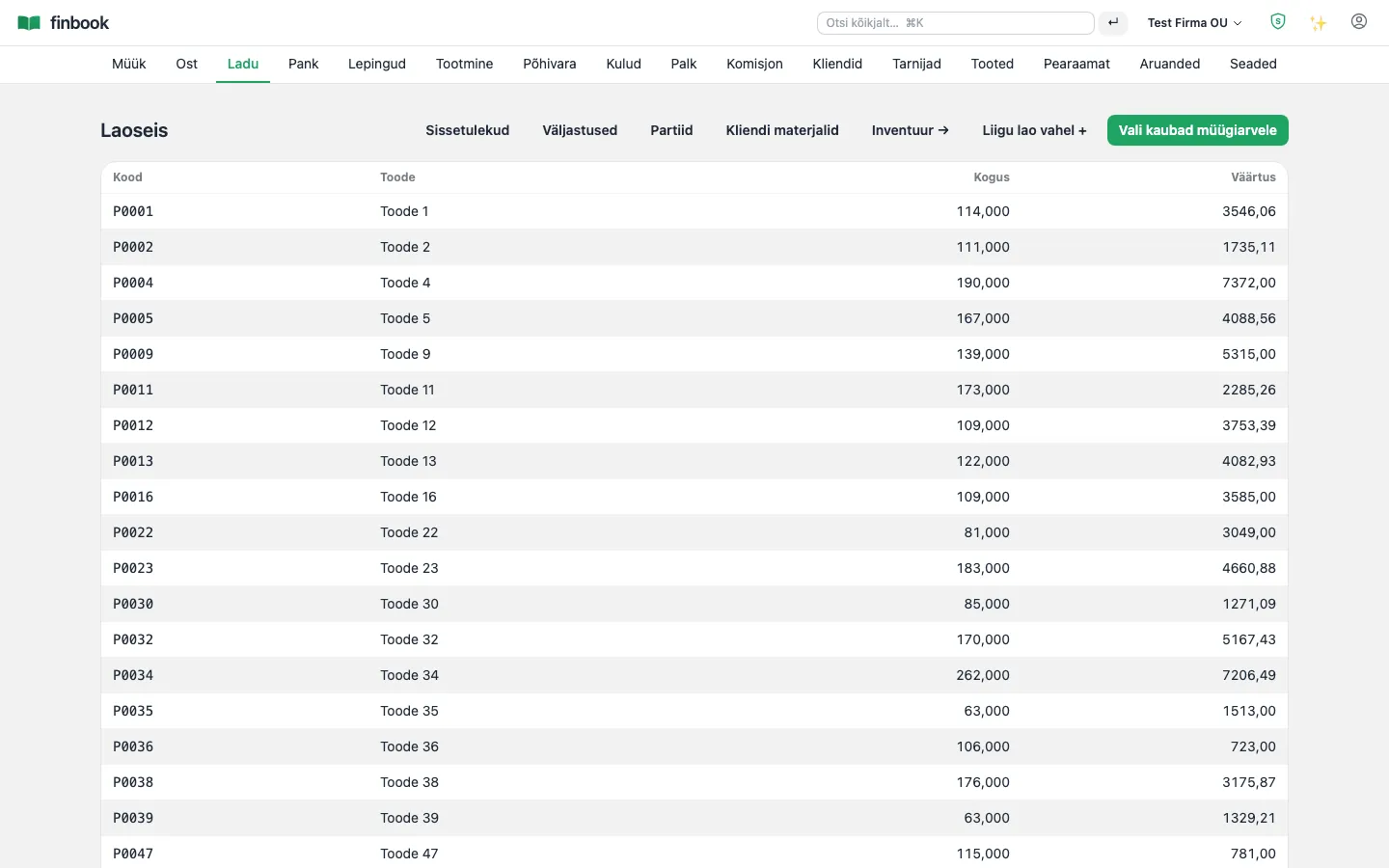
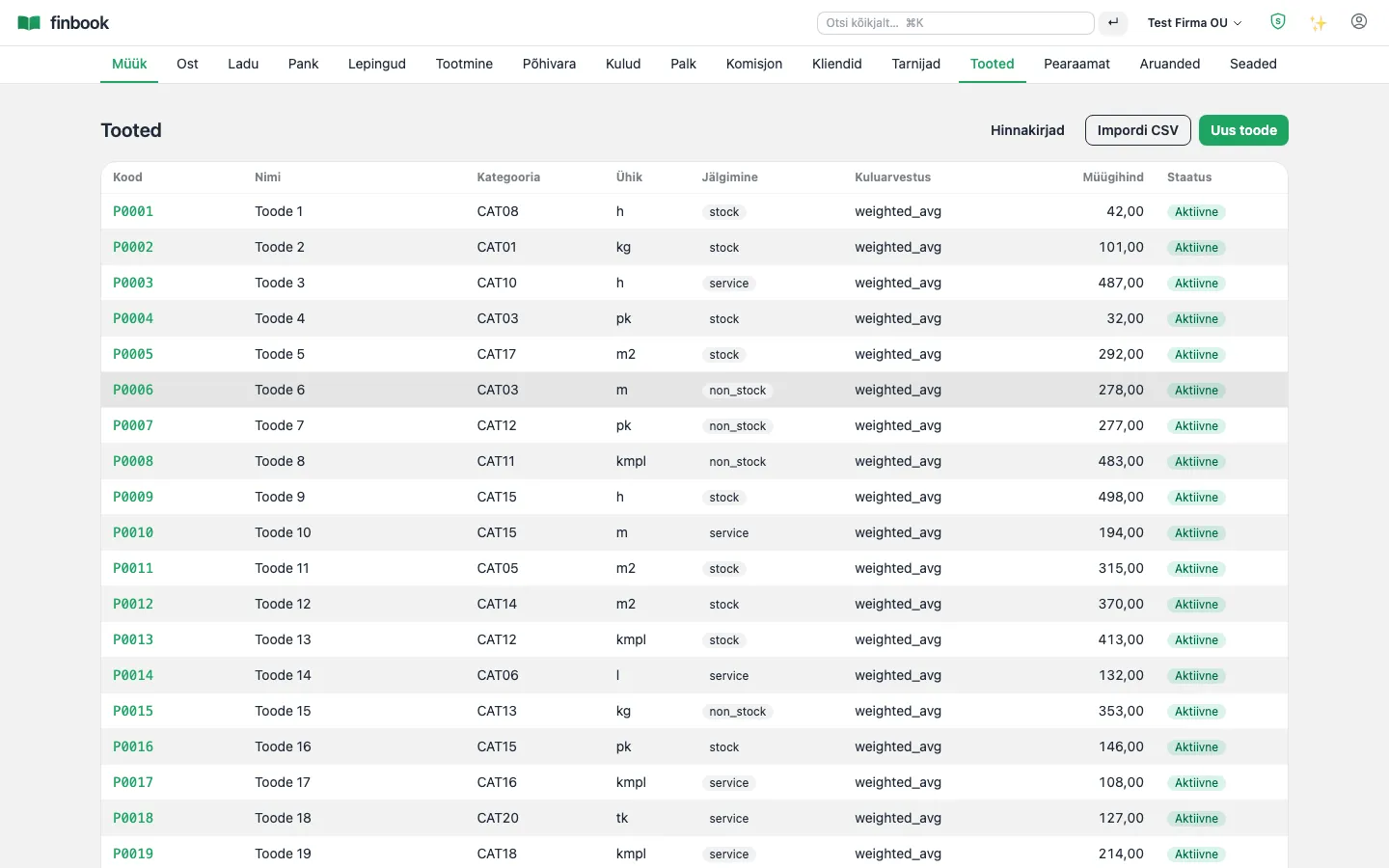
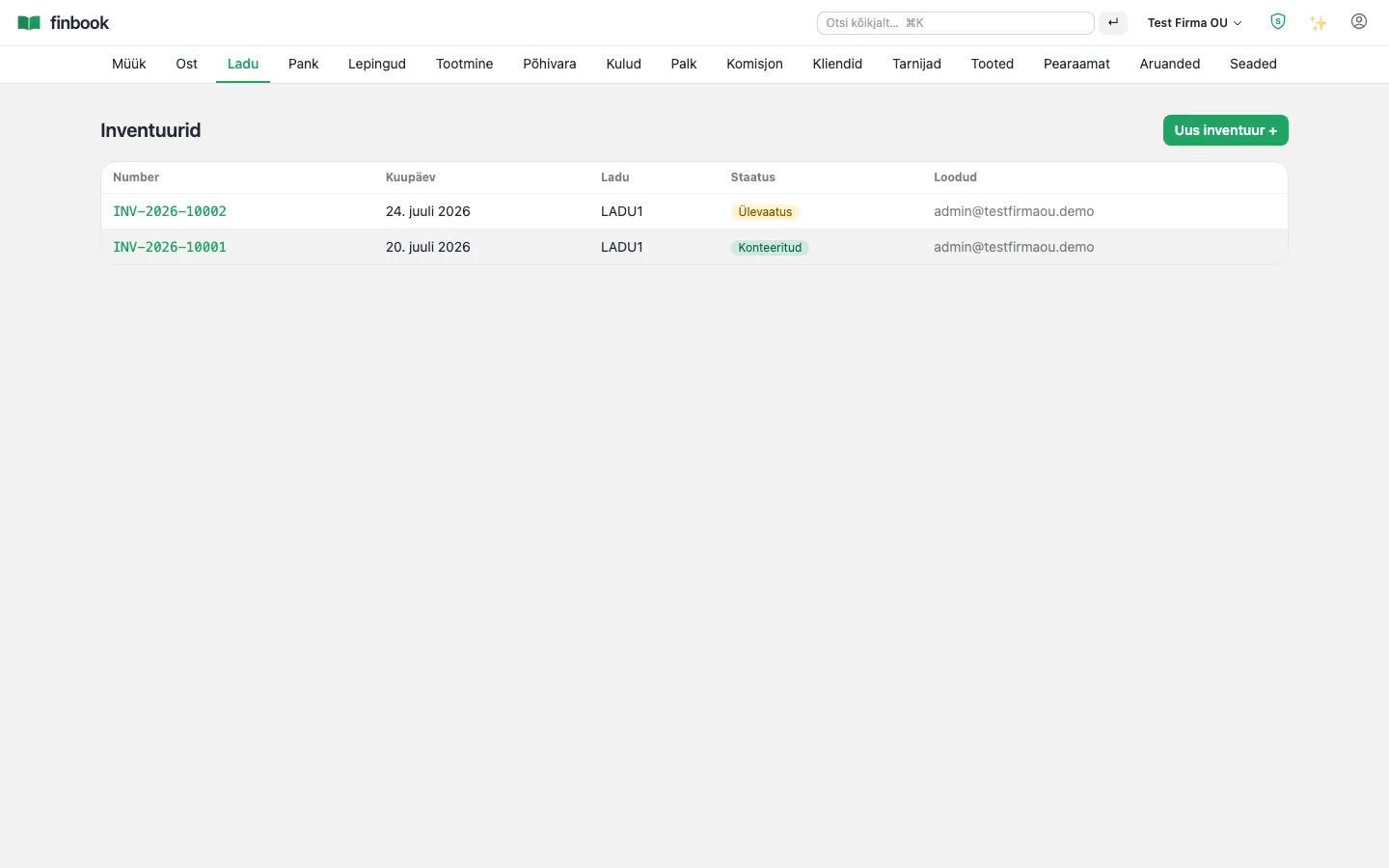
Stock levels by batch, receipts, issues, transfers and stocktakes. The product card carries the costing method, price lists and reorder points.
Notable: Cost of goods to batch precision: FIFO, weighted average or specific — per product. Customer-supplied material (consignment goods) is kept separate and doesn't skew the value of your own assets.

Stock levels by batch
1. Stock levels by batch
Product catalogue
2. Product catalogue
Stocktake — count it, confirm the differences
3. Stocktake — count it, confirm the differences
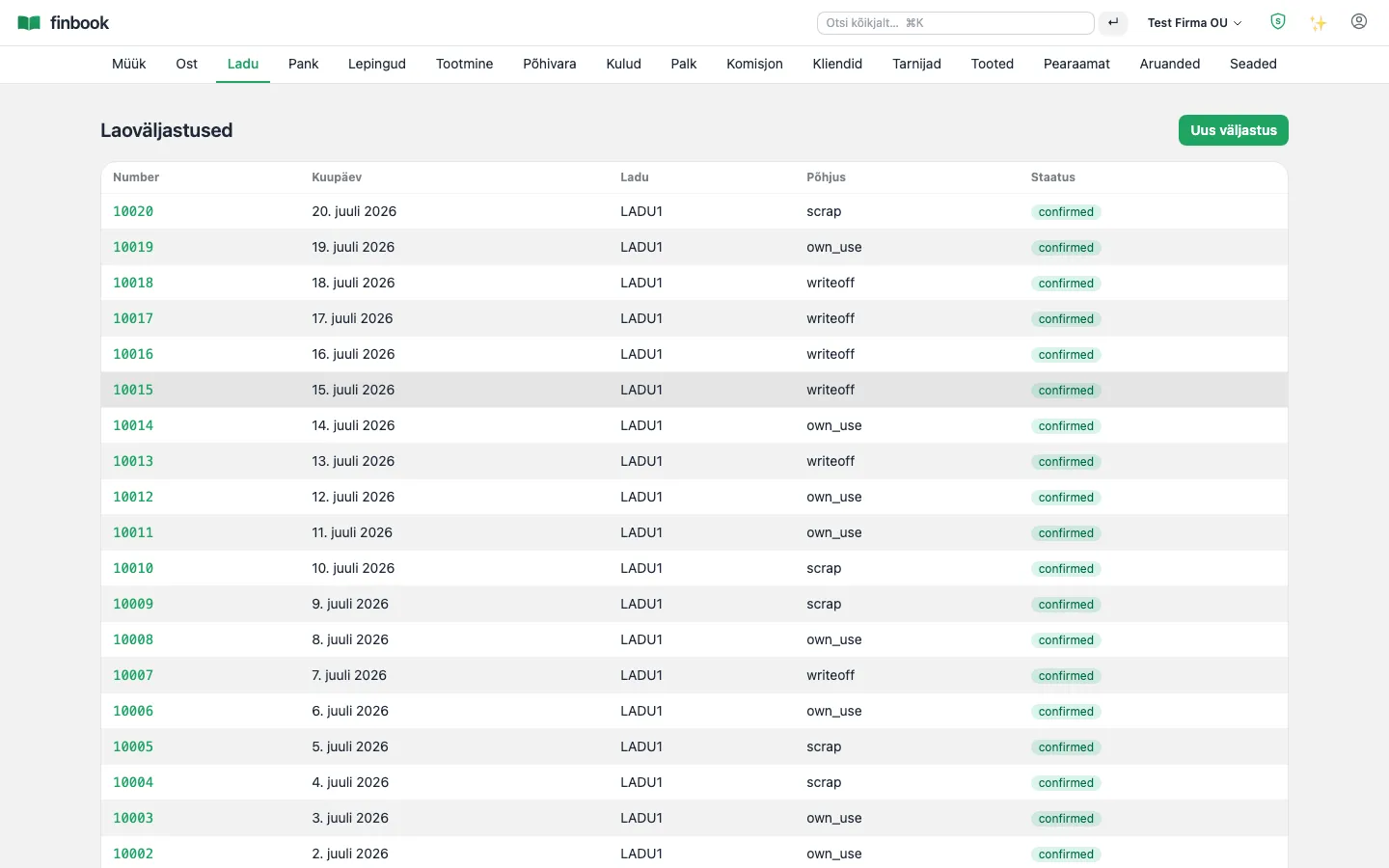
Stock issues (write-off, own use)
4. Stock issues (write-off, own use)

Manufacturing

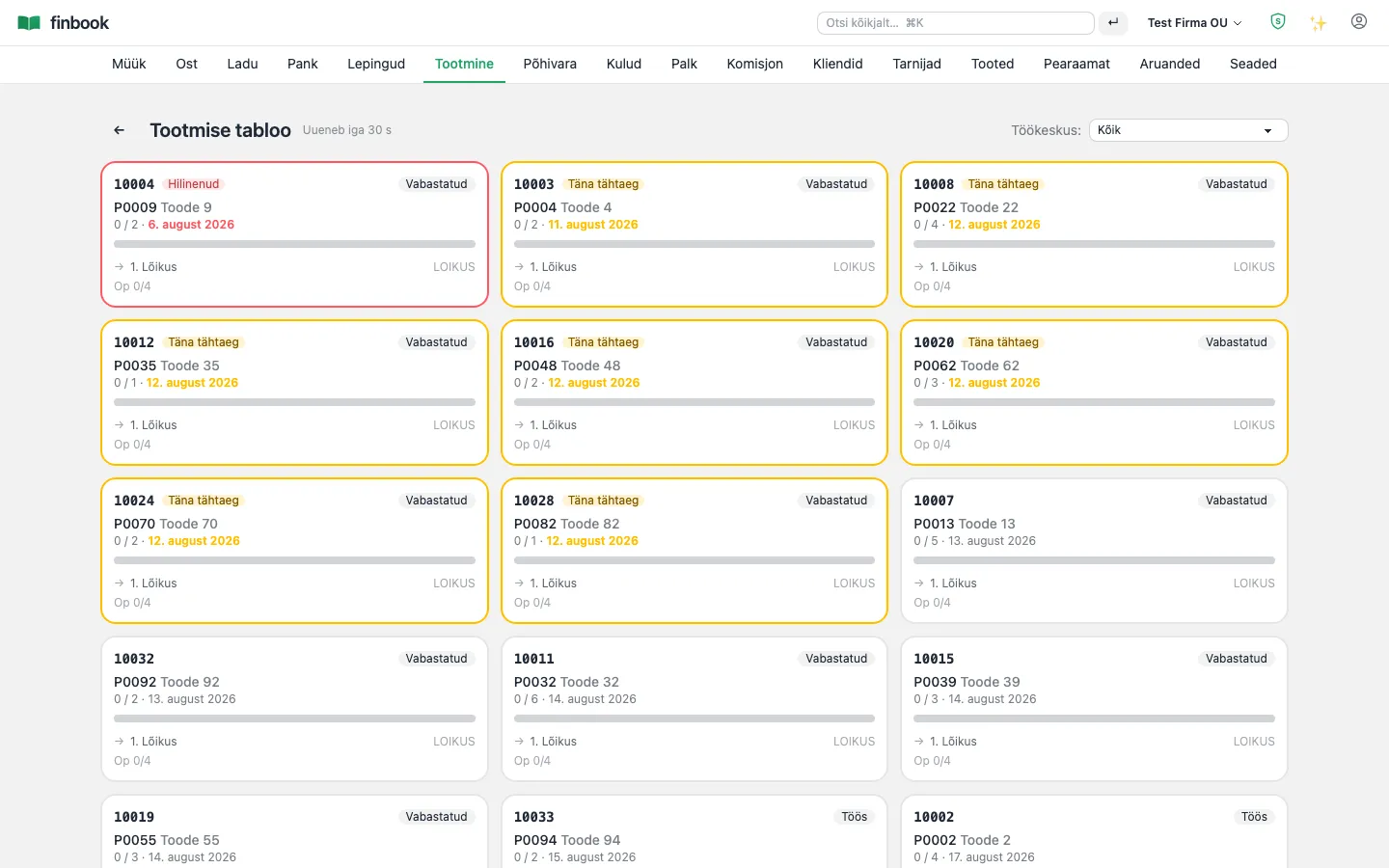
Work centres, recipes (BOM), production orders, planning and a shop-floor terminal. Standard and actual cost are comparable on every order.

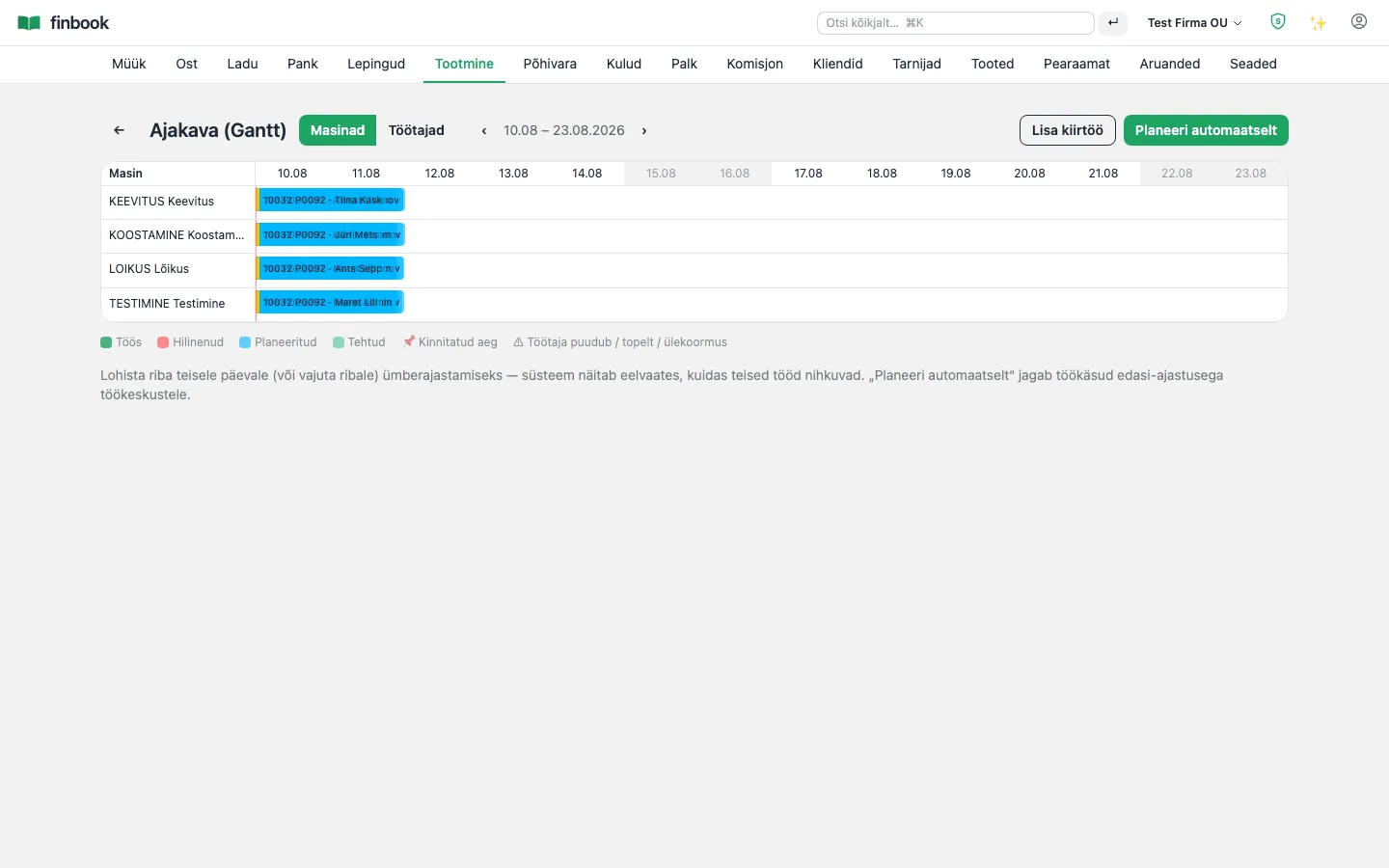
Notable: A finite-capacity resource Gantt: drag an order to another day or machine and see the impact before you confirm. Workers log their work from a kiosk with a PIN code — the hours flow through to payroll.

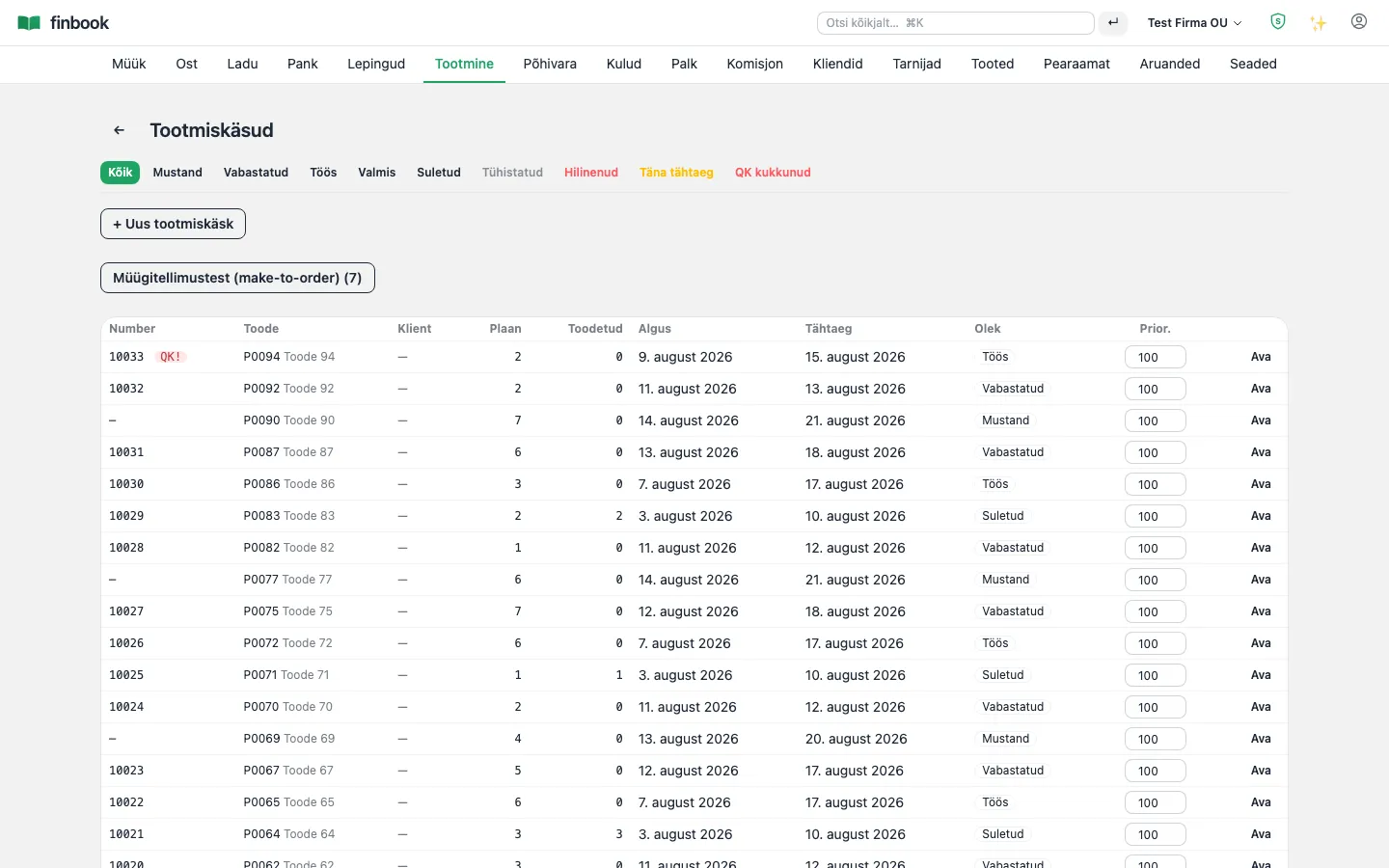
Production orders by life cycle
1. Production orders by life cycle
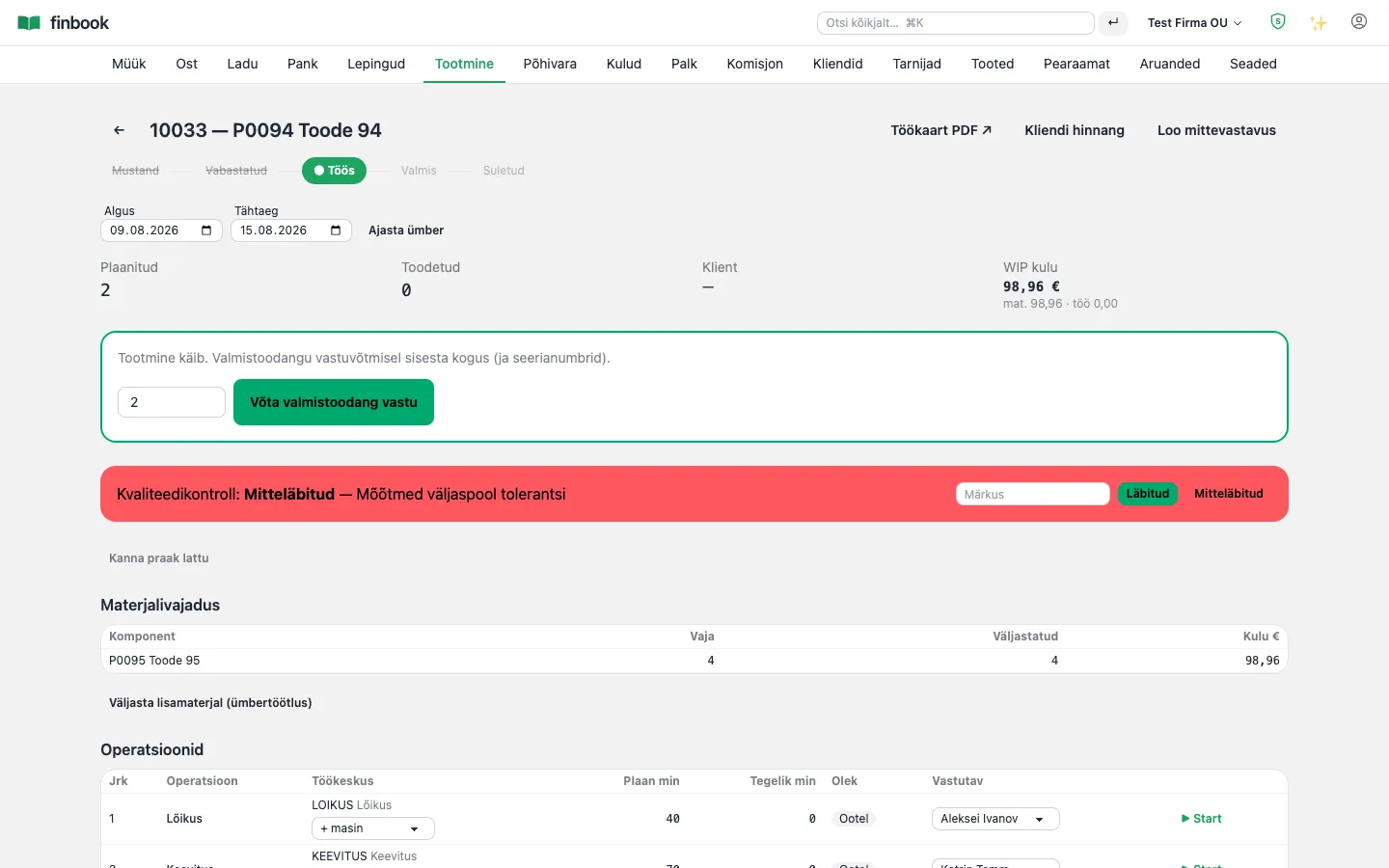
Production order: BOM, operations, cost
2. Production order: BOM, operations, cost
Planning — a finite-capacity resource Gantt
3. Planning — a finite-capacity resource Gantt
Shop-floor board — what's in progress, what's waiting
4. Shop-floor board — what's in progress, what's waiting

Quality management

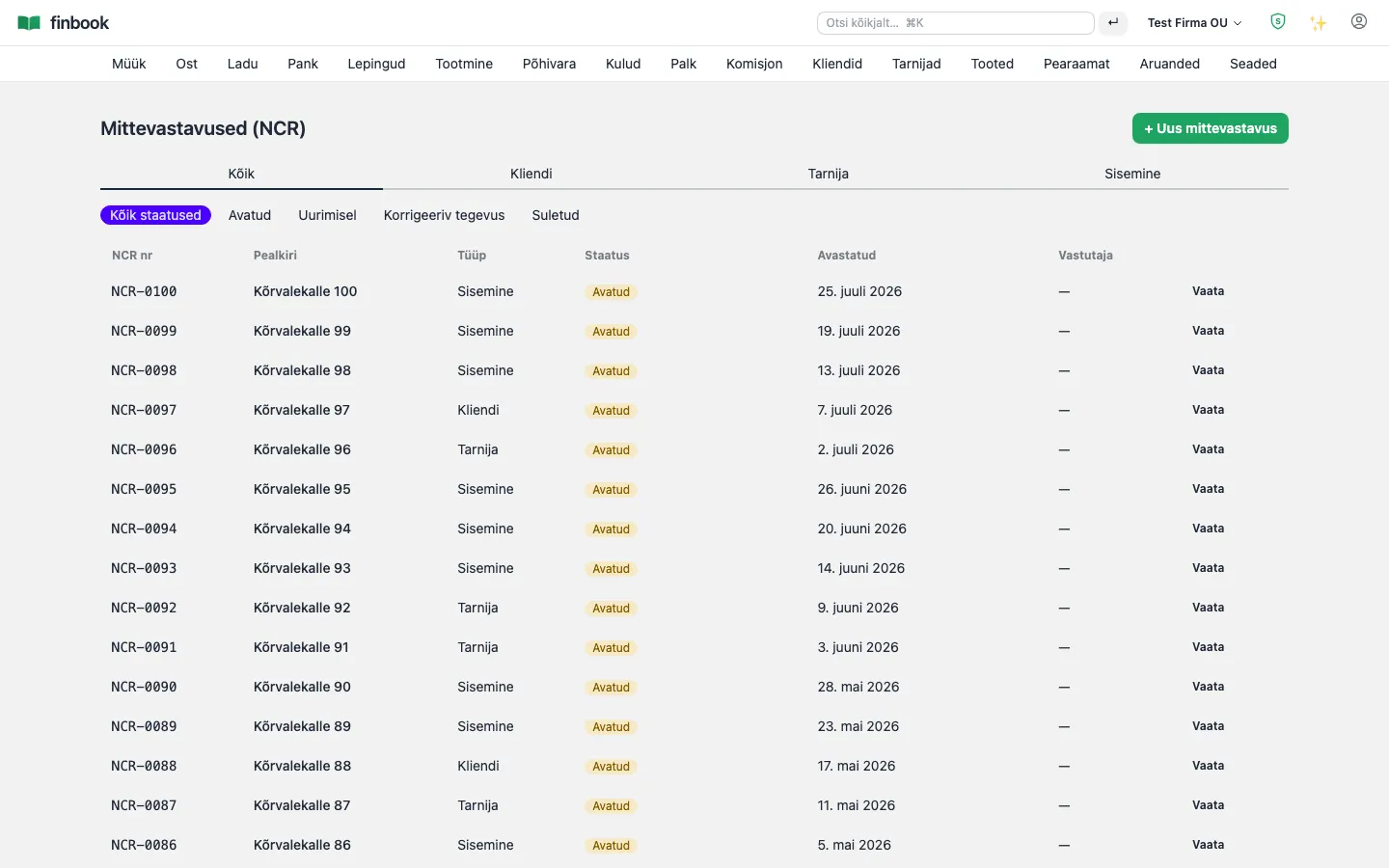
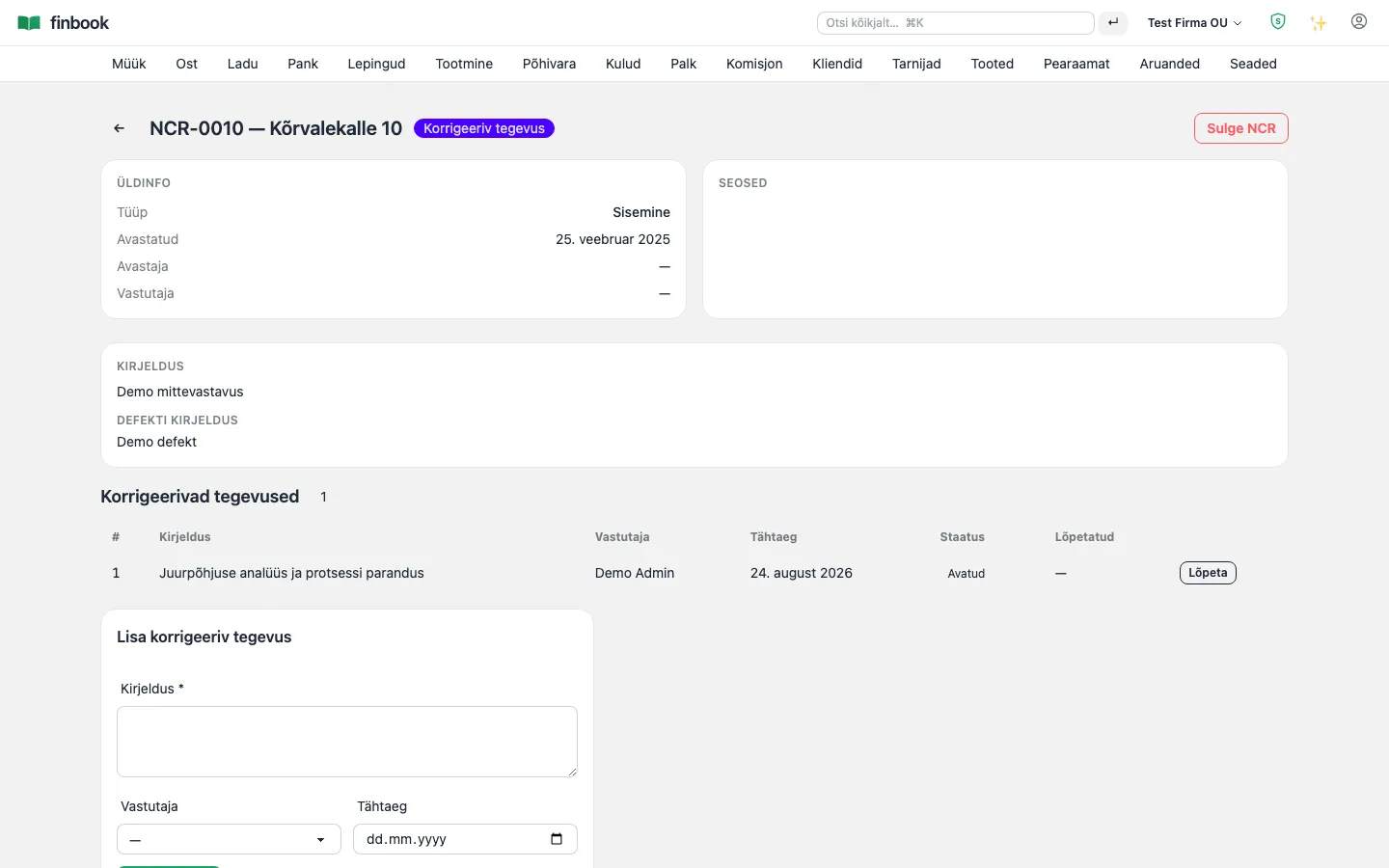
A non-conformance register (NCR) covering customer, supplier and internal cases, linked to the production order. Every case gets corrective actions (CAPA) with an owner and a deadline.

Notable: An NCR cannot be closed until every corrective action is completed and its effectiveness assessed — a quality system that stands up to an audit, not just a spreadsheet.

Non-conformances (NCR) by type and status
1. Non-conformances (NCR) by type and status
NCR with corrective actions (CAPA): owner, deadline, outcome
2. NCR with corrective actions (CAPA): owner, deadline, outcome

Customers and suppliers

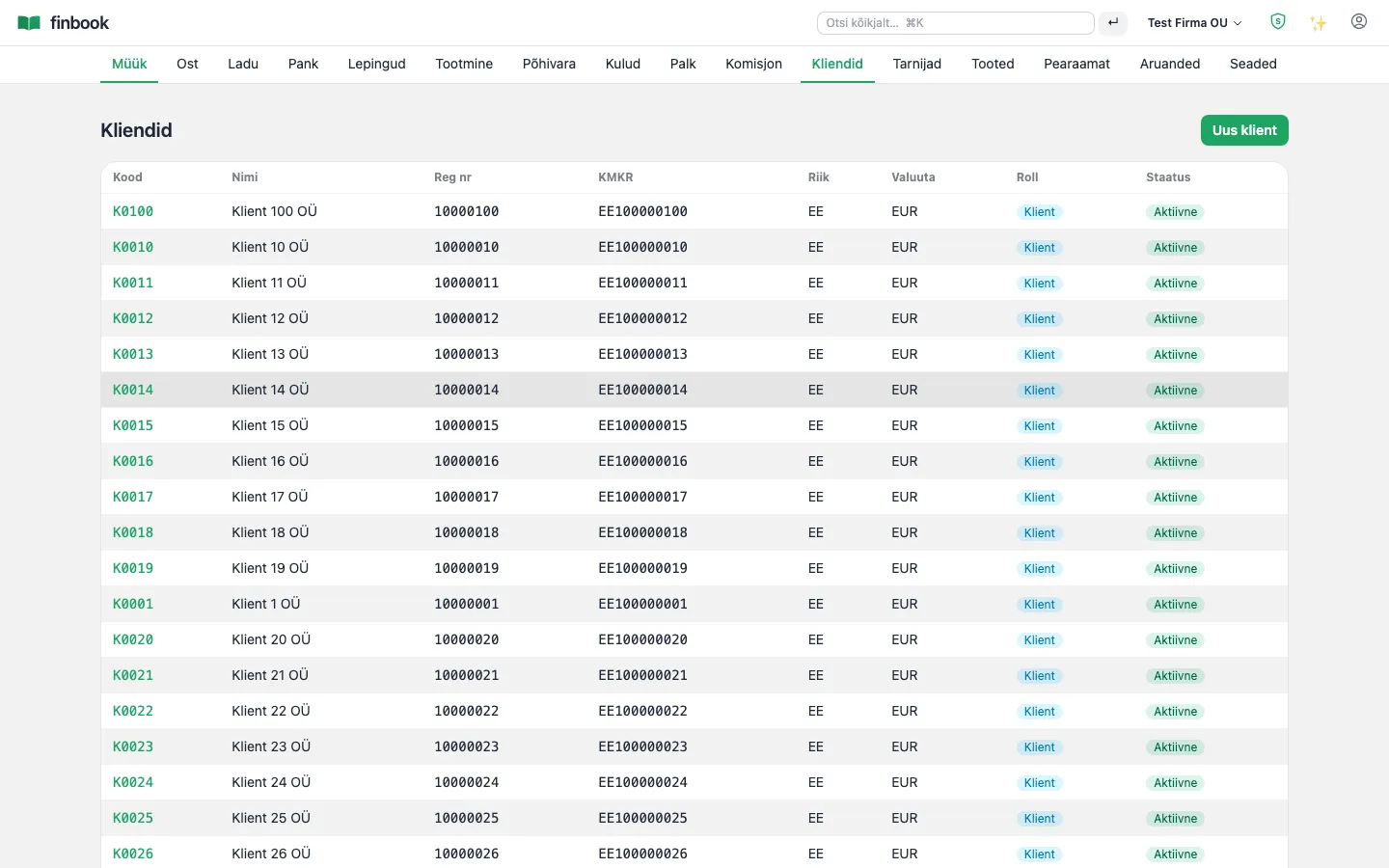
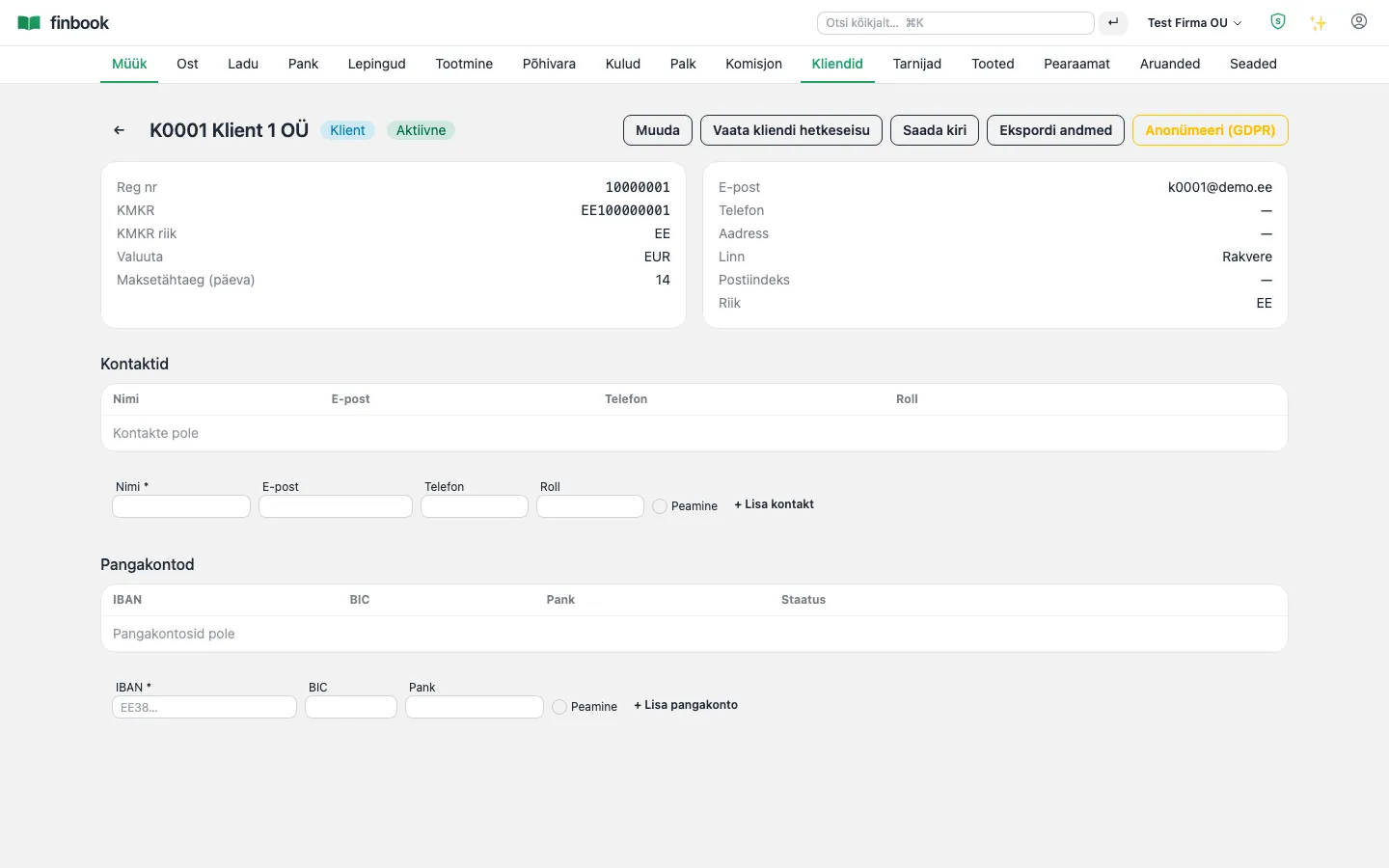
One partner card in both the customer and supplier role: contacts, bank accounts, payment terms, credit information and the entire document history.

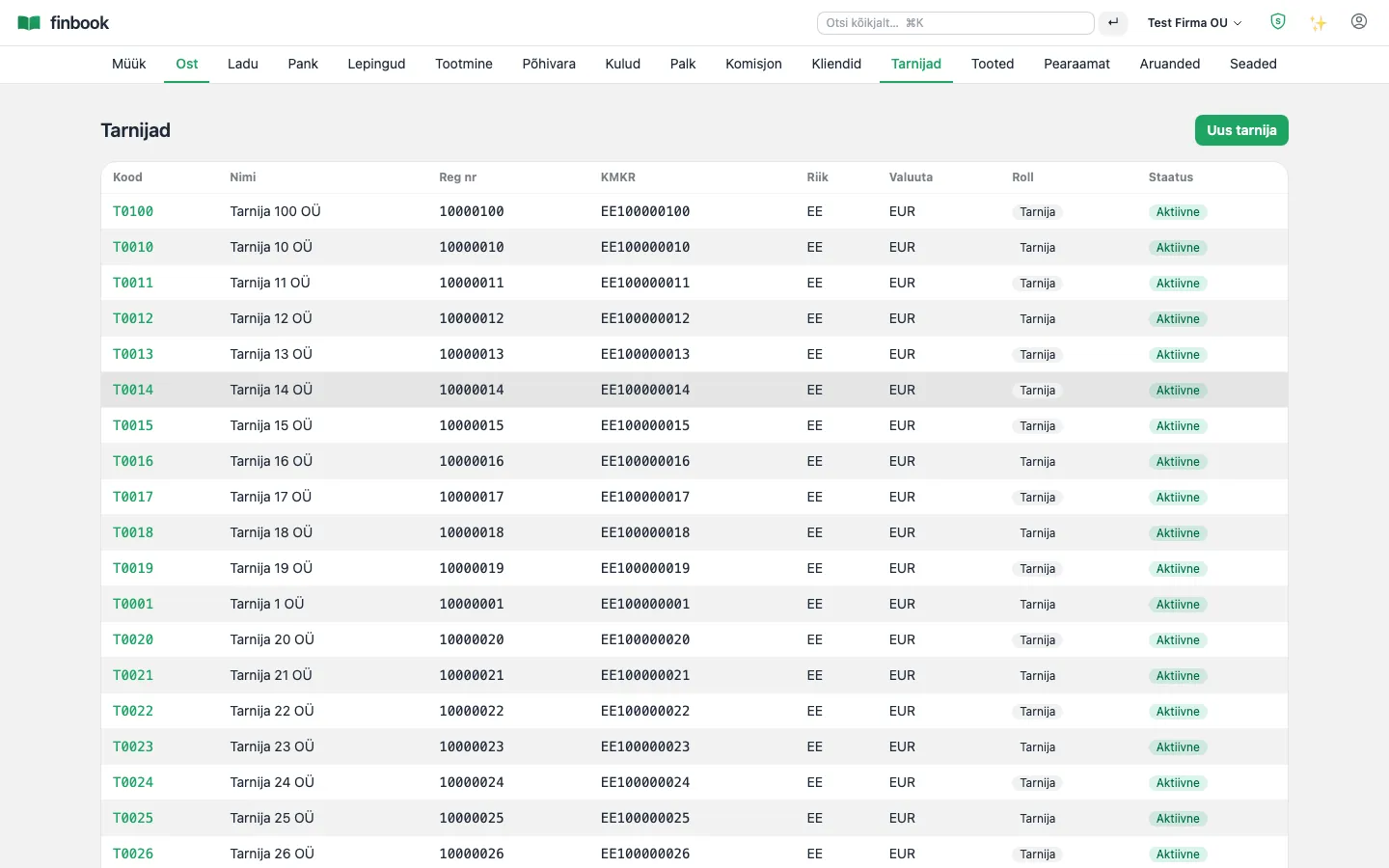
Notable: A supplier's new or changed IBAN stays flagged as “unverified” until someone checks it — a simple but effective defence against invoice fraud (payment redirection).

Customers — balances and credit information
1. Customers — balances and credit information
Partner card: contacts, bank accounts, reminders
2. Partner card: contacts, bank accounts, reminders
Suppliers — the IBAN verification flag guards against fraud
3. Suppliers — the IBAN verification flag guards against fraud

Contracts and recurring billing

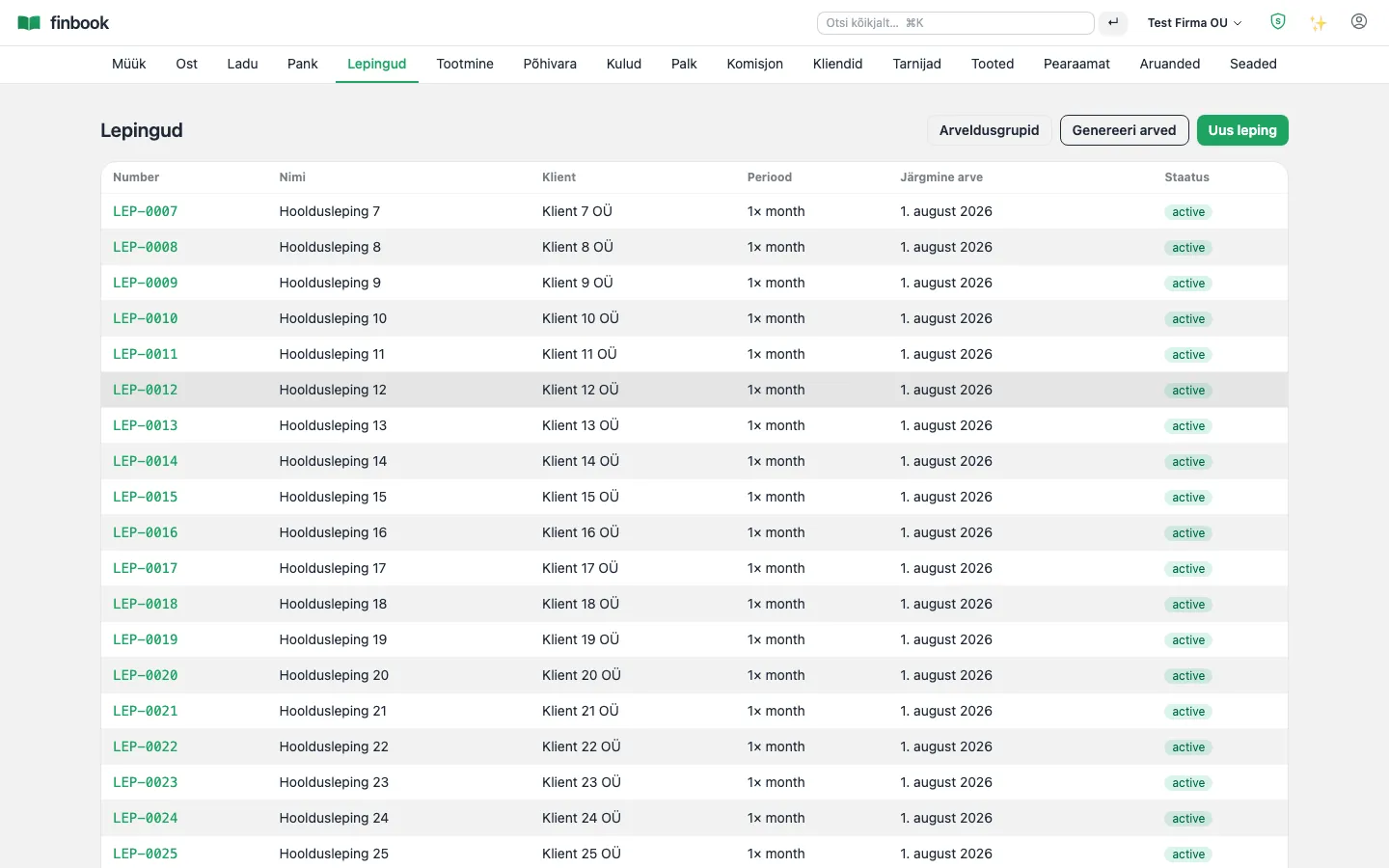
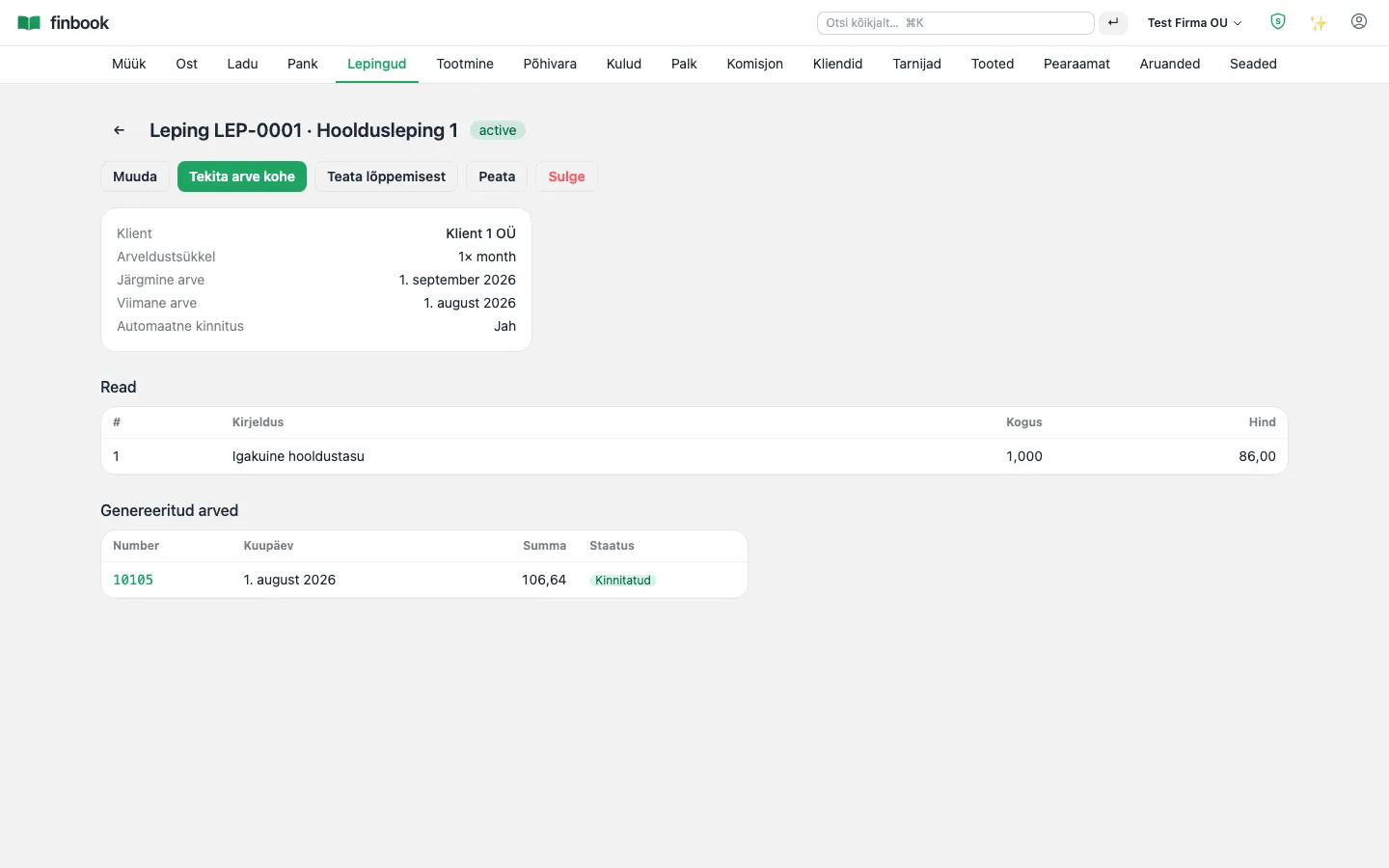
Monthly fees, SaaS subscriptions and maintenance contracts bill themselves: a schedule, automatic confirmation and billing groups that consolidate several contracts onto a single invoice.

Notable: The invoice generator is idempotent — a duplicate invoice for the same period is never created, even if the process runs twice.

Contracts and recurring billing
1. Contracts and recurring billing
Contract — invoices are created on schedule by themselves
2. Contract — invoices are created on schedule by themselves

Fixed assets and expense reports

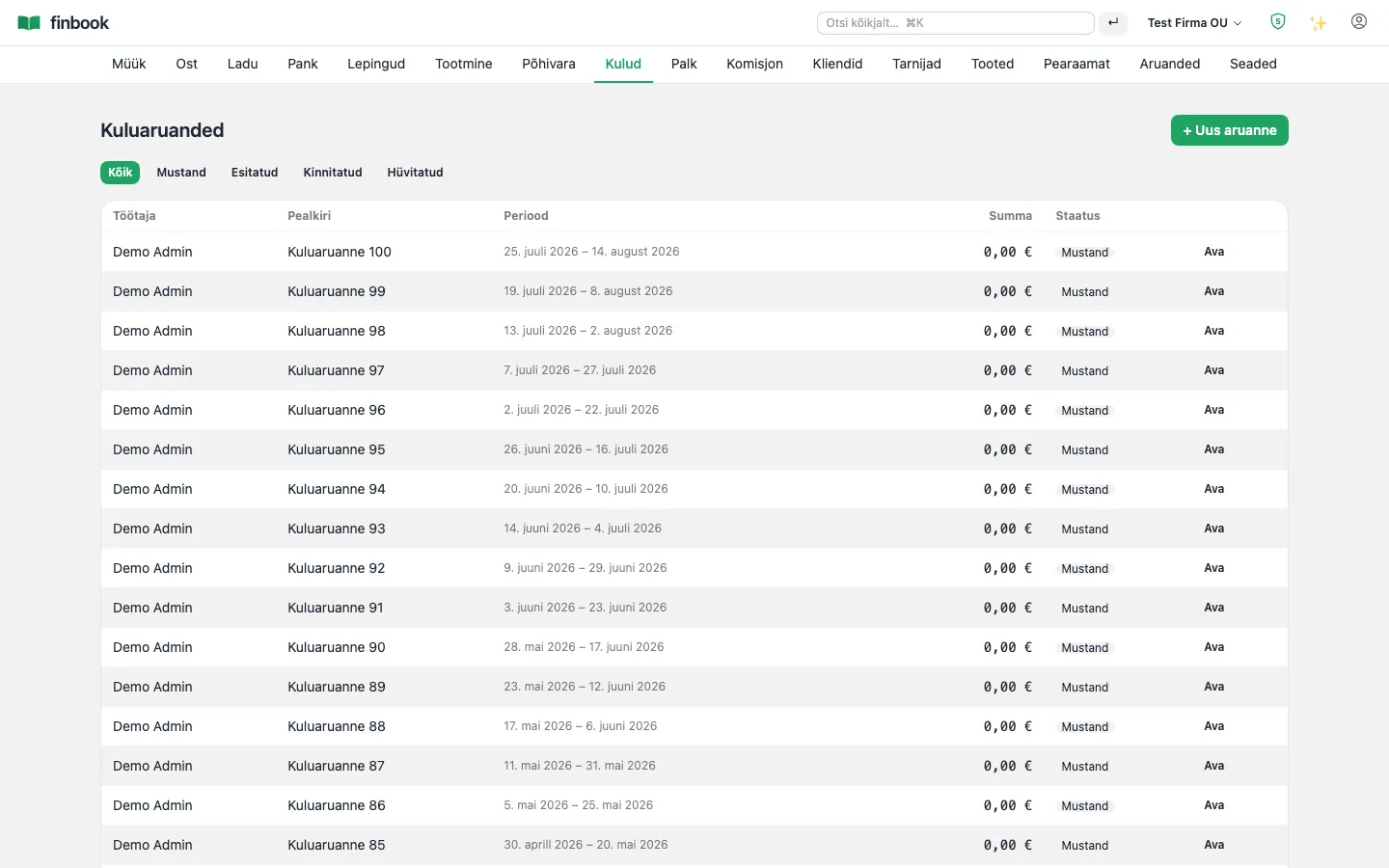
A fixed-asset register from acquisition to disposal: depreciation, residual value, gain/loss on sale. Employee expense reports as a flow: submit → approve → reimburse.

Notable: A fixed asset is created straight from a purchase invoice line — acquisition and register never drift apart. Depreciation can be run for all assets with a single button.

Fixed-asset register
1. Fixed-asset register
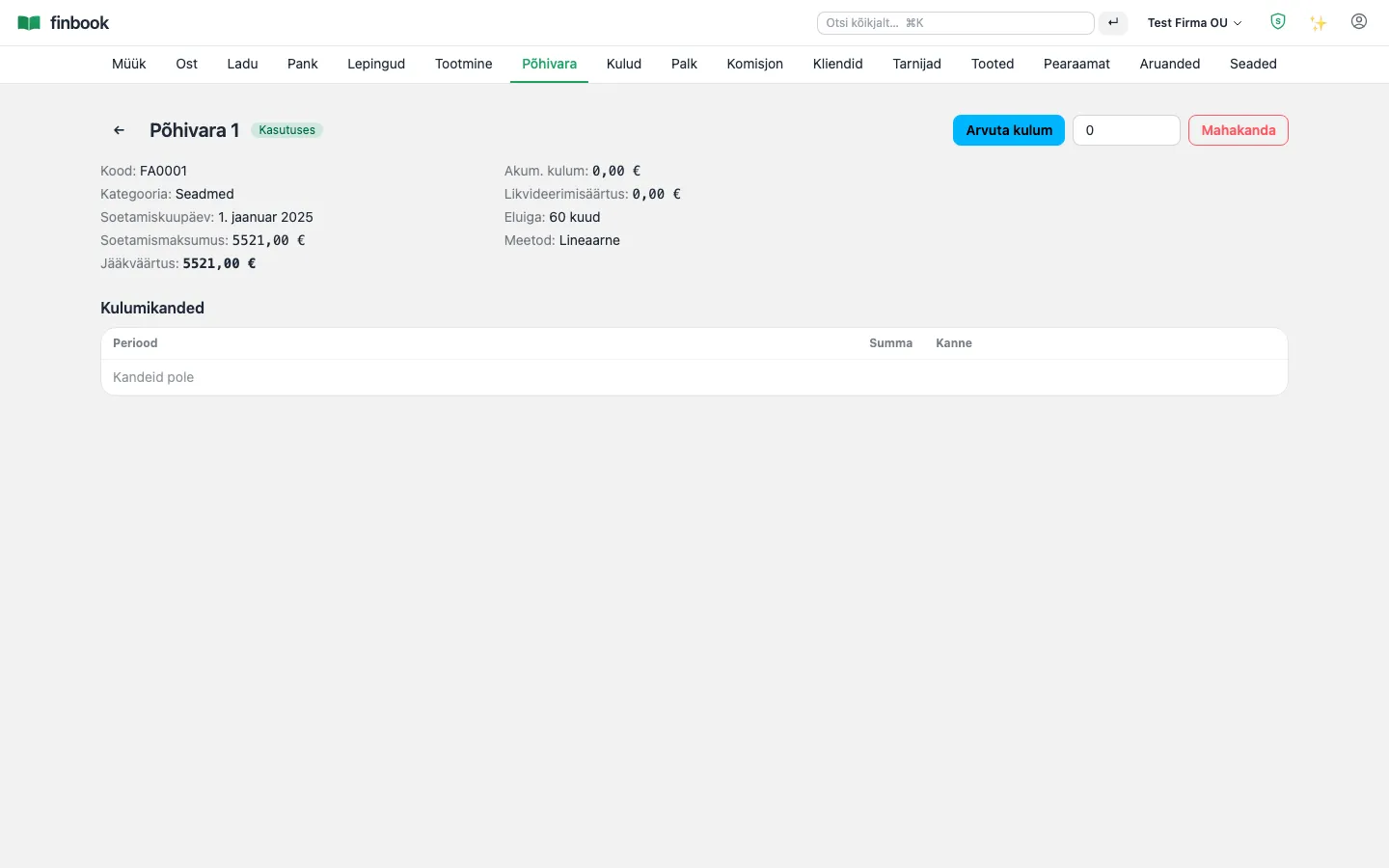
Asset card: depreciation and value
2. Asset card: depreciation and value
Employee expense reports — submit, approve, reimburse
3. Employee expense reports — submit, approve, reimburse

People

Payroll

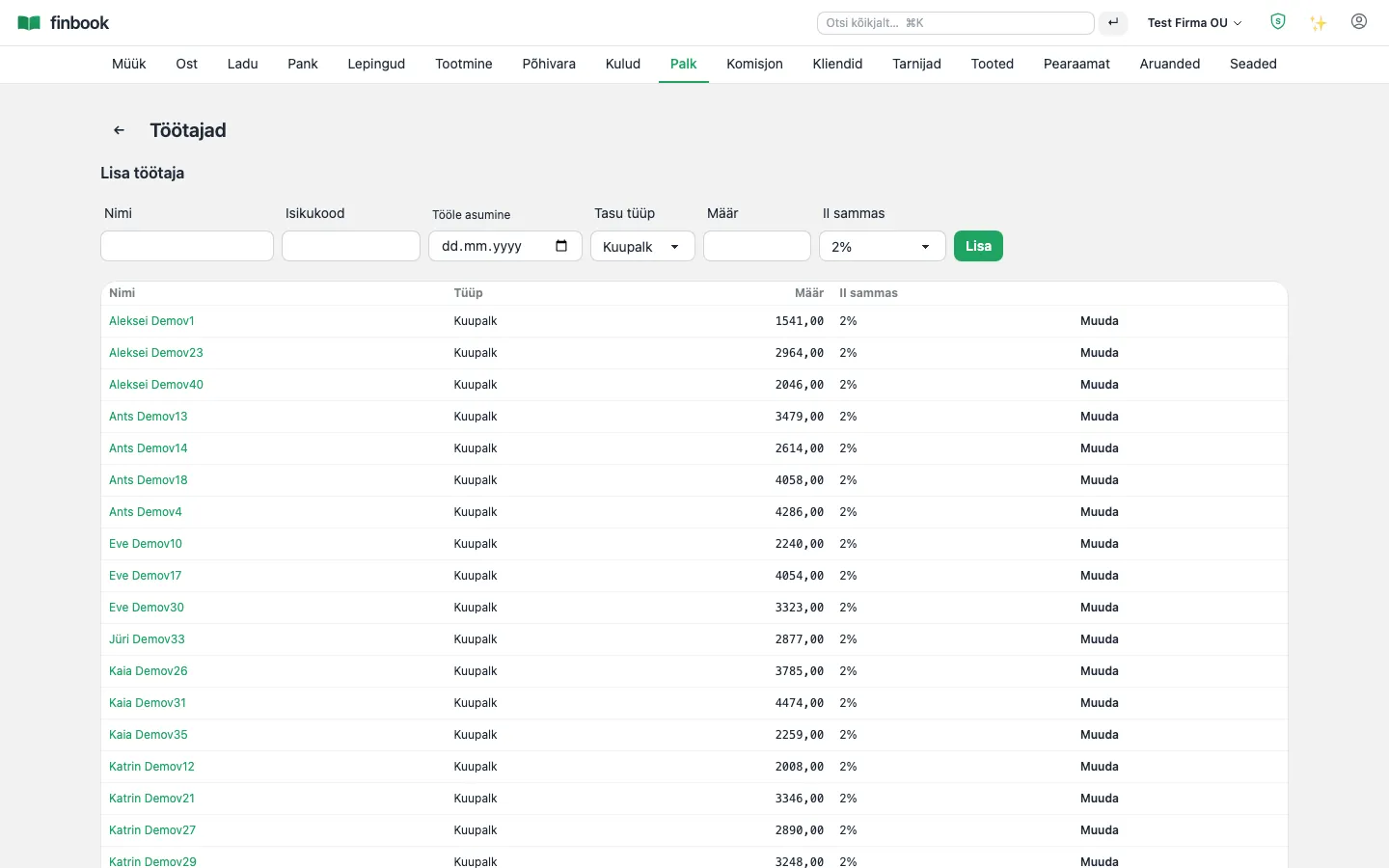
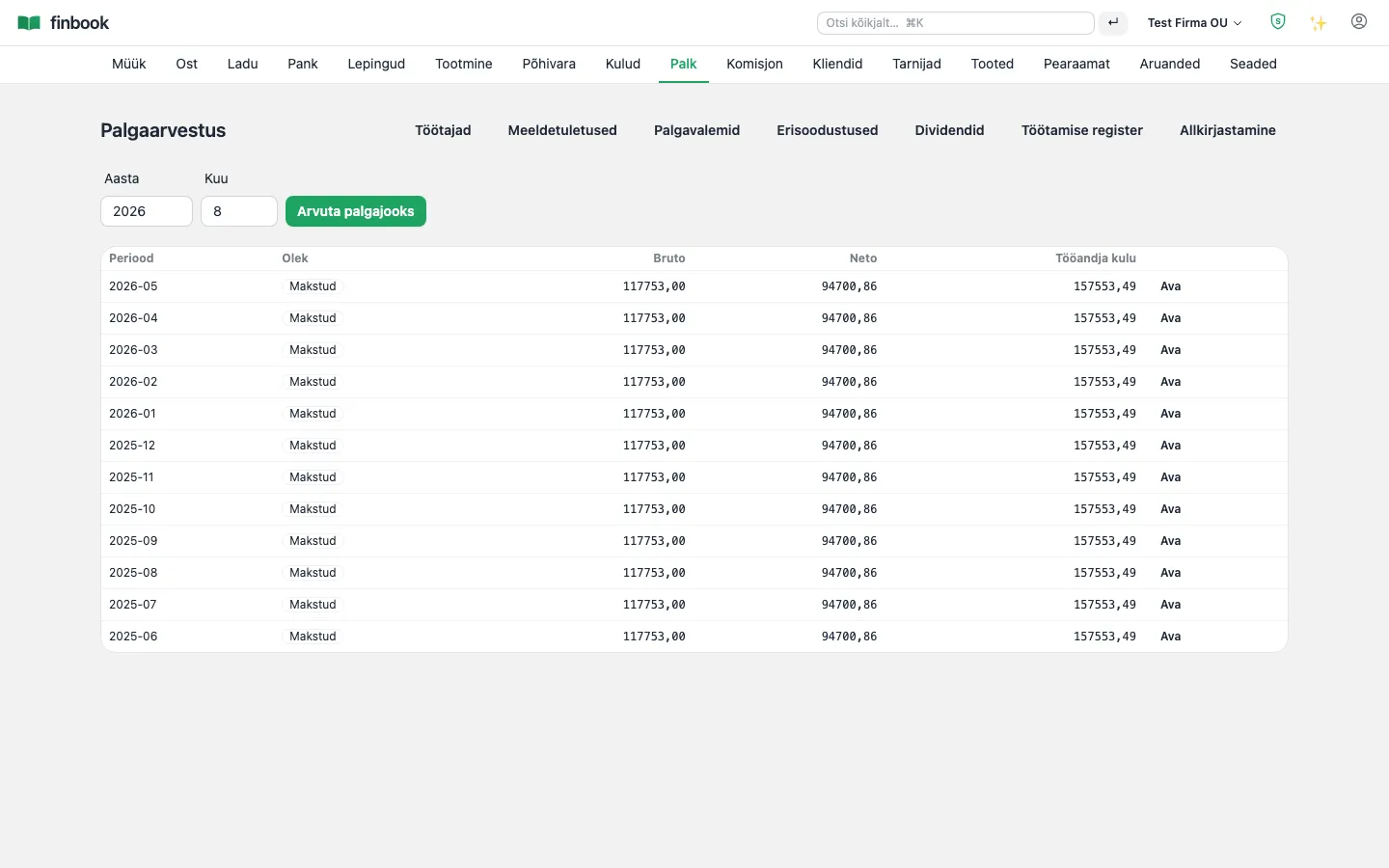
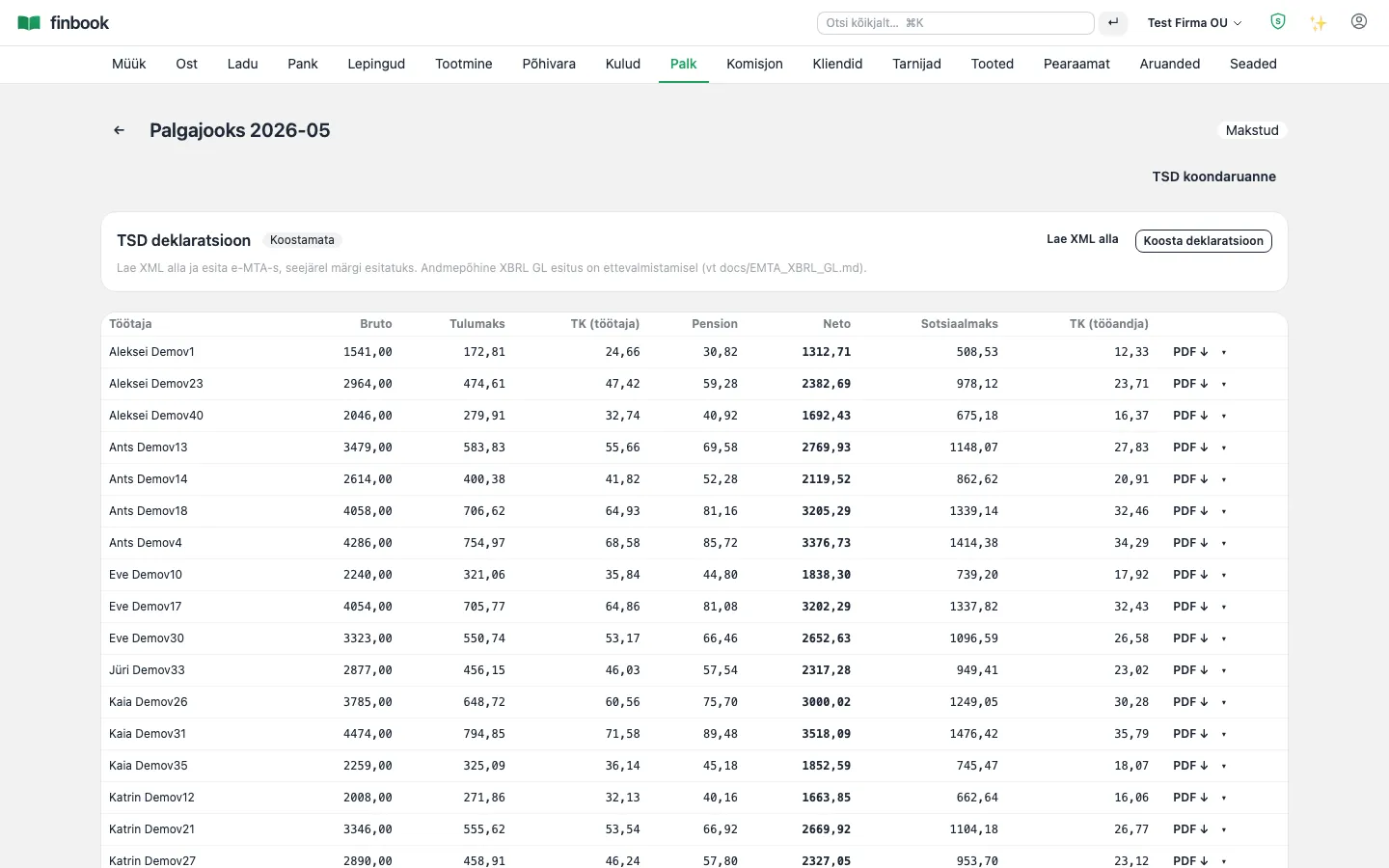
Estonian payroll: holiday pay, sick pay, fringe benefits, dividends, TSD (income and social tax return) and TÖR (employment register). Hourly work comes straight from shop-floor time logs into payroll.

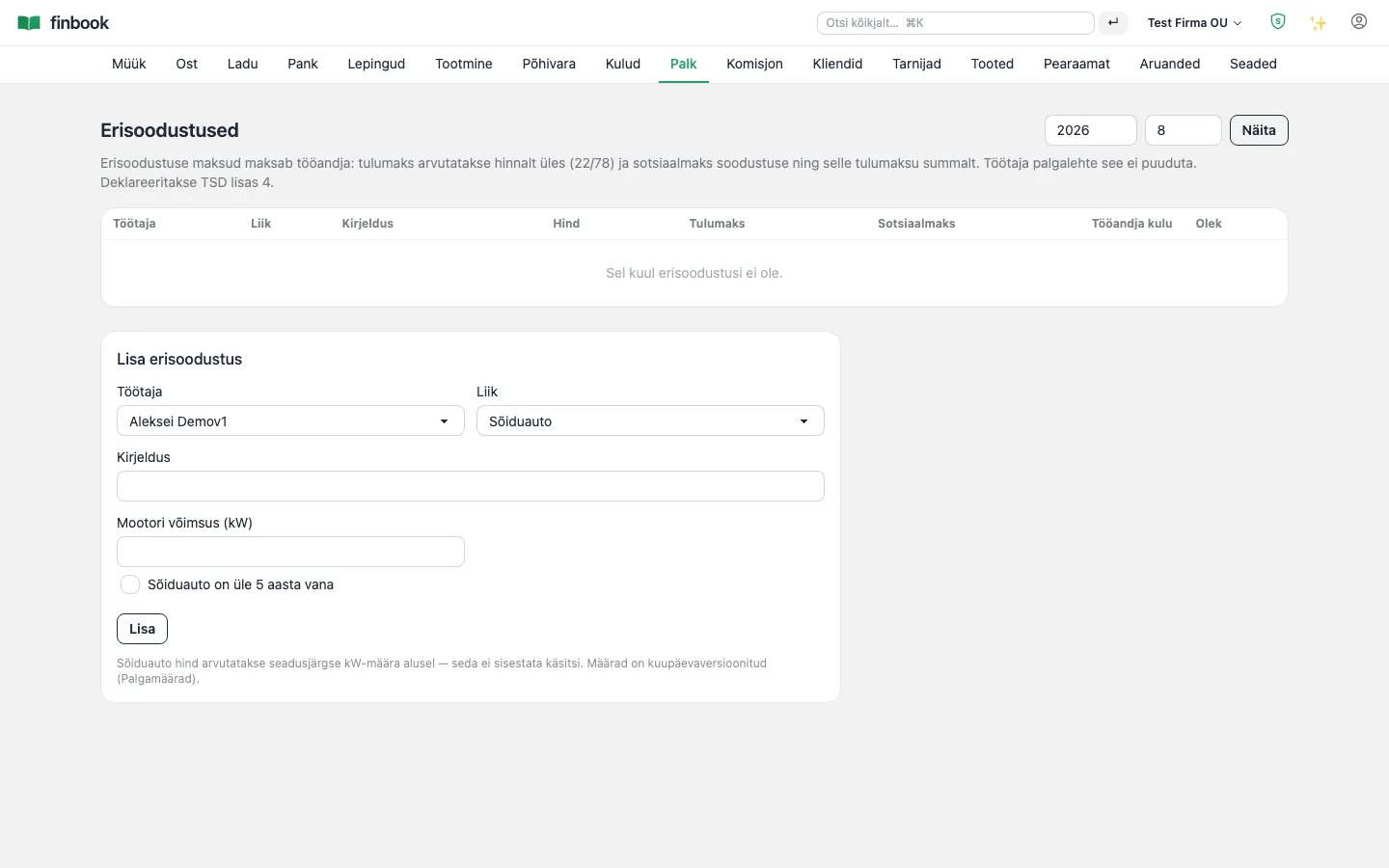
Notable: Pay formulas are freely configurable but run in a sandbox (without eval) — statutory taxes are always under the system's control. The car fringe benefit is calculated by kW.

Payroll months
1. Payroll months
Payroll run: gross amounts, taxes, entries
2. Payroll run: gross amounts, taxes, entries
Fringe benefits (car by kW) and declaration
3. Fringe benefits (car by kW) and declaration
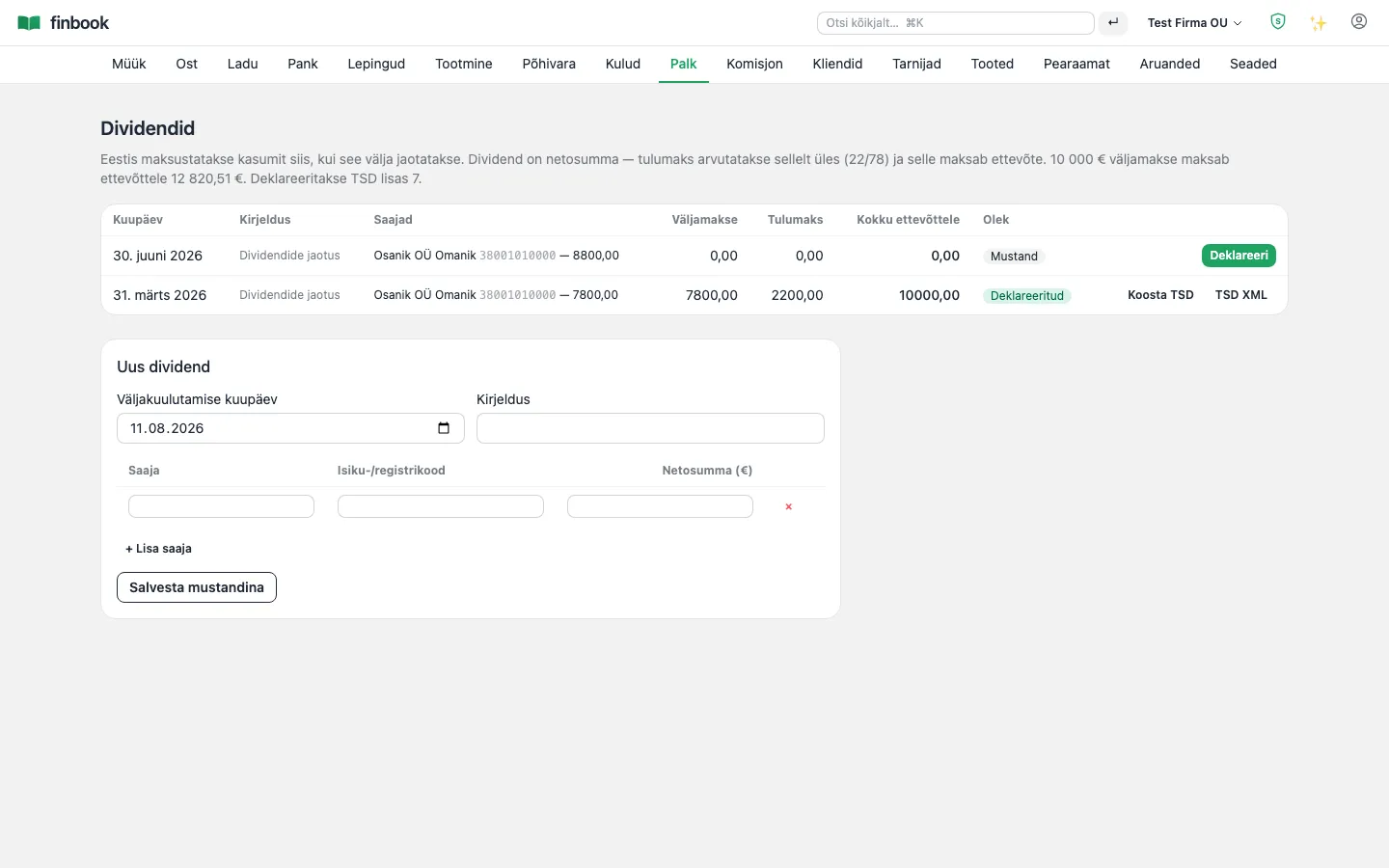
Dividends 22/78 — TSD lines automatically
4. Dividends 22/78 — TSD lines automatically

Employee card

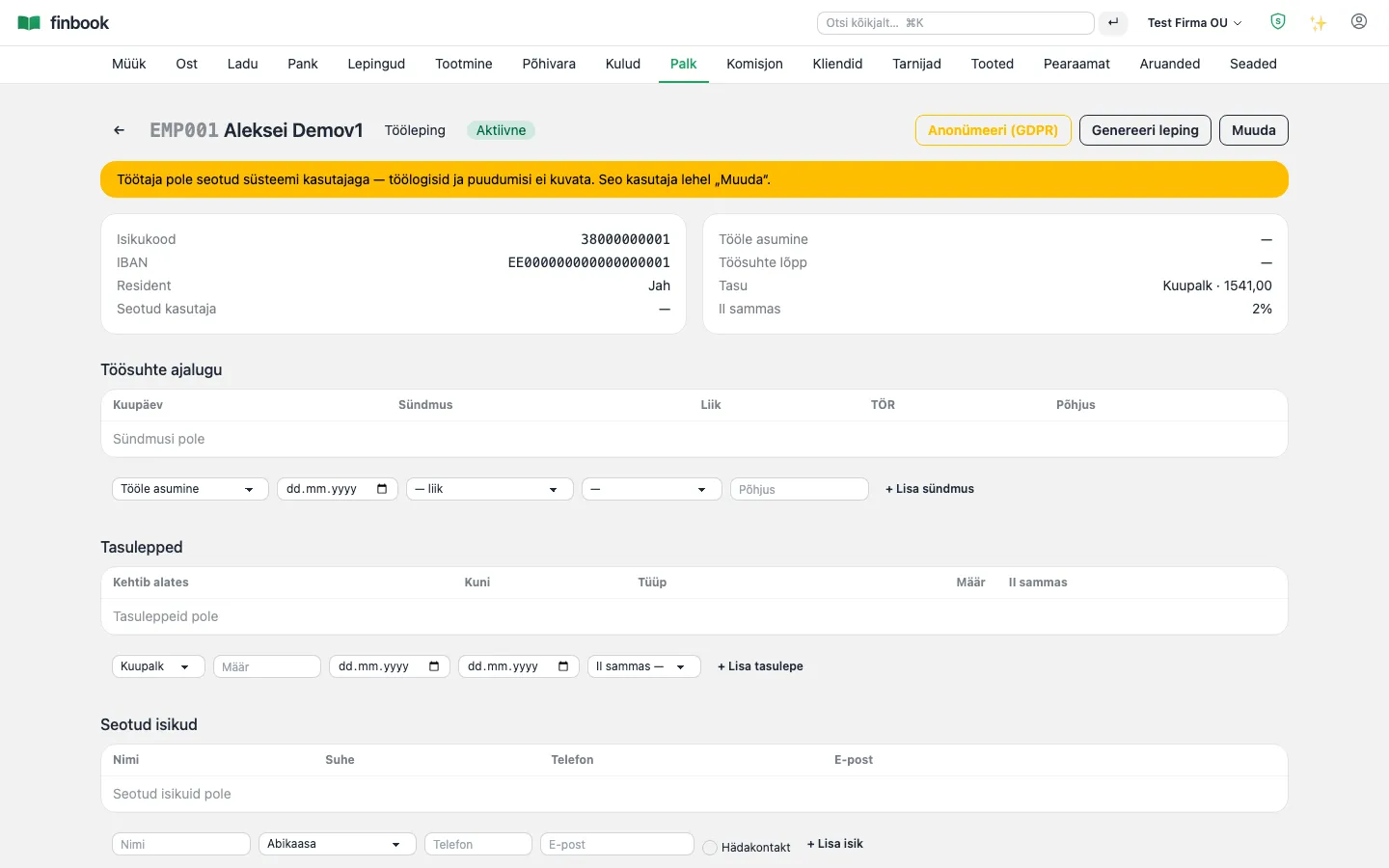
All HR information on a single card: contract, pay history, related persons, issued assets, access rights, competencies and documents, complete with e-signing.

Notable: The system generates the employment contract itself and sends it for signing via Smart-ID/Mobiil-ID. A GDPR erasure request is fulfilled with a single button (anonymisation).

Employees
1. Employees
Employee card: contract, events, assets, documents, e-signature
2. Employee card: contract, events, assets, documents, e-signature
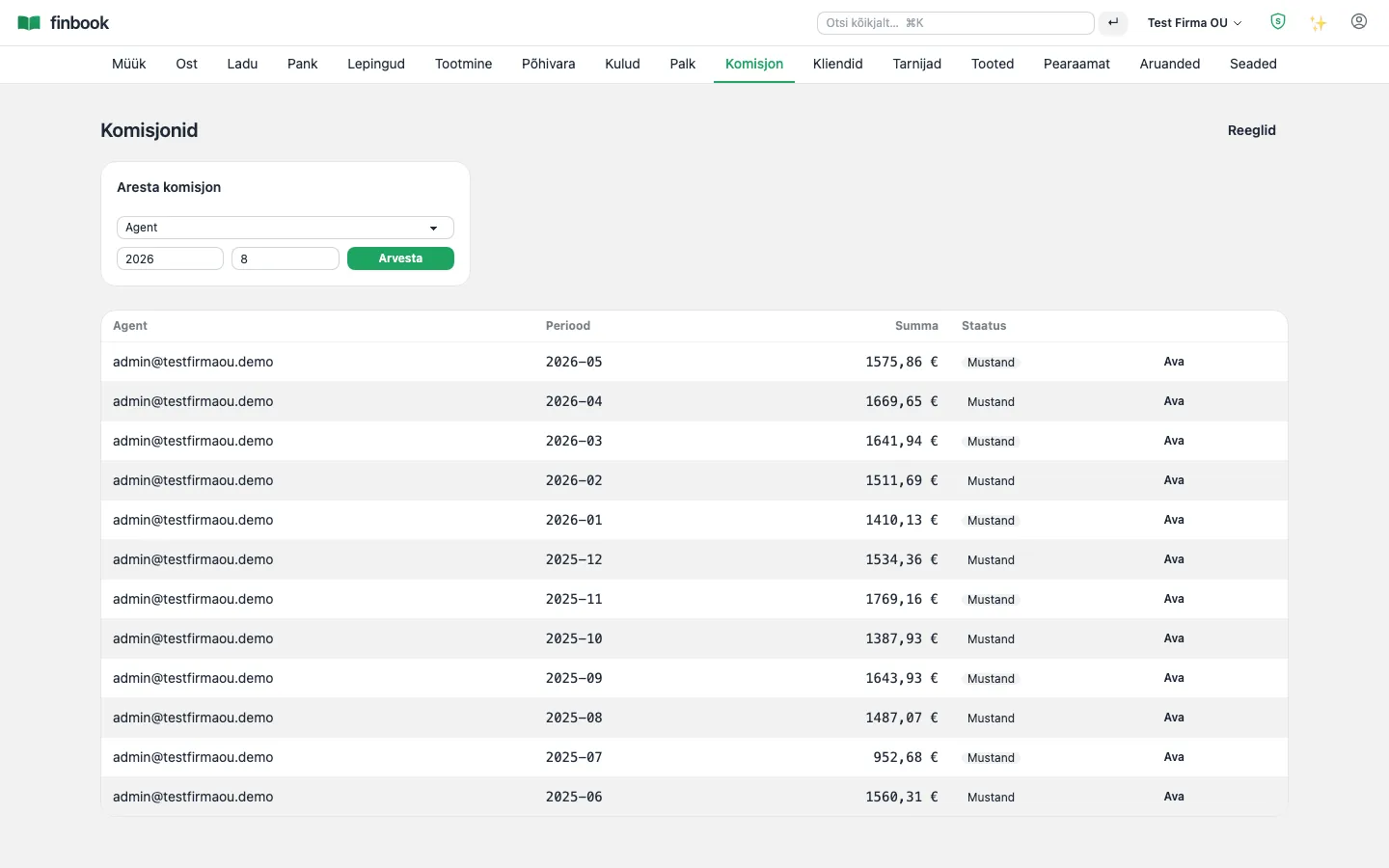
Sales agents' commissions
3. Sales agents' commissions

Analytics

Reporting and analysis

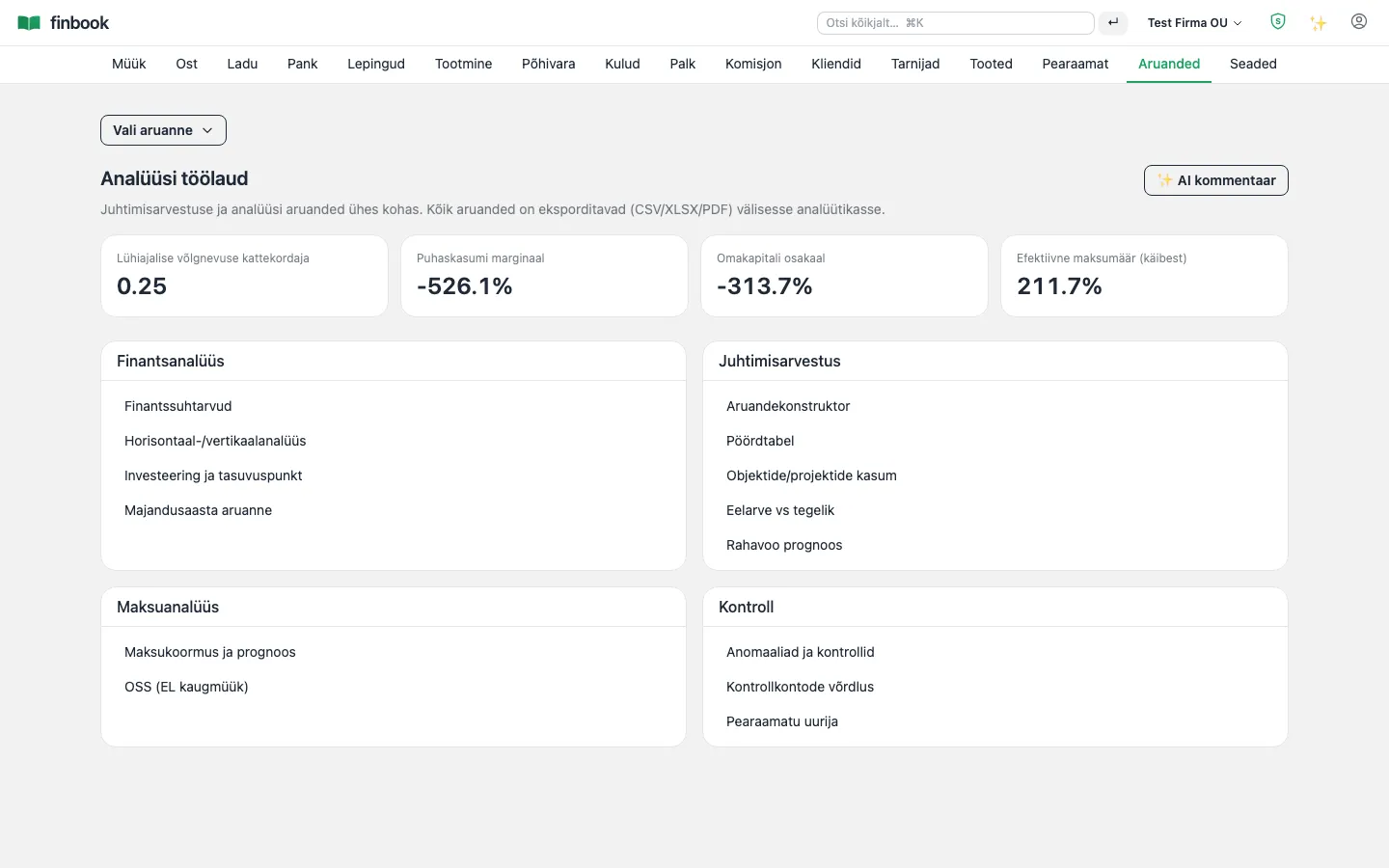
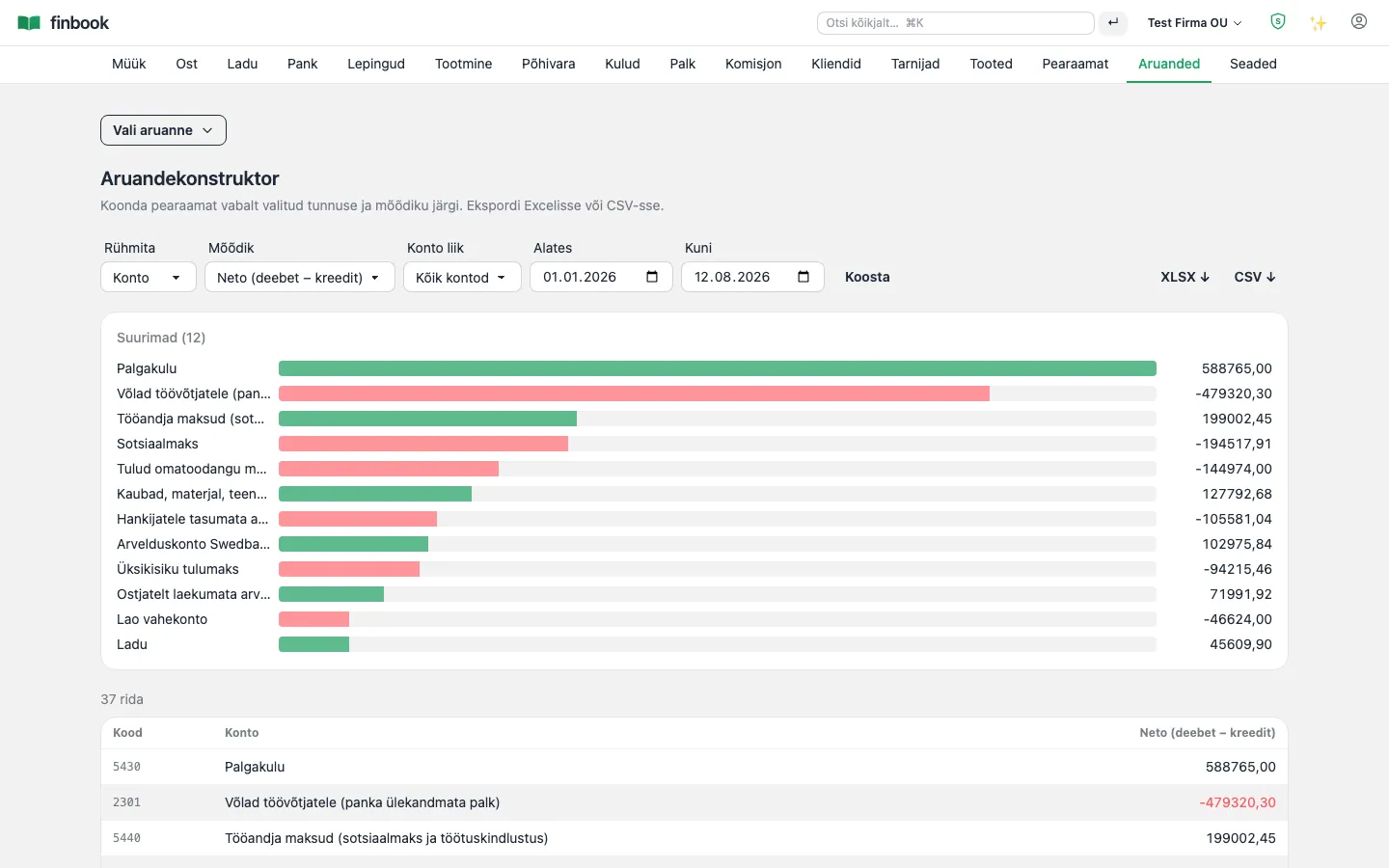
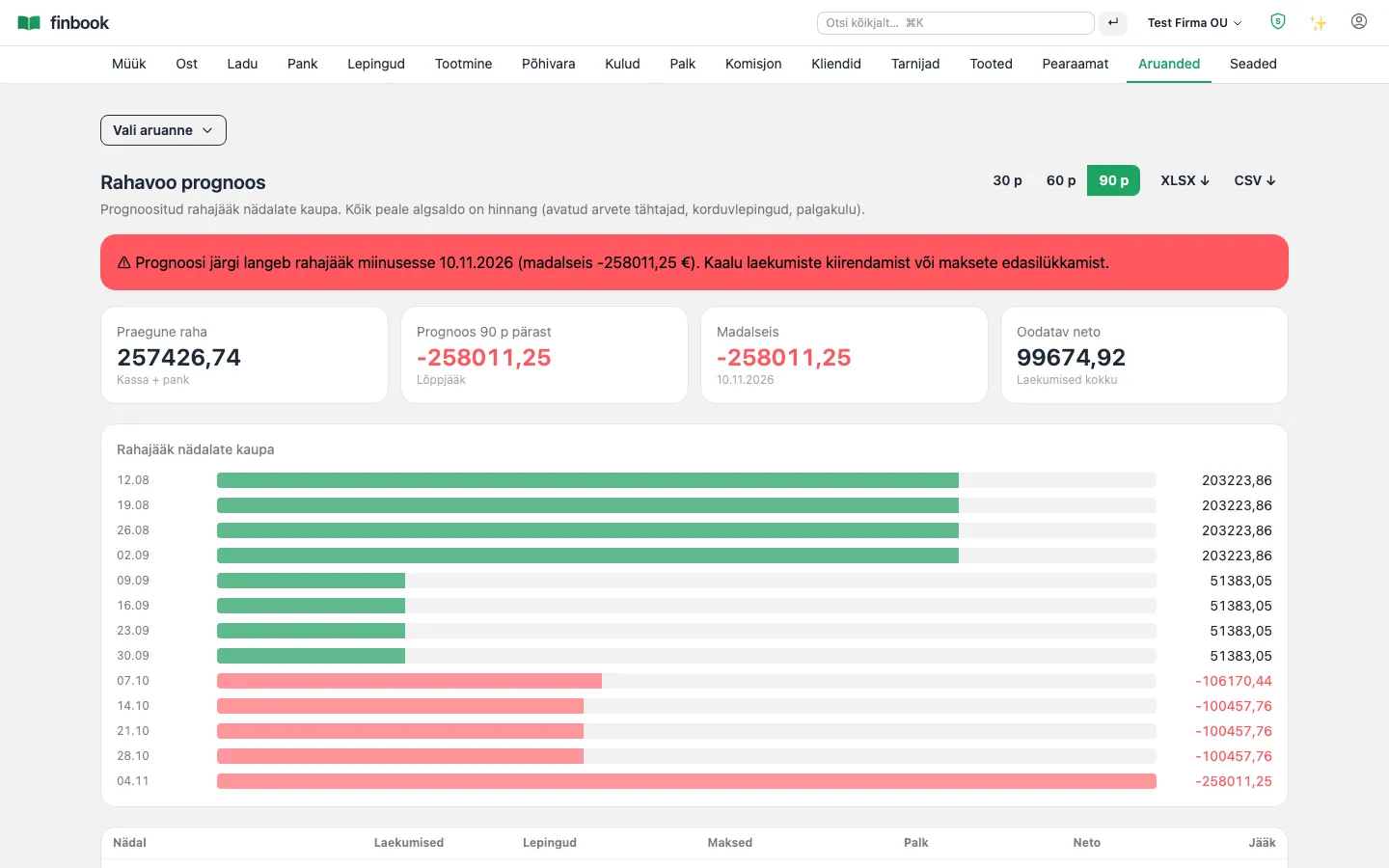
Balance sheet, income statement, cash flow, a dimensions pivot builder, cash flow forecast and automatic checks — all straight from the general ledger, without Excel.

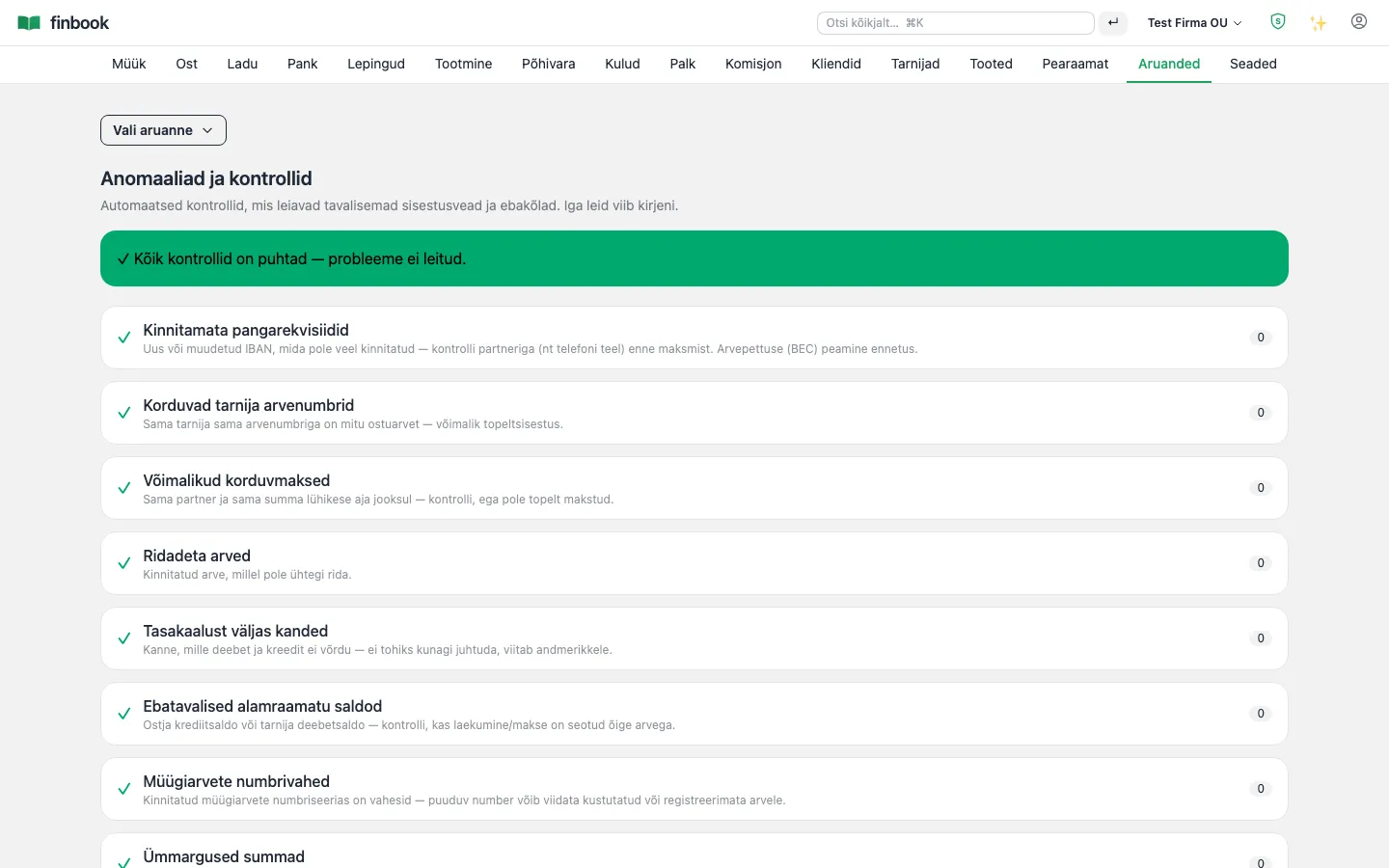
Notable: The checks page finds duplicate invoices, possible double payments, numbering gaps and suspiciously round amounts by itself — before they become a problem.

Analytics dashboard
1. Analytics dashboard
Balance sheet — always balanced, the nightly check stands guard
2. Balance sheet — always balanced, the nightly check stands guard
Report builder — a pivot across dimensions
3. Report builder — a pivot across dimensions
Cash flow forecast
4. Cash flow forecast
Checks: duplicates, numbering gaps, suspicious amounts
5. Checks: duplicates, numbering gaps, suspicious amounts

Platform

For accounting firms

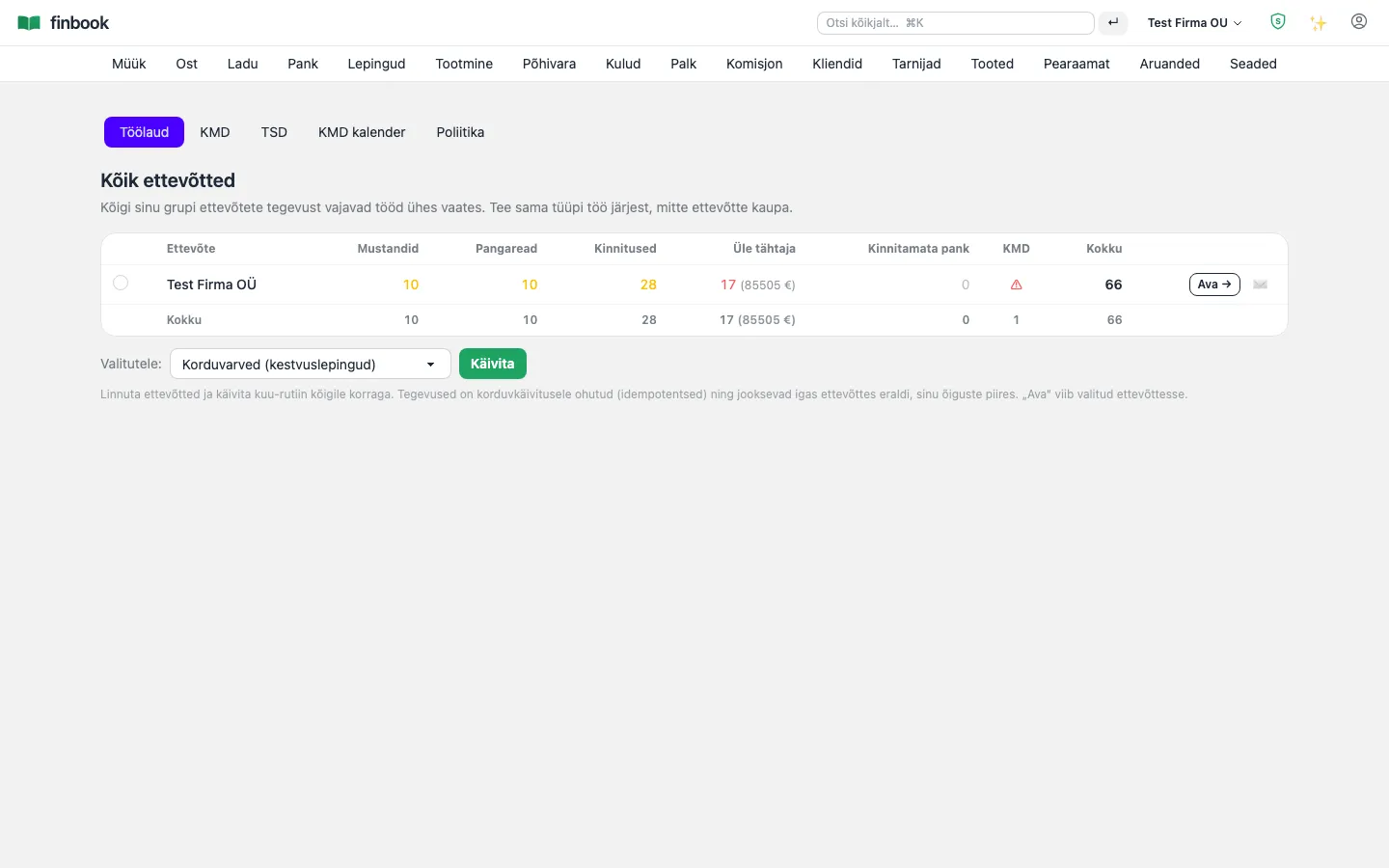
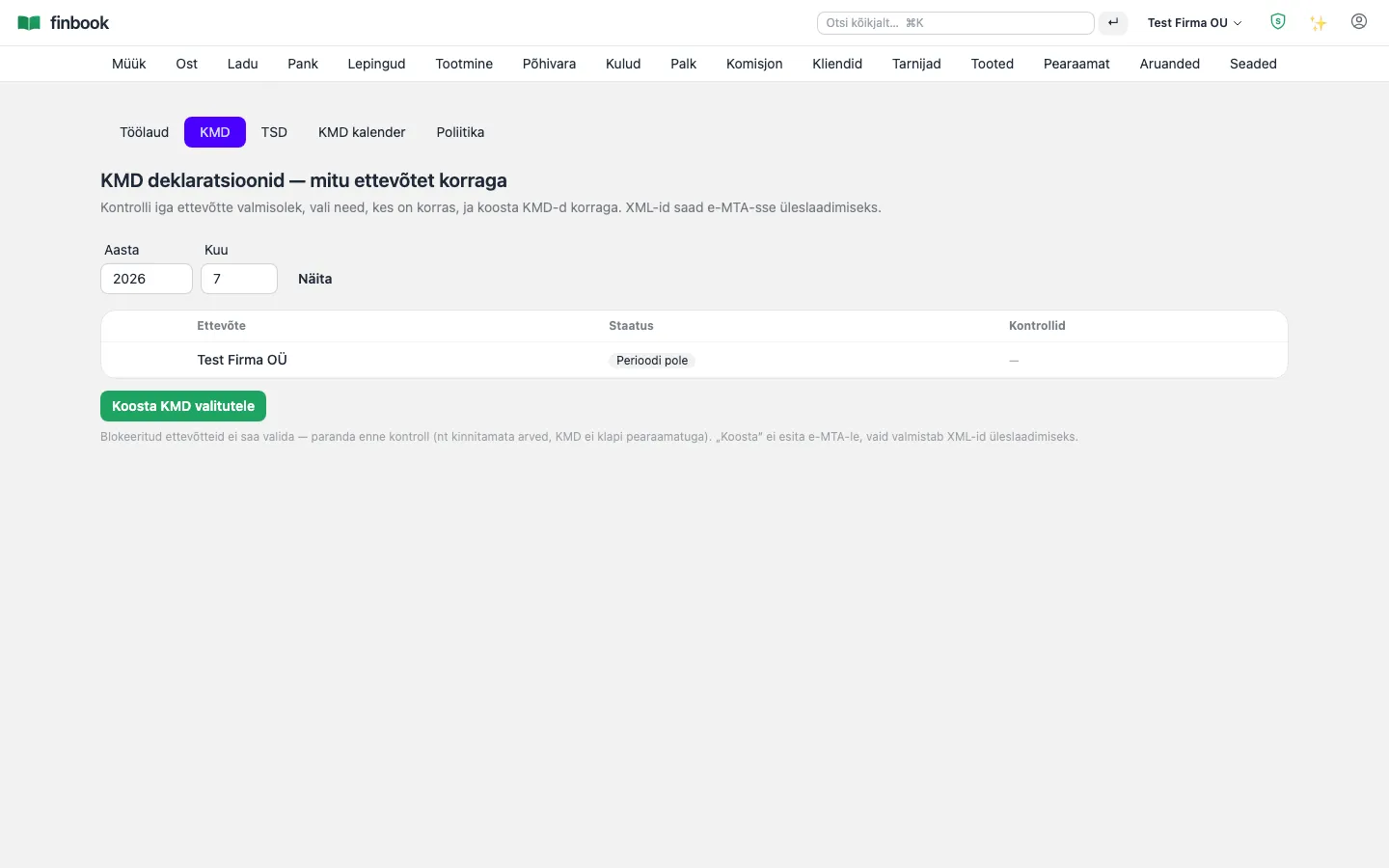
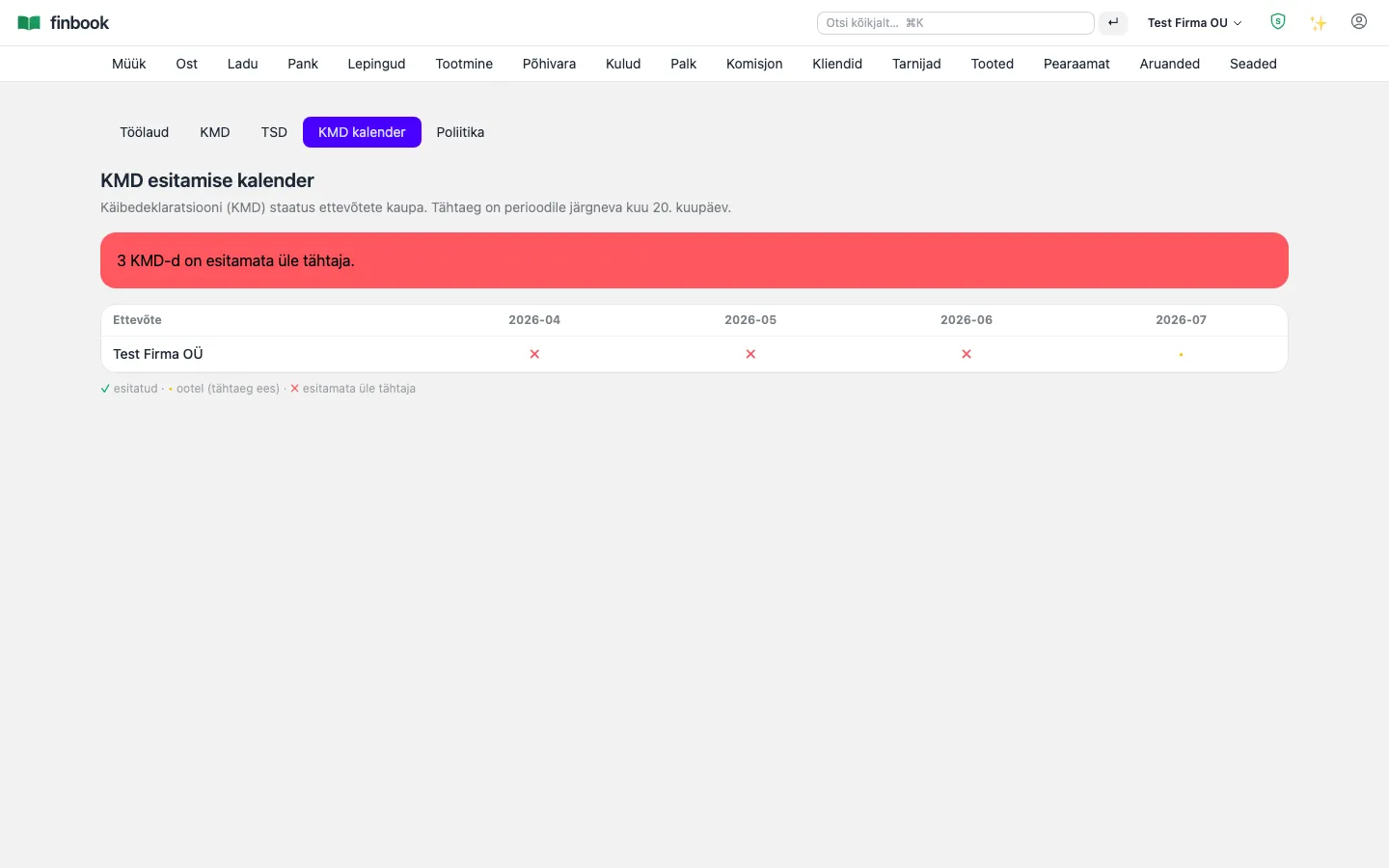
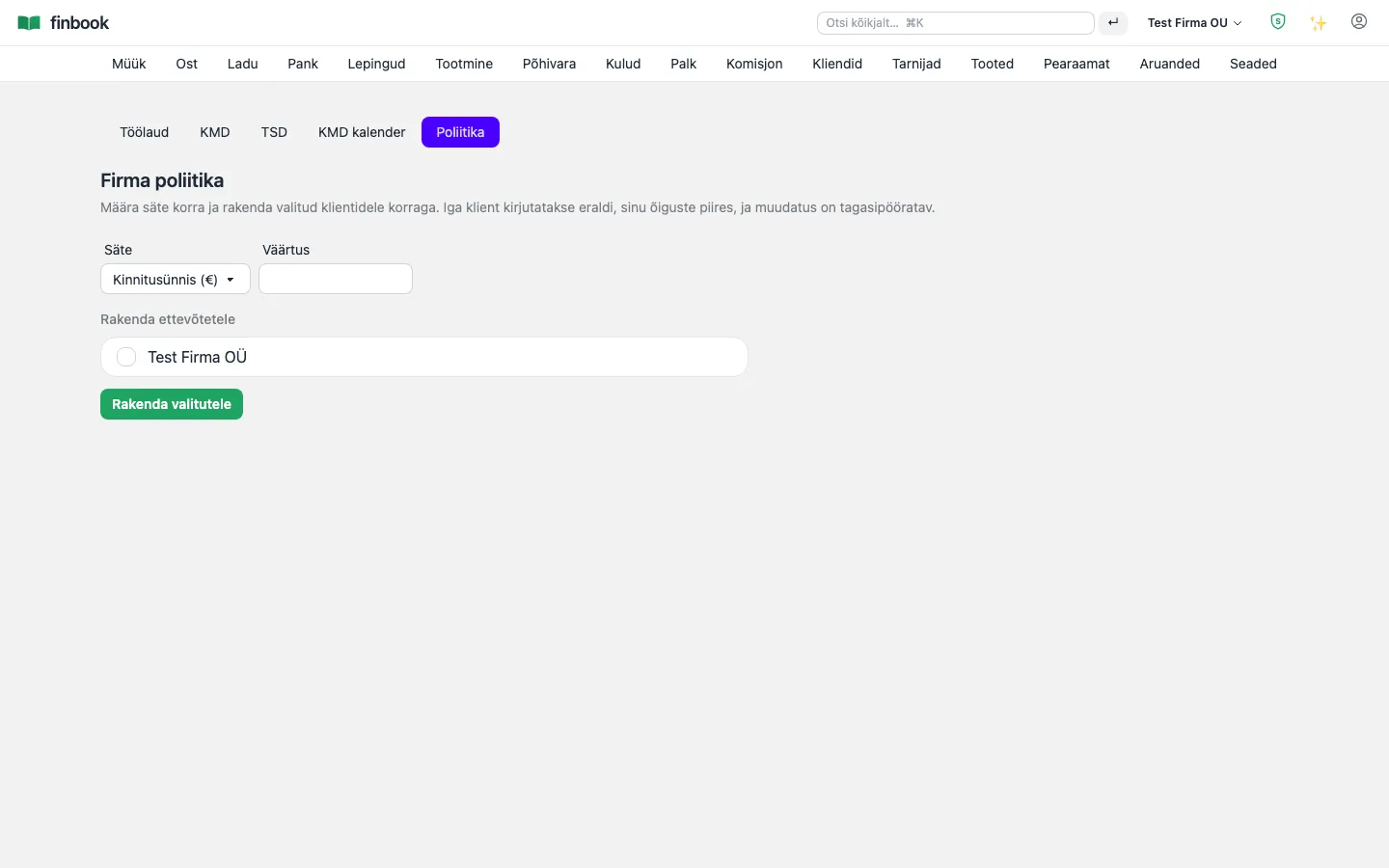
We have built features that let you do the bookkeeping for many companies at once, faster. The firm dashboard shows ALL clients in one matrix: unconfirmed drafts, unmatched bank lines, overdue invoices and KMD readiness for each company. Do the same type of work across clients in a row rather than company by company: recurring invoices, reminders and KMDs run as batch operations — declarations are prepared together with a readiness check and downloaded as a single ZIP into e-MTA. The KMD calendar keeps deadlines in view, and a policy push rolls out a shared rule (e.g. an approval threshold or numbering) to all clients at once. And if we don't yet have a module you need, we can build it from your description.

Notable: Each client lives in its own data space (database-level isolation) — the firm sees everyone, clients see only themselves. The batch runs client by client with separate permissions and transactions: one broken client doesn't halt the others, and the readiness check tells you BEFORE submission who has something missing.

Firm dashboard — all clients in one matrix
1. Firm dashboard — all clients in one matrix
Batch KMD: readiness per client, XMLs into one ZIP
2. Batch KMD: readiness per client, XMLs into one ZIP
KMD calendar — every client's deadlines in one view
3. KMD calendar — every client's deadlines in one view
Policy push: a shared rule to all clients at once
4. Policy push: a shared rule to all clients at once

Configuration

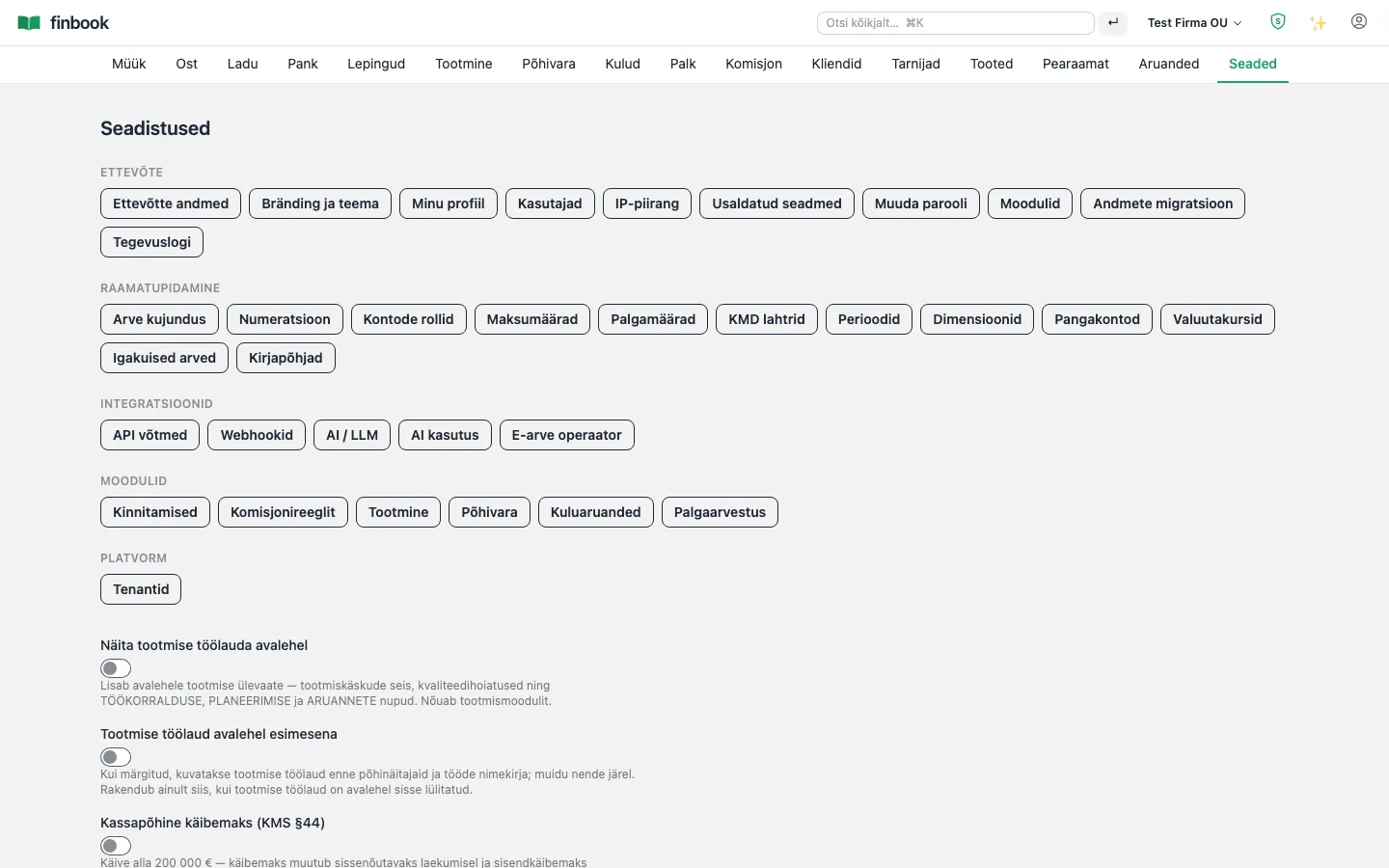
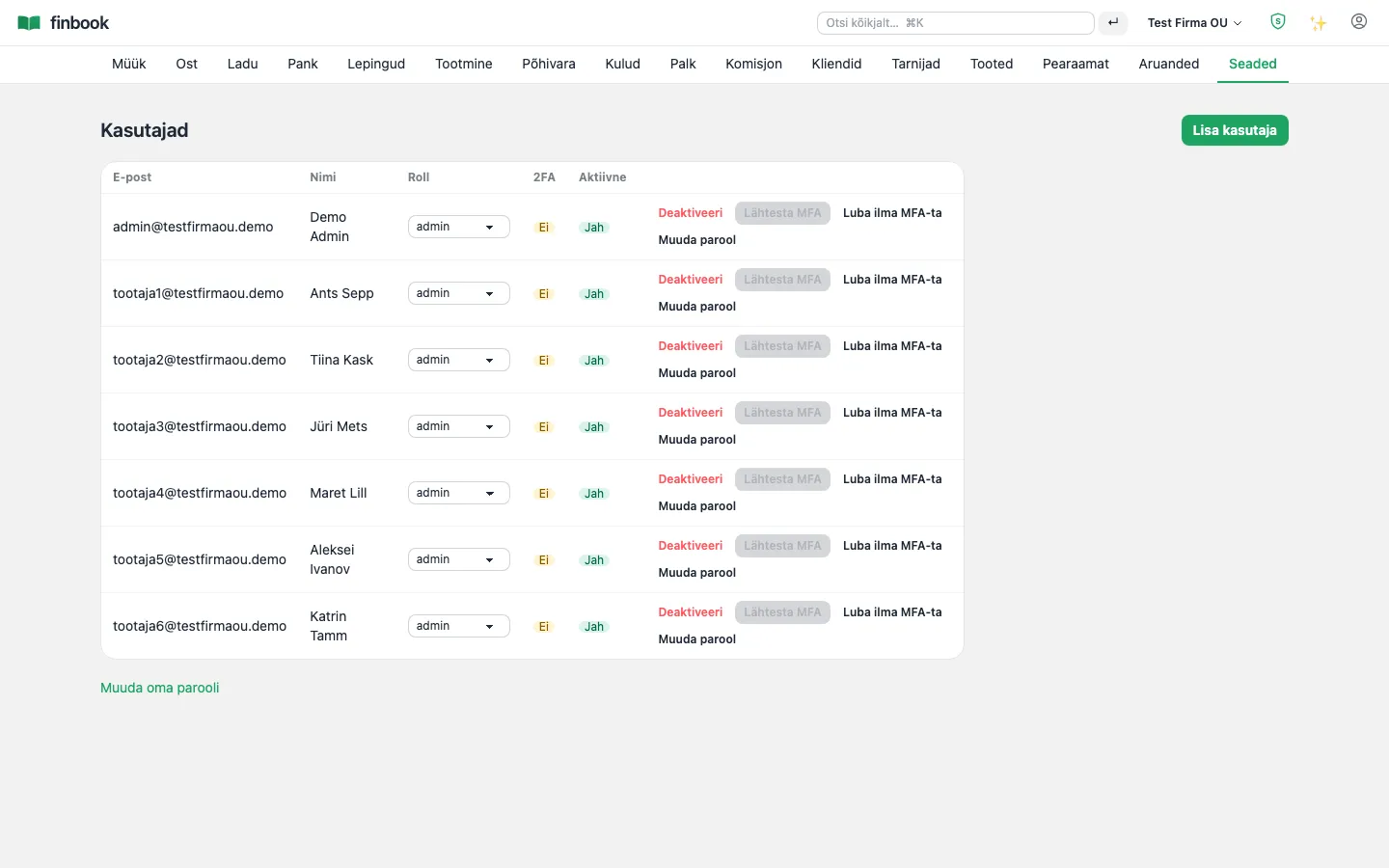
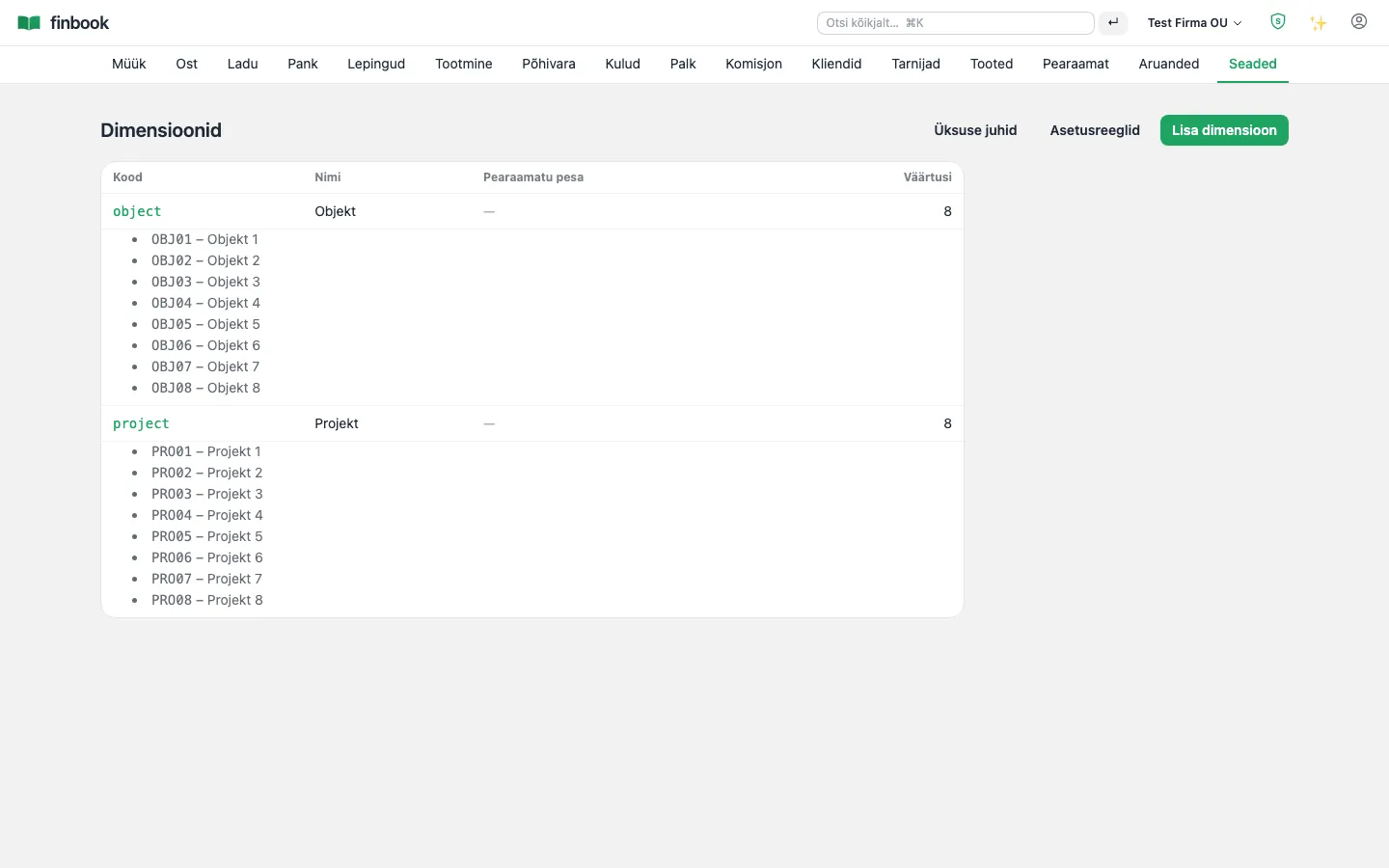
Modules on and off with a single switch, users and roles, document numbering, dimensions, exchange rates from the ECB and CSV importers to get you started.

Notable: Document numbering is gapless — nothing to explain to the auditor. Mandatory 2FA is turned on for the whole company with a single switch.

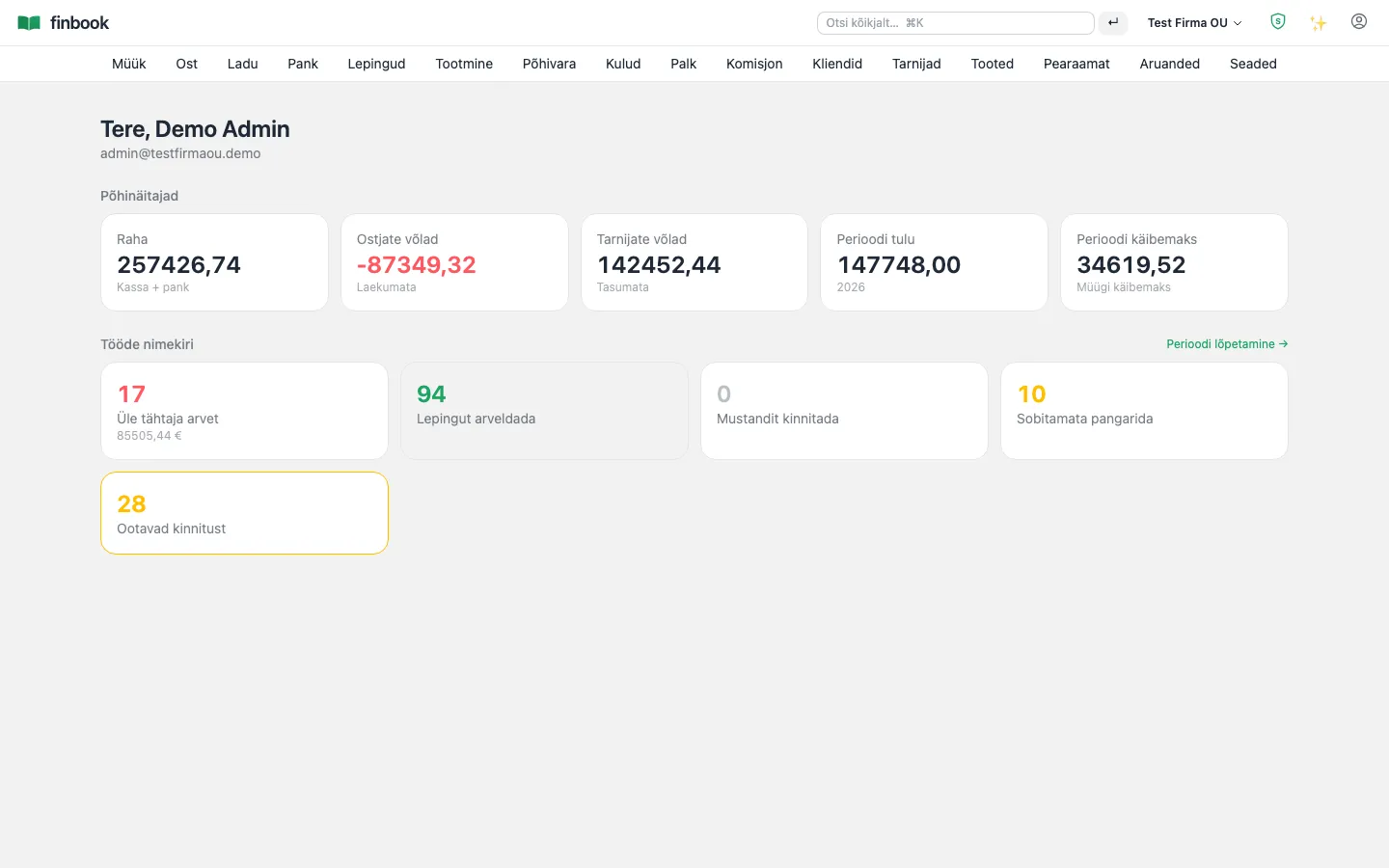
Dashboard — KPIs and pending work
1. Dashboard — KPIs and pending work
Settings: modules on and off, numbering, rates
2. Settings: modules on and off, numbering, rates
Users and roles
3. Users and roles
Dimensions: projects, objects, representatives
4. Dimensions: projects, objects, representatives

Security and backup

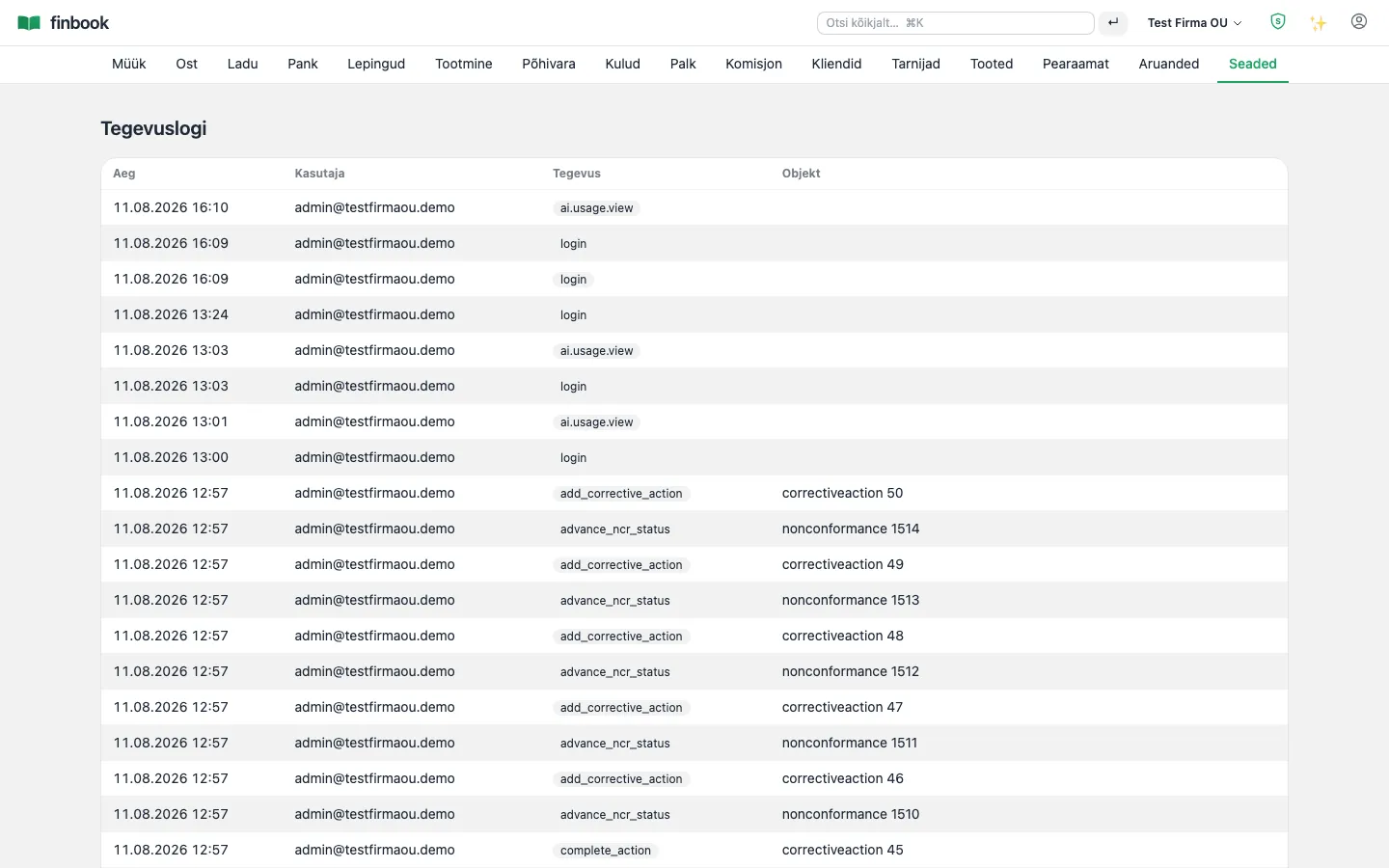
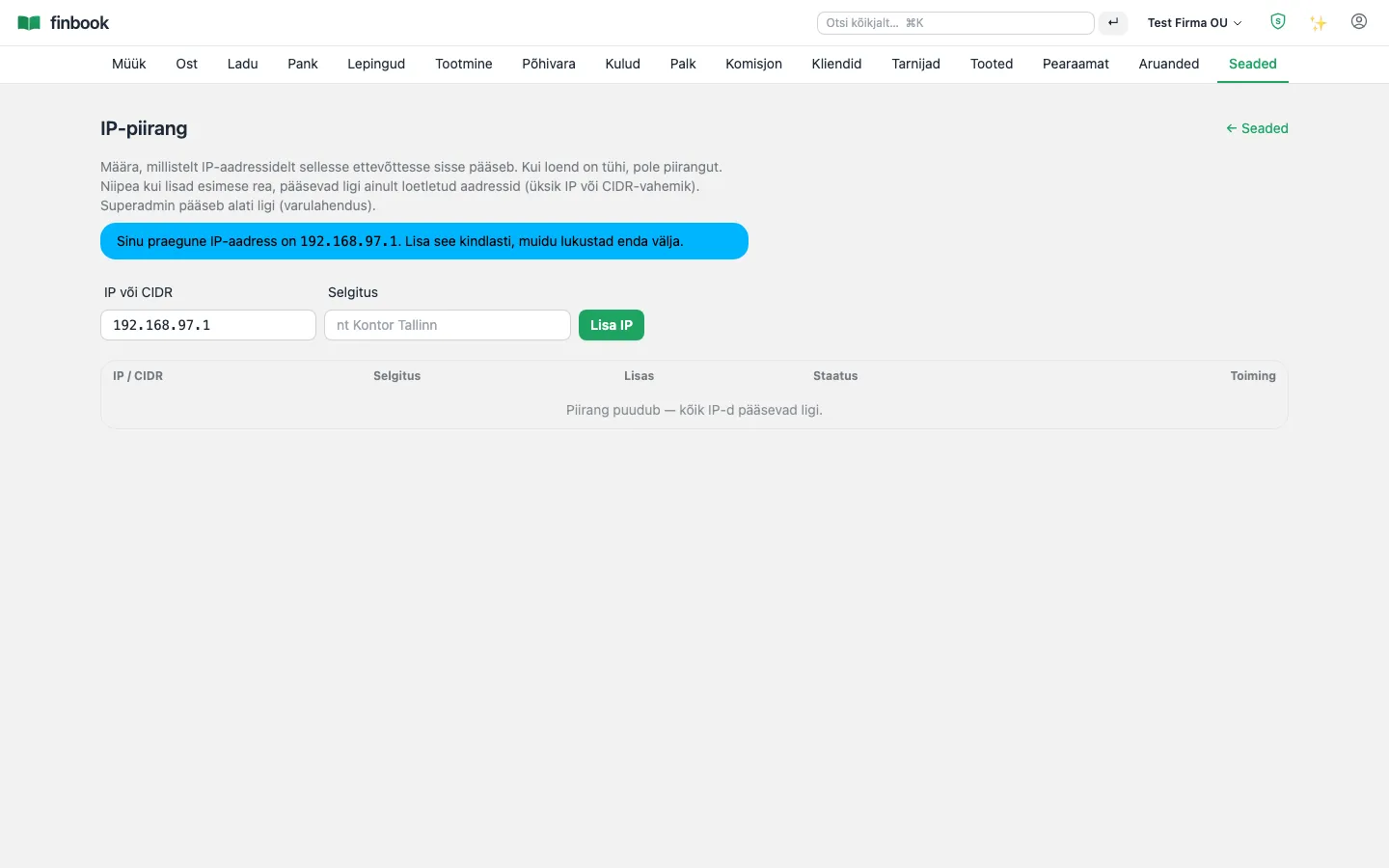
An audit log of every change, IP restrictions, encrypted nightly backups with restore verification and an optional mandatory 2FA.

Notable: Each company's data is isolated at the database level itself (row-level security on every table) — not just in application code. Backups are verified automatically.

Audit log — every change, who and when
1. Audit log — every change, who and when
IP allow-list per company
2. IP allow-list per company

Interfaces and API

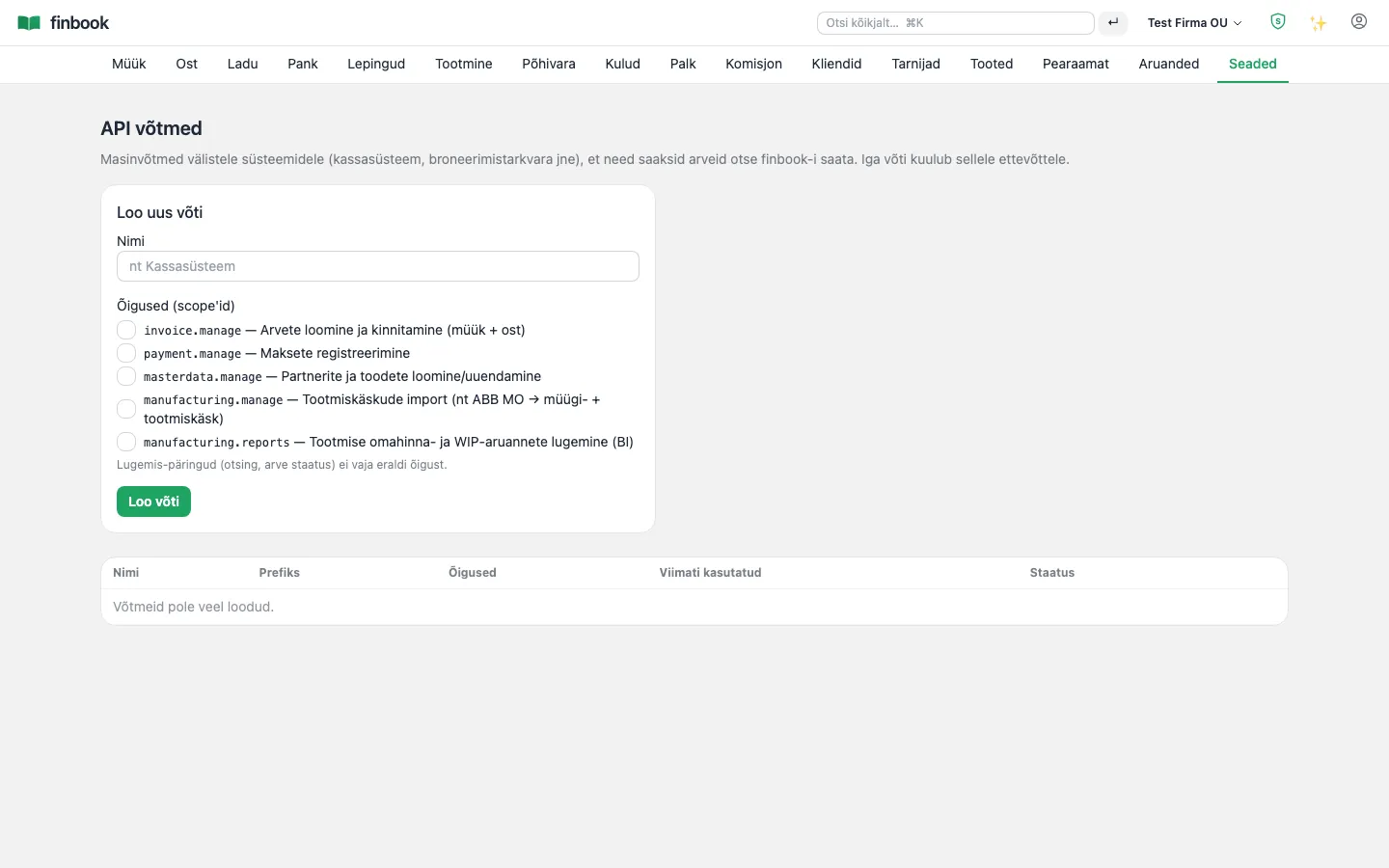
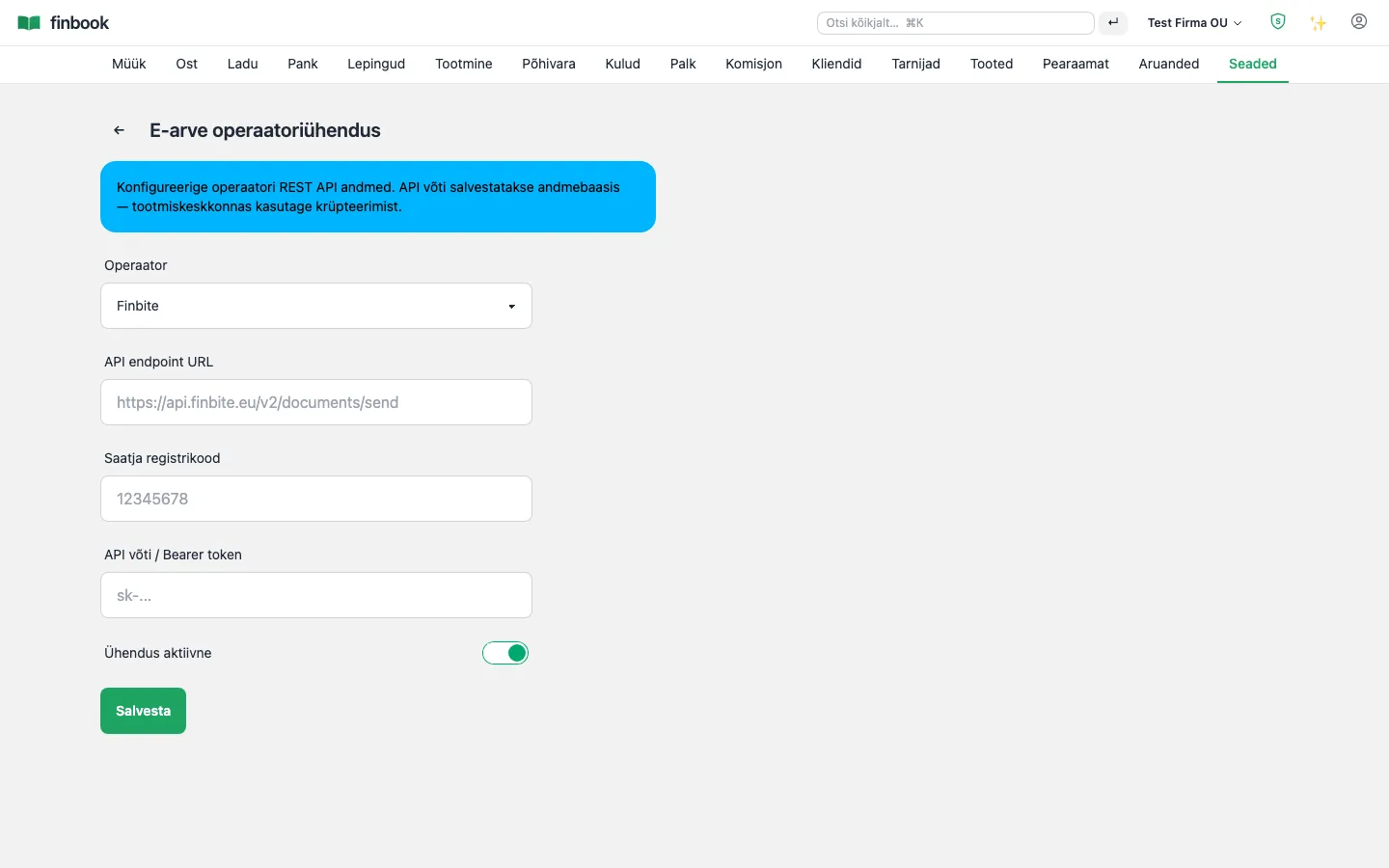
FinBook talks to other systems on its own: a REST API for creating and reading documents, webhooks on events (e.g. “invoice confirmed”), an e-invoice operator connection, bank files (camt.053/CSV in, SEPA out), Äriregister and VIES queries, ECB rates, e-MTA and TÖR XML files, and an e-signing gateway. Example: a webshop or point-of-sale system sends a sale into the API — the invoice, stock levels and general ledger update by themselves, and a webhook sends a confirmation back to the shop. Using the interfaces comes at no extra charge — they are part of the software, not a separate module.

Notable: The API is secure by default: keys are per tenant, every call is in the audit log, an idempotency key protects against double submission (a repeat returns the same response, not a second invoice) and webhooks are HMAC-signed.

API keys — secure access for external systems
1. API keys — secure access for external systems
E-invoice operator connection in a couple of fields
2. E-invoice operator connection in a couple of fields

Artificial intelligence

Artificial intelligence assistance

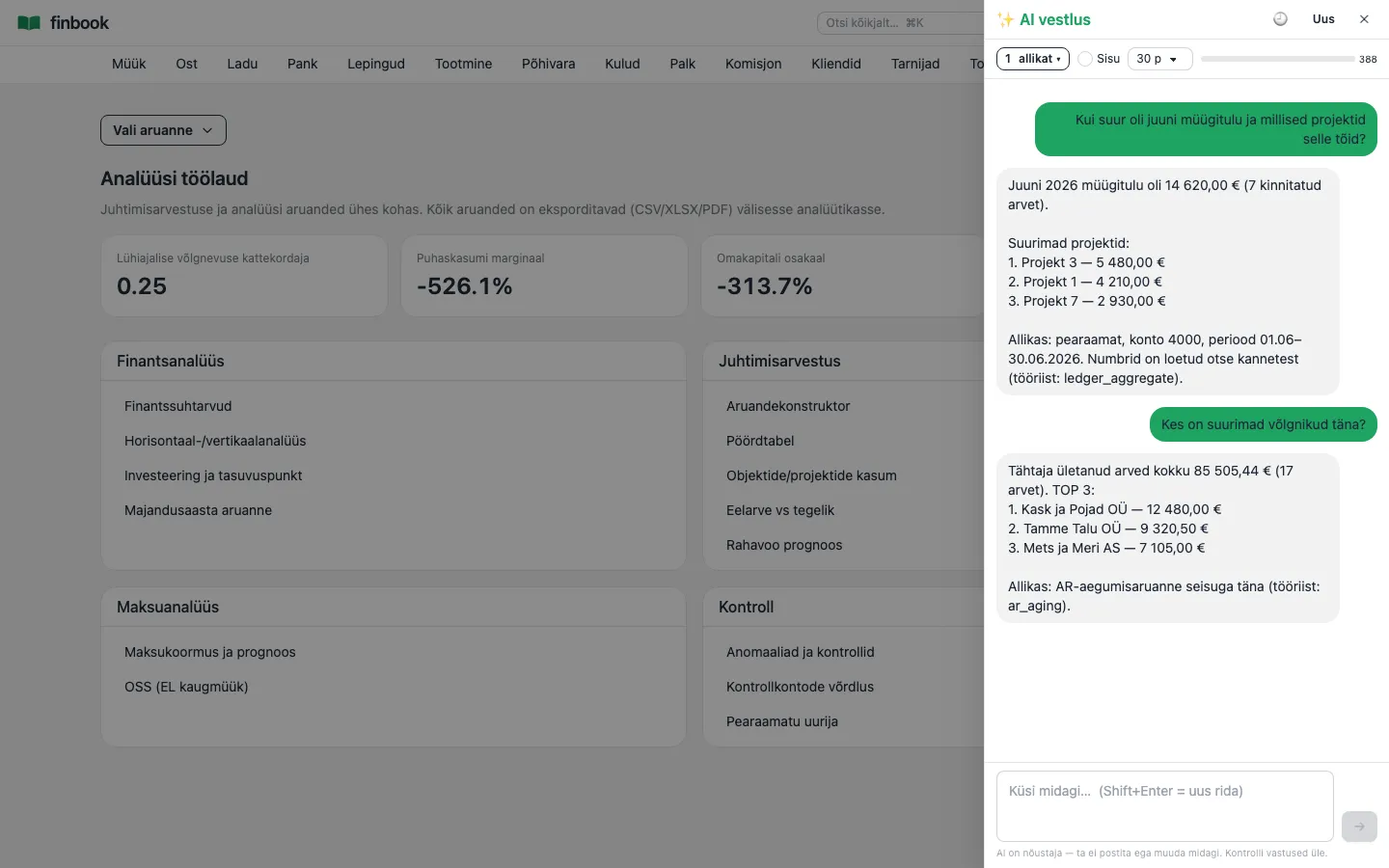
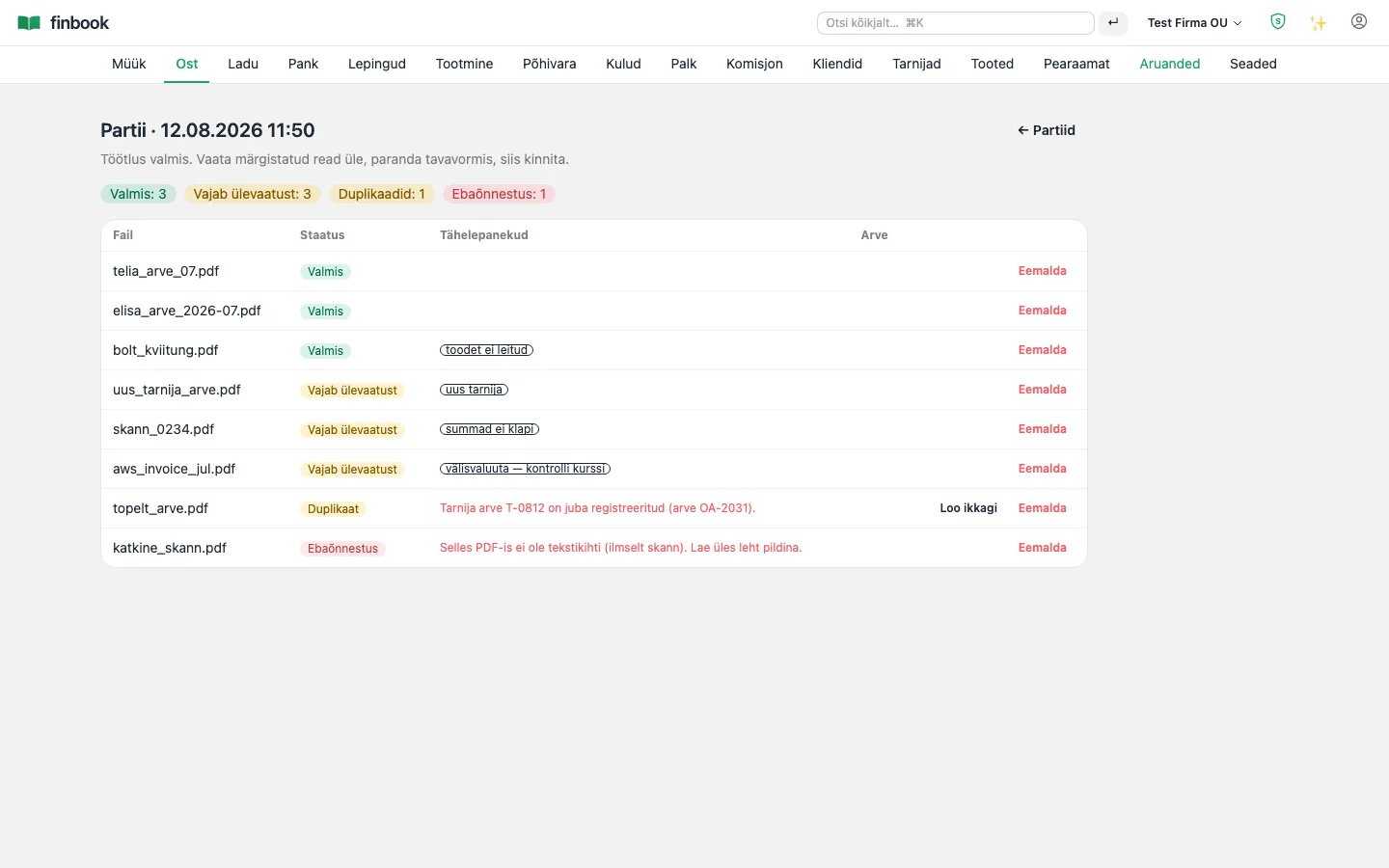
The AI chat answers questions about your numbers in Estonian: “how big were June sales by project?”, “who are the biggest debtors?” — the agent calls real reporting functions and reads the answer straight from the general ledger rather than guessing. The same engine reads purchase invoices from a file (one at a time on the form or up to 20 in a batch), identifies the supplier with the help of the Äriregister and VIES, determines the tax treatment and expense account, and flags precisely what needs a human eye. For reports, the AI writes commentary that relies only on the numbers on the screen.

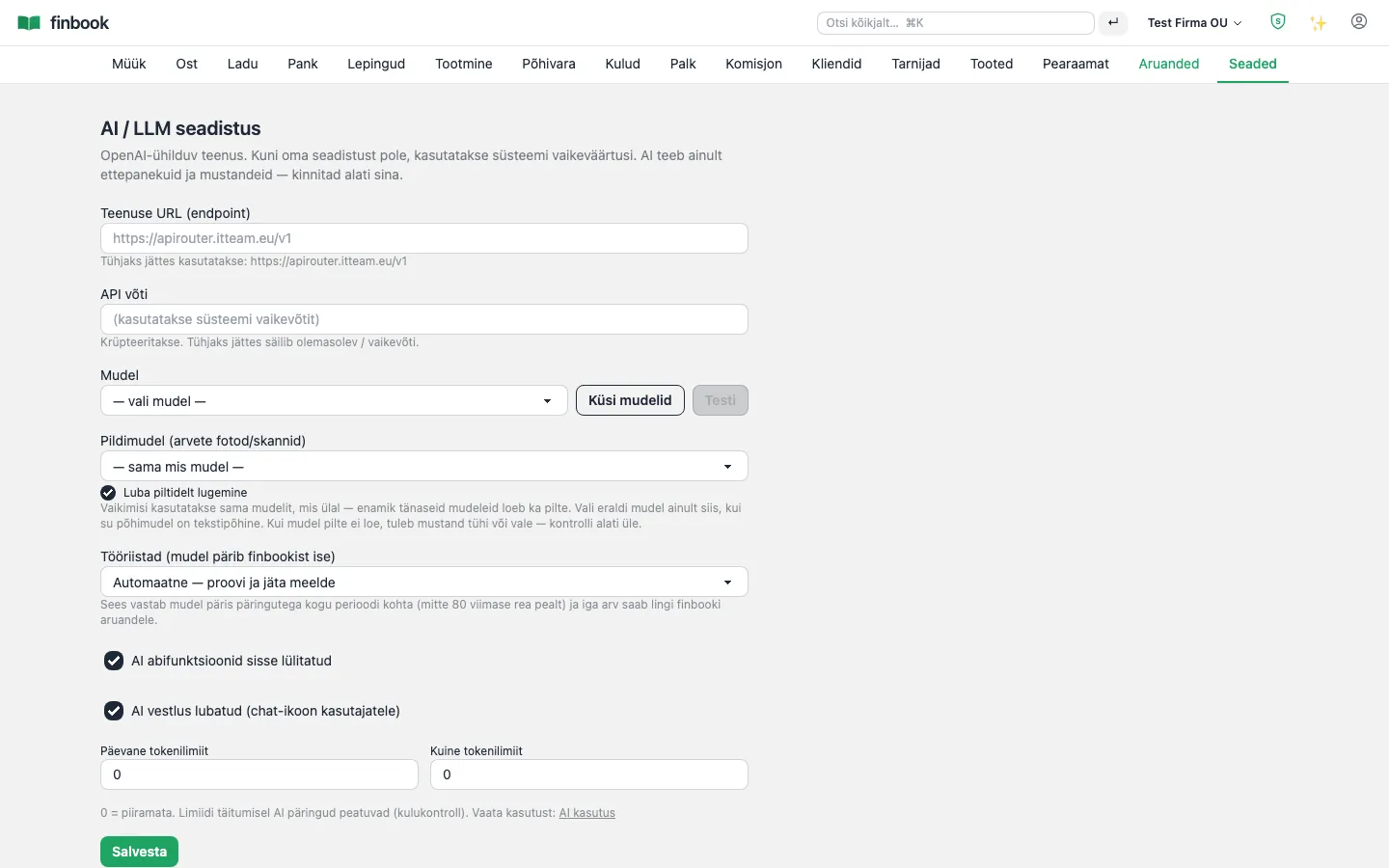
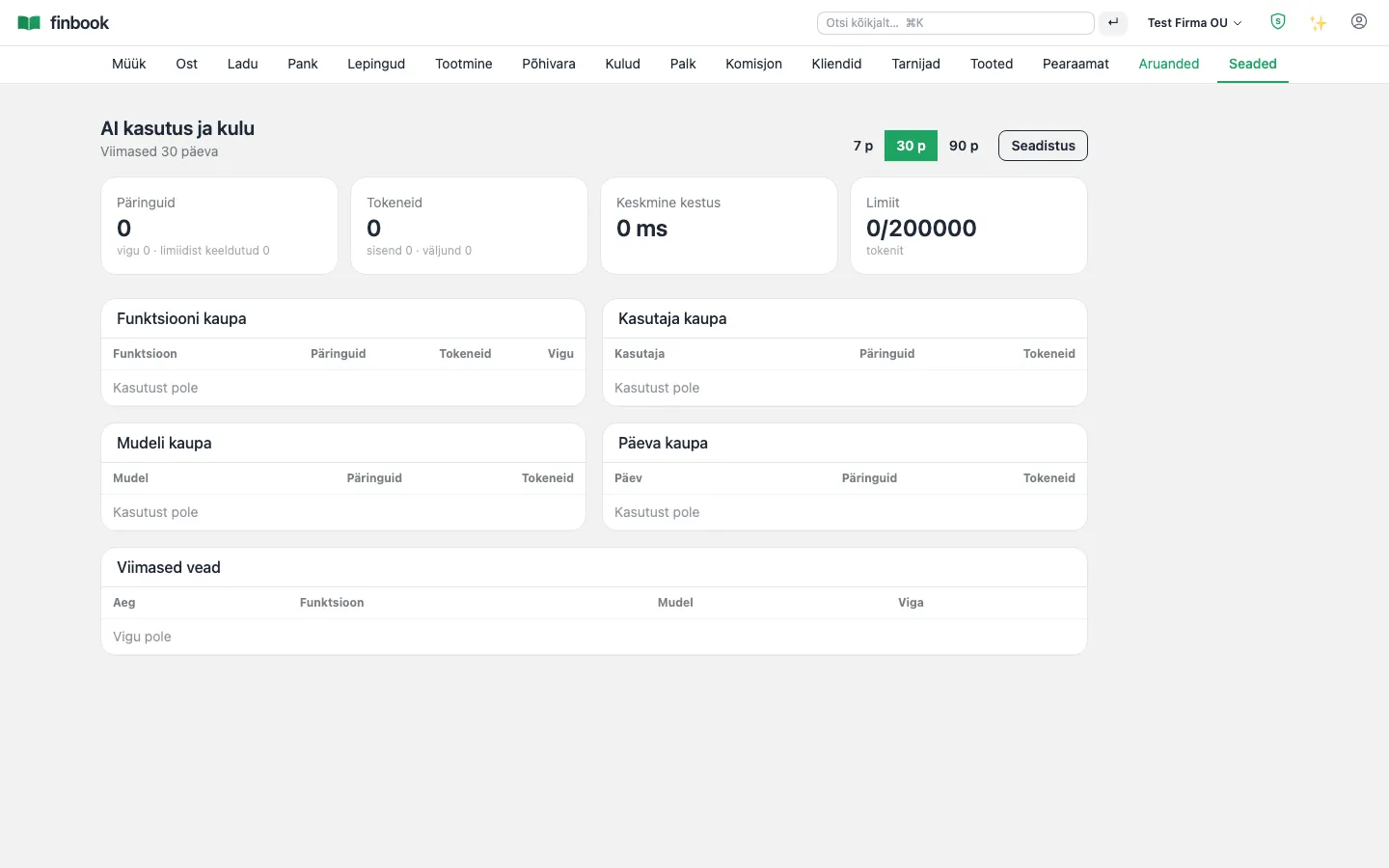
Notable: The AI never generates numbers itself and never posts anything automatically — it offers a draft, you confirm. Use our model or connect your own key (encrypted); spending limits and a usage overview are in the settings, per tenant.

AI chat: ask in Estonian, the answer comes straight from the general ledger
1. AI chat: ask in Estonian, the answer comes straight from the general ledger
Batch import: AI flags each invoice's status and reason — you confirm
2. Batch import: AI flags each invoice's status and reason — you confirm
AI settings — your model or ours, the key encrypted
3. AI settings — your model or ours, the key encrypted
AI usage and spending limits per tenant
4. AI usage and spending limits per tenant

Reports available out of the box

Every report comes straight from the general ledger and the sub-ledgers — always current, and every report exports to CSV.

Financial statements
  • Balance sheet and income statement (RTJ layouts)
  • Cash flow statement
  • Statement of changes in equity
  • Trial balance and general ledger
  • Annual report
Tax reports
  • KMD (Estonian VAT return) with INF annexes
  • VD — intra-EU sales
  • TSD — payroll, fringe benefits, dividends
  • OSS and a tax-burden overview
Management reports
  • Budget vs actual
  • Income statement by dimension
  • Pivot analysis (2 axes)
  • Financial ratios and comparative analysis
  • Cash forecast and sales margin
Sub-ledgers and control
  • Open invoices — receivables and payables
  • Customer and supplier statements
  • Stock levels and stock valuation
  • Fixed-asset register
  • Control checks and sub-ledger reconciliation
We tailor reports to your needs

With the report builder you can create new views yourself. And if you need something specific — a management report in your own format, a bank's or a parent company's layout — we adapt an existing report or build a new one. With AI-assisted development it is ready in hours or days, not weeks or months.

Contact

Built the way financial data demands

Immutable general ledger
A posted entry is locked at the database level; corrections go through reversing entries.
Nightly self-check
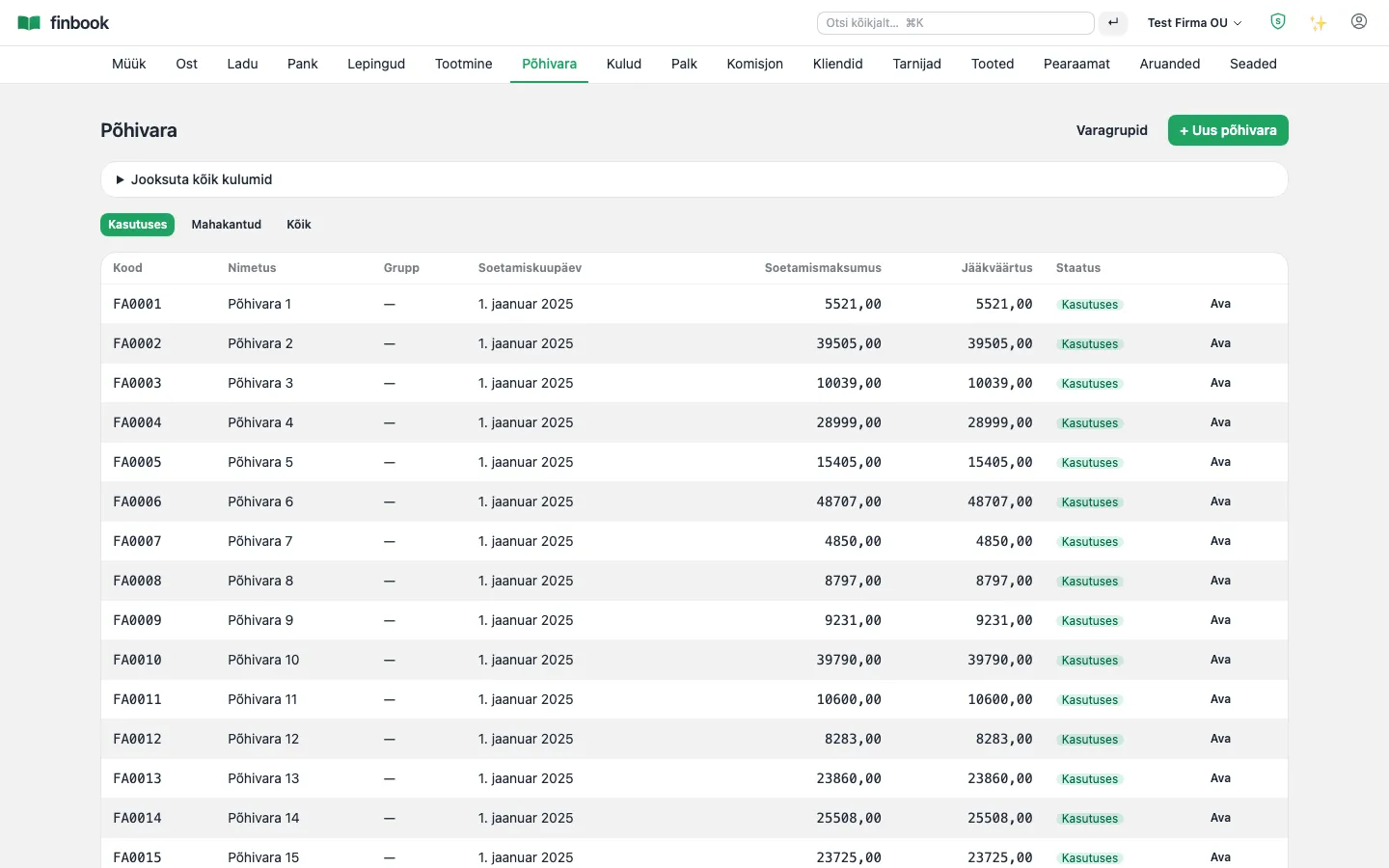
Every night the system compares the balance sheet, the sub-ledgers and VAT — any difference raises an alarm.
Data isolation
Each company is separated at the database level itself (row-level security), plus 2FA and IP restrictions.
Encrypted backup
Nightly backups, automatic restore verification and an audit log of every change.